LFW League Manager
Run every league from one place.
Families register and pay from their phones. Your staff build teams, schedules and playoffs, call rainouts in one step and see every dollar, without spreadsheets or a second system.
For parks and recreation departments · working demo with fictional data
See it with sample data.
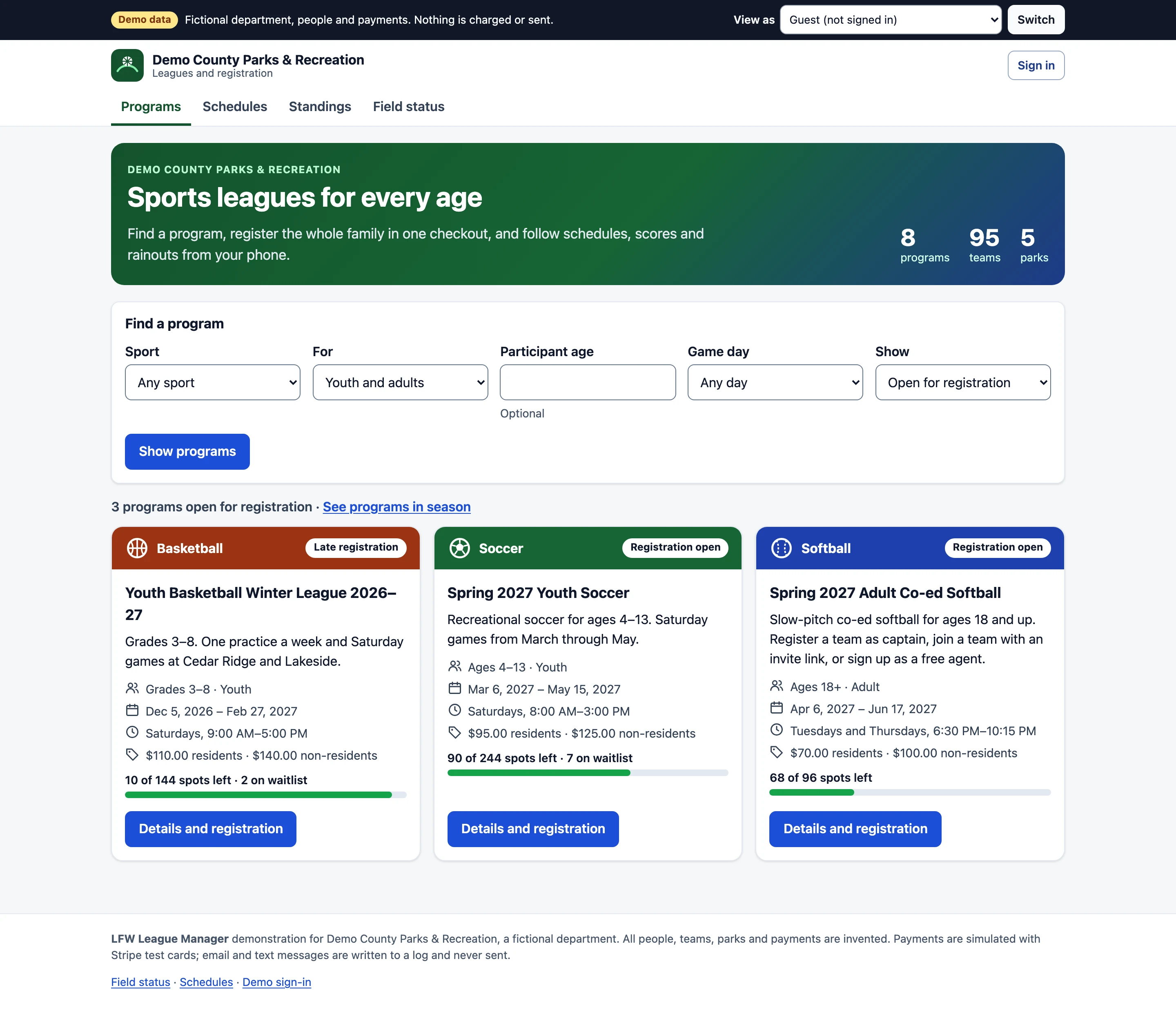
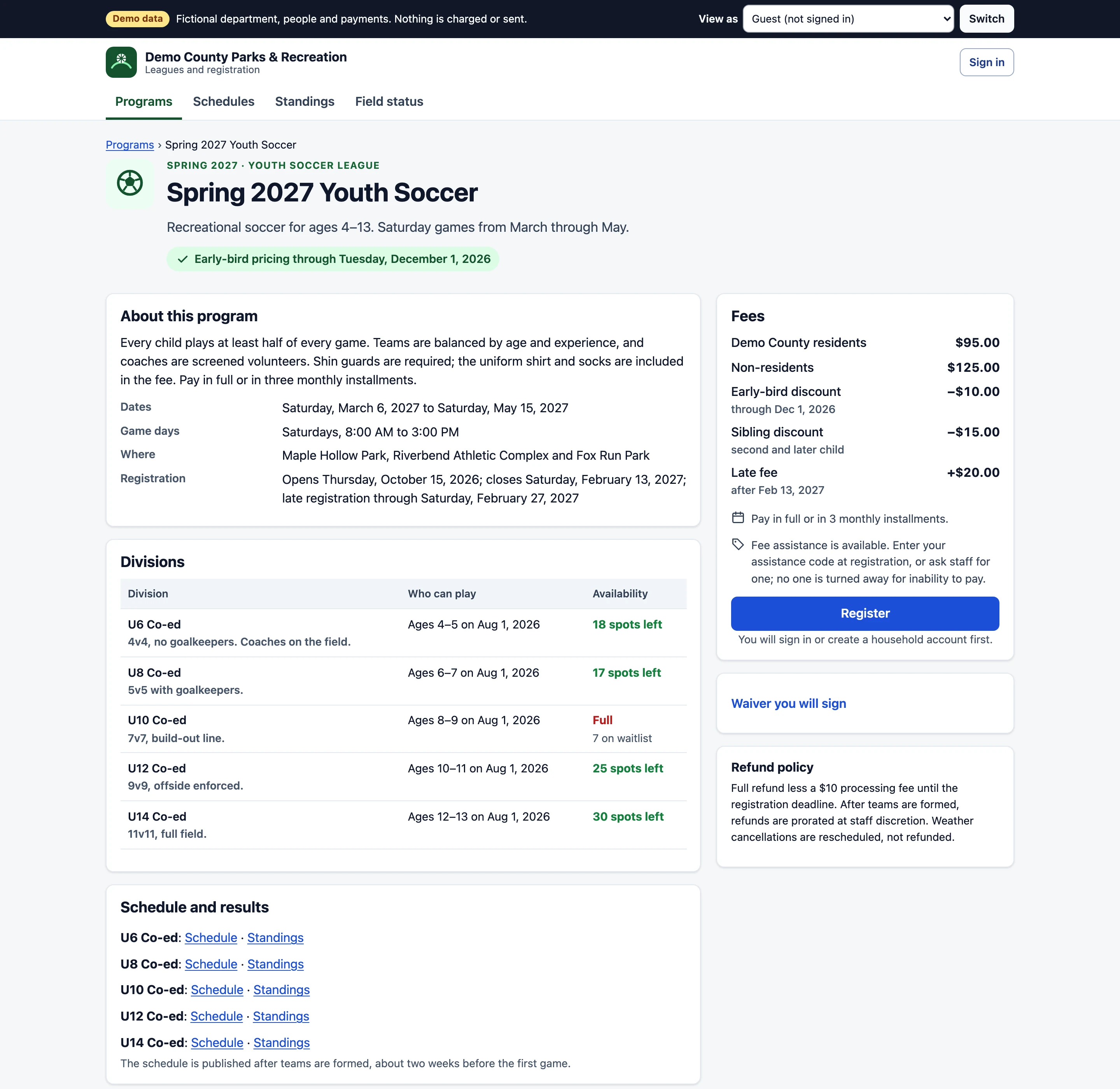
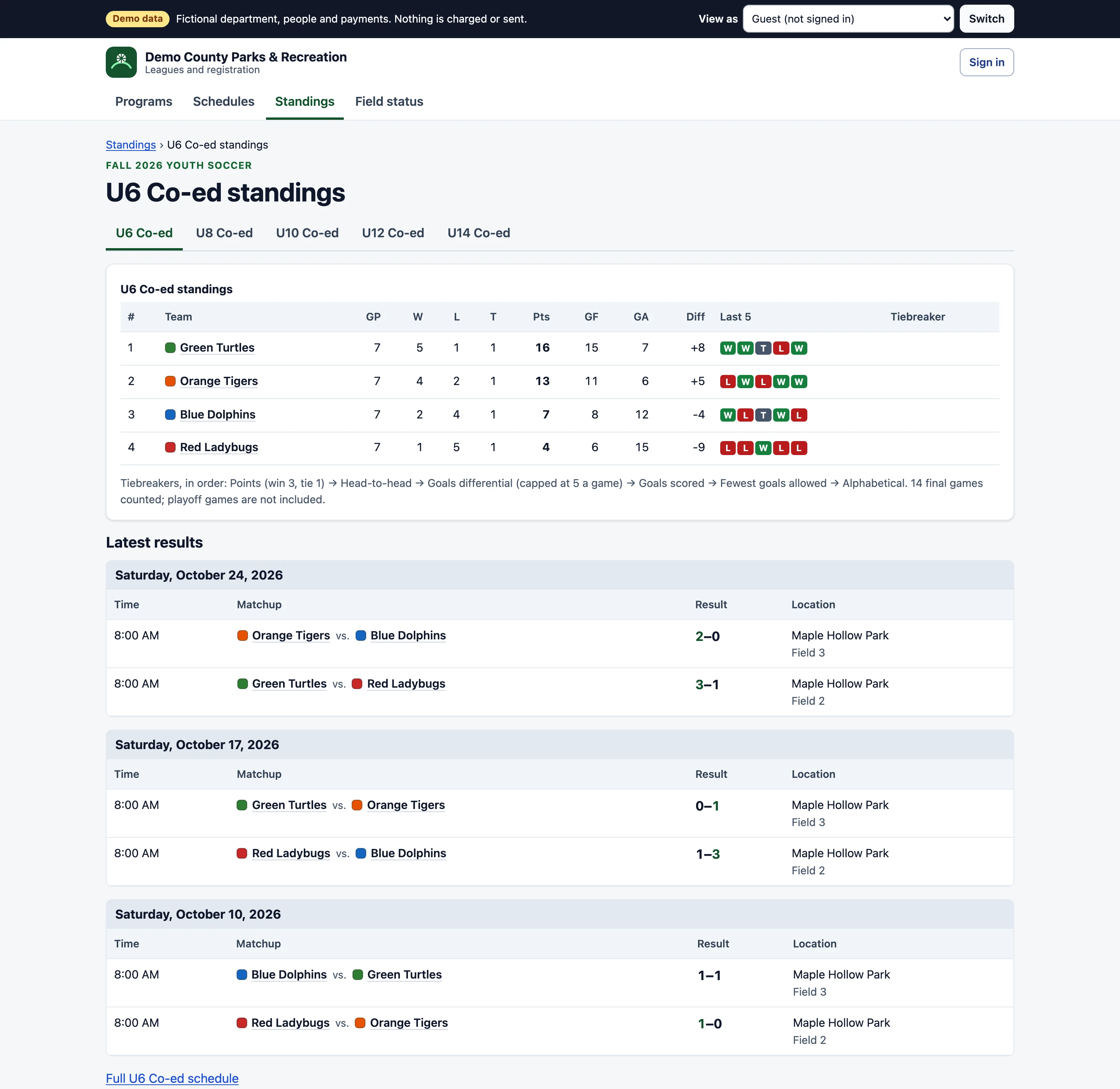
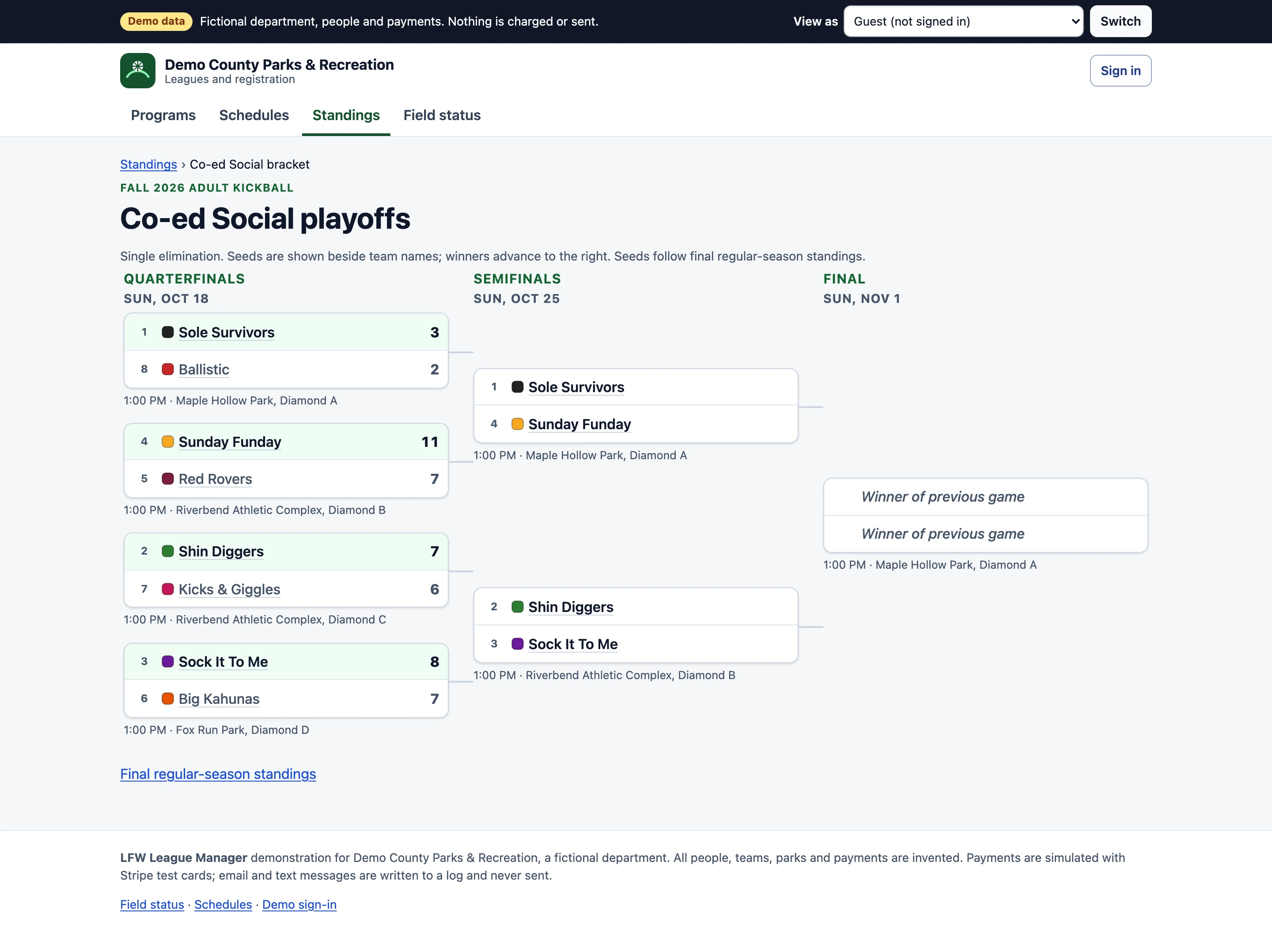
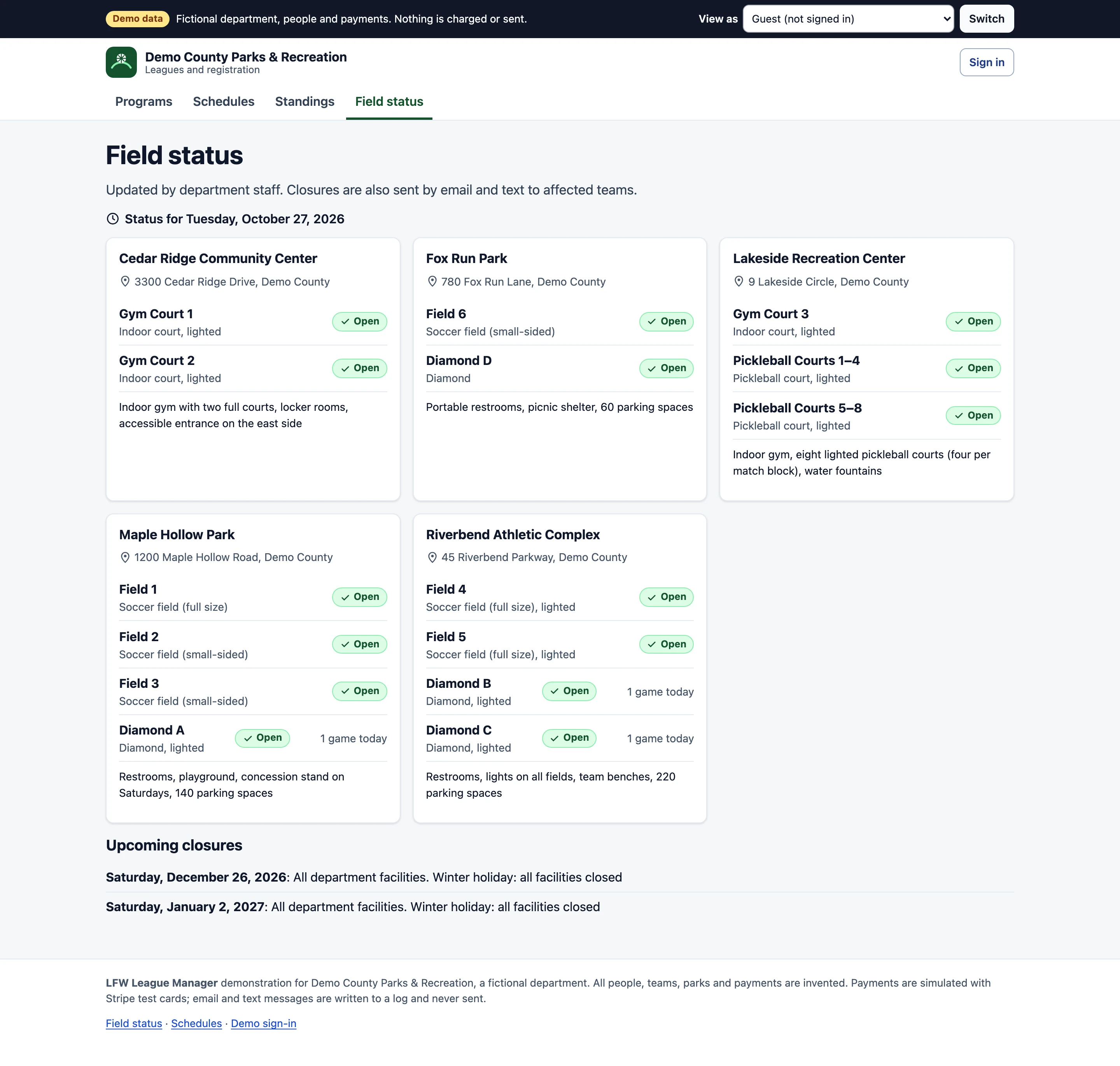
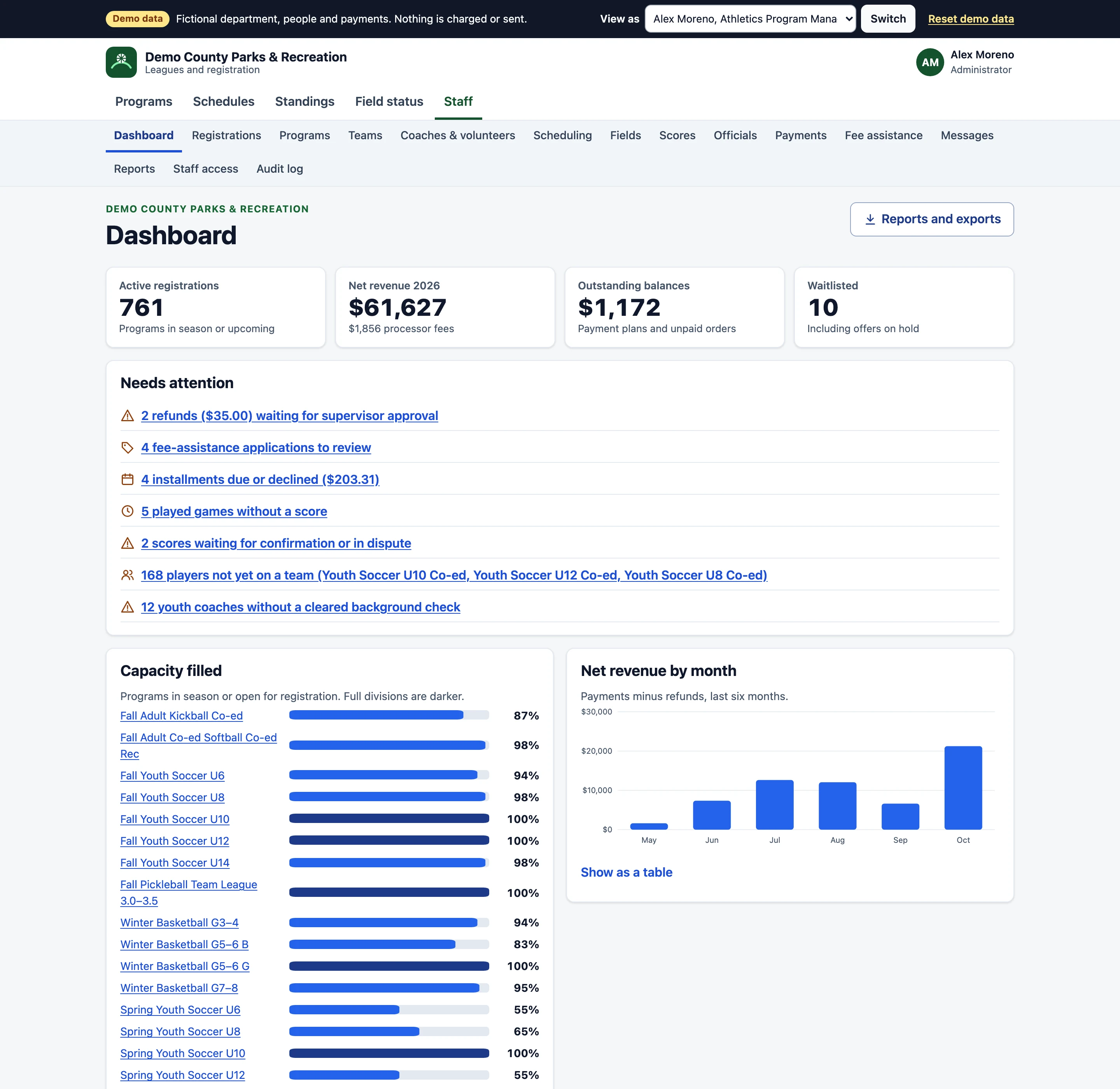
Screens from the working demo, for a fictional parks and recreation department. Every person, team, park and payment is invented, and each screen carries a Demo data label.

Enlarge to view the full screenshot.

Enlarge to view the full screenshot.

Enlarge to view the full screenshot.

Enlarge to view the full screenshot.

Enlarge to view the full screenshot.
Enlarge to view the full screenshot.
Registration families can finish on a phone.
One checkout for the whole household, with the rules your department already has.
- Households, teams and free agents Register several children in one checkout. Captains create a team and players join by invite link; adults without a team sign up as free agents.
- Resident and non-resident pricing Resident prices, a non-resident surcharge and a roster rule such as at least two-thirds residents per adult team. Staff can correct a residency flag the same day.
- Fee assistance Families apply privately; staff approve a reduced price in a review queue that no coach or captain sees.
- Waitlists that move themselves When a spot opens, the next family gets an offer held for 48 hours, then it moves on.
- Forms and waivers Custom questions, signed waivers and age or grade checks, built by staff.
- Card and bank payments Deposits, payment plans and sibling or early-bird discounts. No card number is stored by the department.
Schedules, scores and playoffs.
- Schedules without conflicts Round robin with balanced home and away, blackout dates, doubleheaders and checks for field and team conflicts. Move a game by dragging it or with the keyboard.
- One calendar for fields League games and field reservations share the same availability, so a field is never booked twice.
- Rainouts in one step Close a park or field and every affected team gets an email and a text, the public field status page updates, and make-up dates are proposed.
- Scores both sides confirm Each coach or official enters scores with their own sign-in, and the other side confirms. Forfeit rules and tiebreakers are set per league.
- Playoff brackets Seeded from the standings, with winners advancing as scores come in.
- Officials Assign referees and umpires to games; each sees their own schedule, and staff get a pay report.
Every dollar accounted for.
- Refunds with approval Staff request a refund; a supervisor approves it before any money moves.
- Payout reconciliation Each payout from the processor matched to the registrations and refunds it contains.
- Reports and exports Registrations, rosters, revenue, capacity and waitlists, each as a CSV export.
- Messages with a record Email and text by league, team or role, with a log of what was sent to whom.
Who sees what.
- Administrator
- Everything, including programs, prices, staff access and the audit log.
- Program staff
- Registrations, teams, schedules and scores for their programs.
- Coaches and captains
- Their own team: roster, schedule, scores and messages.
- Officials
- Their assigned games and score entry.
- Families
- Their household's registrations, payments and schedules.
- Audit log
- Every change to registrations, payments, refunds and access, with who and when.
One price a year.
- LFW League Manager
- $3,000 a year for the department: every program, team, user and feature, hosting, updates and support.
- Card and bank payments
- At the payment processor's own published rate, paid with each registration. LFW takes no share of your registrations.
- Text messages
- At the carrier's cost.
- Setup
- Your programs, prices, fields and staff set up with you, and staff training.
Where it stands.
The demo runs with fictional data and the role switcher you see in the screens. A department's own system adds single sign-on with two-step sign-in for staff, live payment processing and real email and text delivery as part of setting it up.
What it needs.
- Who it is for
- City and county parks and recreation departments, and school and community athletic programs.
- Your records
- Your department owns its data and can export all of it at any time.
- Accessibility
- Every demo page passes axe accessibility checks at desktop and phone widths.
- Release
- A working demo with fictional data. Not yet running for a department.
Ask about it for your site.
Tell us how your leagues run today: programs, teams and fields. We reply within one business day.