Who we serve Courts
Websites for courts and clerks of court.
People come to look up a case, answer a jury summons, pay a fine and find the forms to represent themselves.
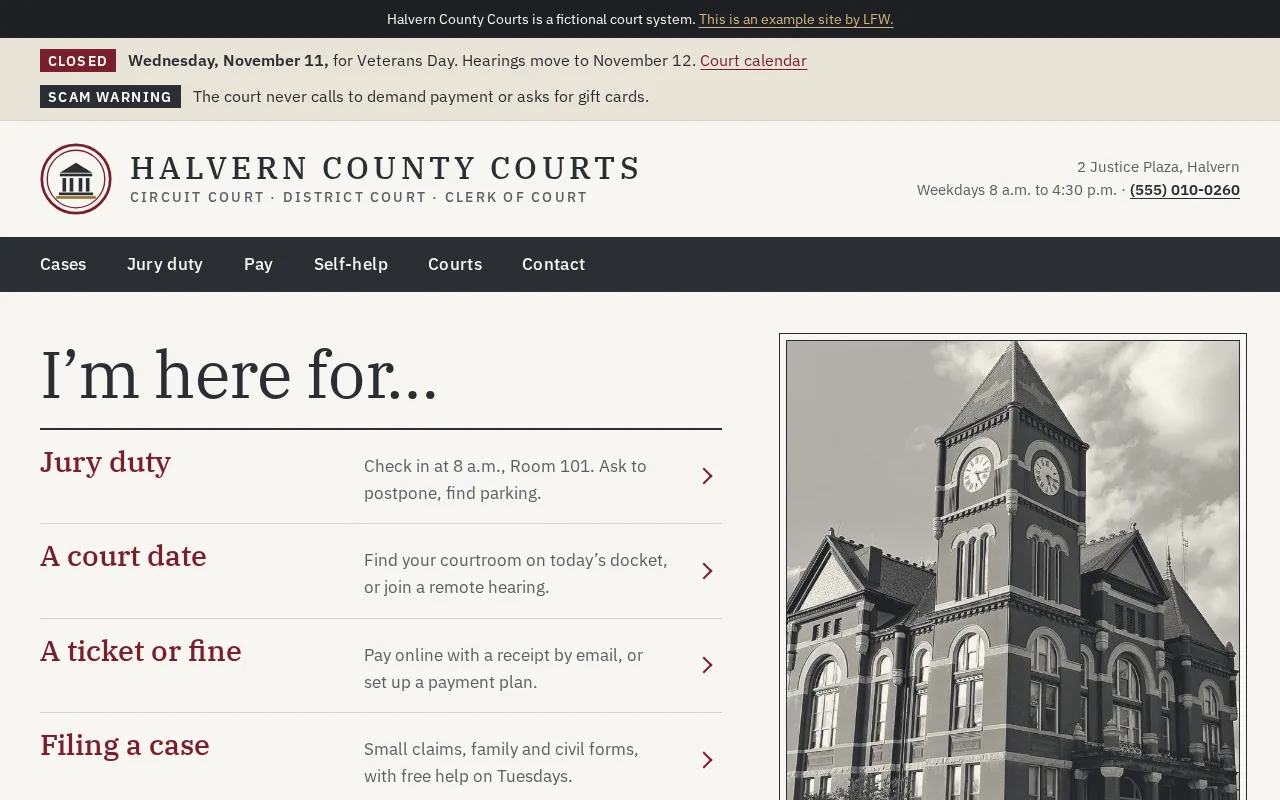
Halvern County Courts is fictional, an example site by LFW.
What residents come to do.
Many visitors have never been to court and are worried about a date. Each page says what to do, by when, in plain words.
Case lookup
A clear path into your case system’s public search, what the results mean and how to get a certified copy.
Jury duty
Check in, postpone, directions, parking and pay, for the person holding a summons.
Pay a fine
Pay online, payment plans and what to do if you can’t pay it all, before the due date passes.
E-filing
Links to your e-filing provider, who must file electronically and the help desk.
Self-help
Forms and plain guides for small claims, protective orders and family cases, and where to find free legal help.
Calendars and closures
Today’s docket, how to join a remote hearing, holidays and weather closures.
What the law expects.
The rules that shape this kind of site, each linked to its source. We read them before we build, and your counsel has the last word.
-
ADA Title II web rule
State and local government websites must meet WCAG 2.1 Level AA, special districts included, and so must the documents posted on them.
- Public entities with a total population of 50,000 or more.
- Smaller public entities and special district governments.
Dates from the Department of Justice’s interim final rule of April 20, 2026 (Federal Register 2026-07663).
-
Your state’s court rules
Rules on what a court may publish online, from records and dockets to e-filing and remote hearings, come from each state’s supreme court or judicial council, and they differ by state. We build to your state’s rules and your clerk’s direction.
The example site.
Fictional, built by LFW, with the tasks above on its homepage.
-
Halvern County Courts
Case lookup, pay a fine, jury duty. Larger screenshot of Halvern County Courts
Built in.
LFW’s plugins for WordPress, free as each is released, chosen for what this kind of site does.
-
LFW PDF Check
Open source on GitHub
Finds court forms that a screen reader cannot fill in, before a self-represented party tries.
-
LFW Multilingual
Built, not public yet
Self-help guides and jury pages in the languages your court’s interpreters cover.
-
LFW Search
Built, not public yet
Finds a form by its name or its number, from any page.
-
LFW Editorial Workflow
Built, not public yet
A notice or local rule goes live only after the clerk approves it, with a record of who approved.
Courses for your staff.
Free in LFW Academy, self-paced. No account needed to start.
- Self-help center staff Writing for Residents About 45 minutes, in six short lessons.
- Staff who post court forms Accessible Content Basics About an hour, in seven lessons.
- Whoever posts closures Emergency Notices on Your Website About 90 minutes, in six lessons ending in a drill.
- The clerk and court administrator Shared Accounts and Offboarding About 90 minutes, in six lessons with tasks on your own accounts.
What it costs.
Prices are the same for every kind of public institution.
Care, $250 a month
Updates and security patches, off-site backups, uptime checked every minute and broken links found daily. Cancel any time.
A site you made, kept
A site you make yourself in your browser is already built, so there is no setup fee: Care starts the month you keep it.
Projects, at a fixed price
An accessibility audit and fix plan is $3,500; a district rebuild is $9,500. Larger scopes and RFPs are quoted in writing.
Make a site for your court, then keep it.
Make one in your browser and look around first. When you want to keep it, all we need is your email.
Check your inbox. If the address can receive mail, a link is on its way.