LFW Referral Tracker
Know what happened to every referral.
Your staff and community partners send, accept and close referrals in one place. Every referral shows where it is, who has it and what came of it, so nothing falls between a spreadsheet and an inbox.
For health departments · working demo with fictional data
See it with sample data.
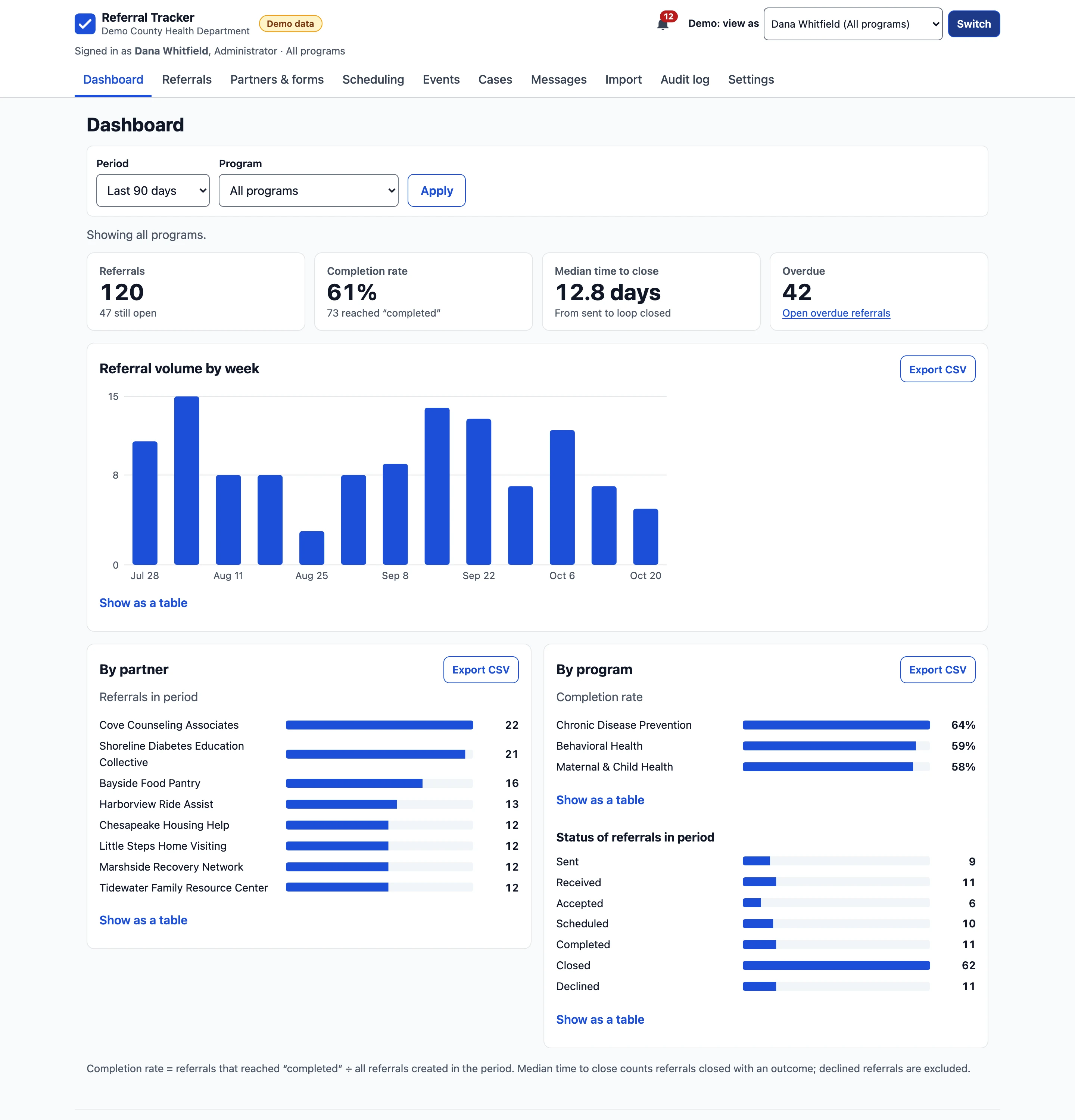
Screens from the working demo, for a fictional county health department and its partners. Every person, organization and record is invented, and each screen carries a Demo data label.

Enlarge to view the full screenshot.

Enlarge to view the full screenshot.
Enlarge to view the full screenshot.

Enlarge to view the full screenshot.
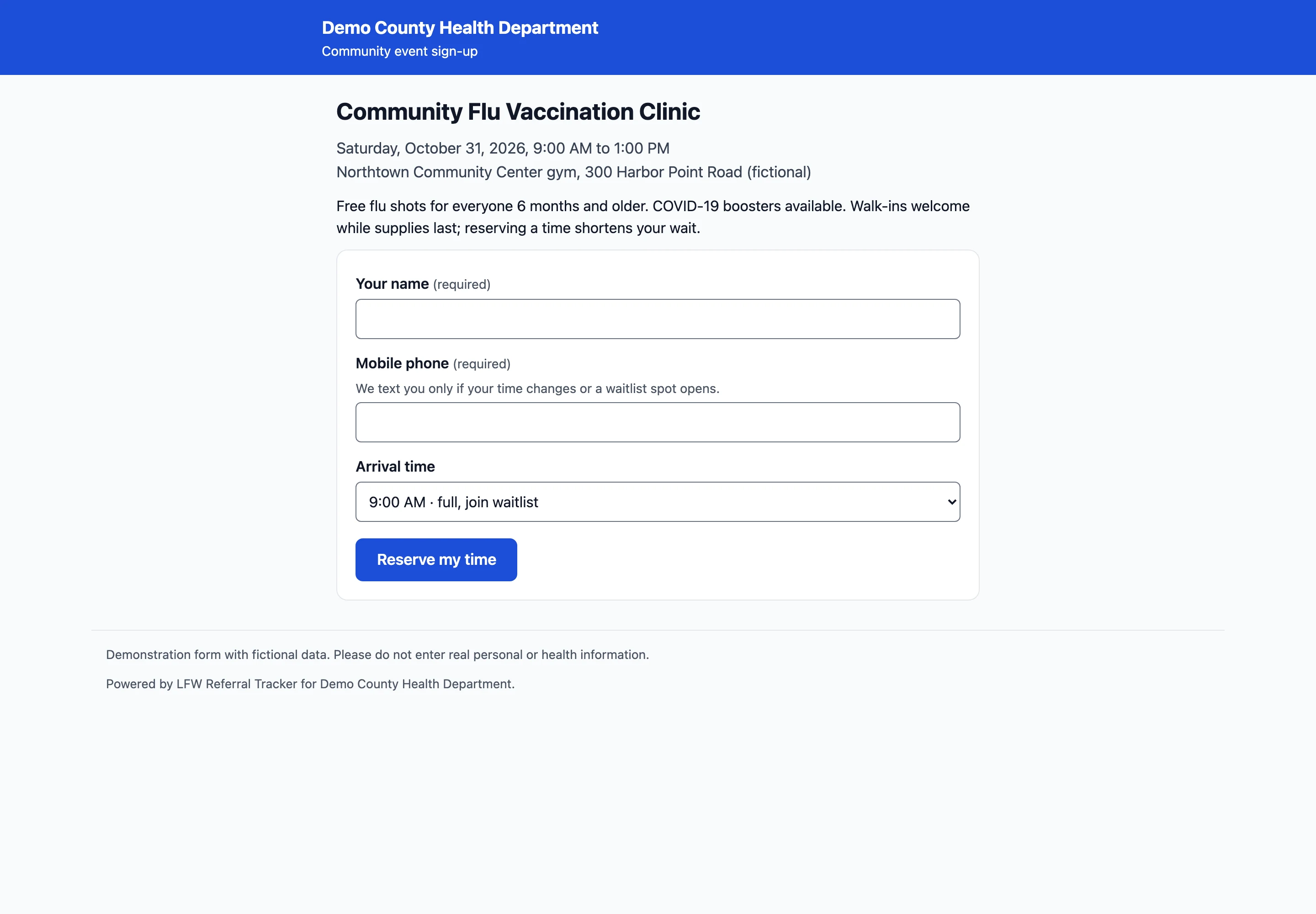

Enlarge to view the full screenshot.
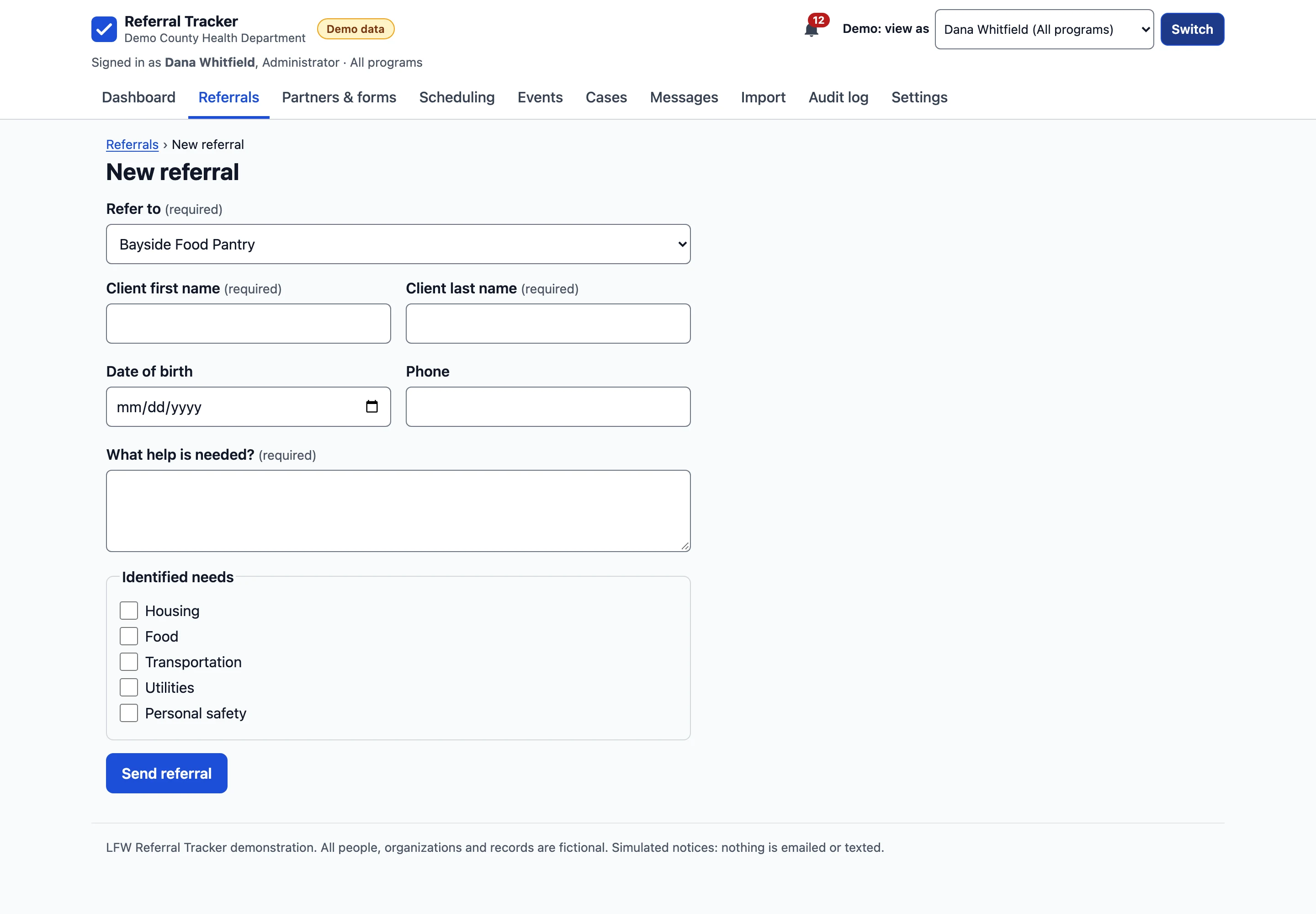
Partners send referrals without an account.
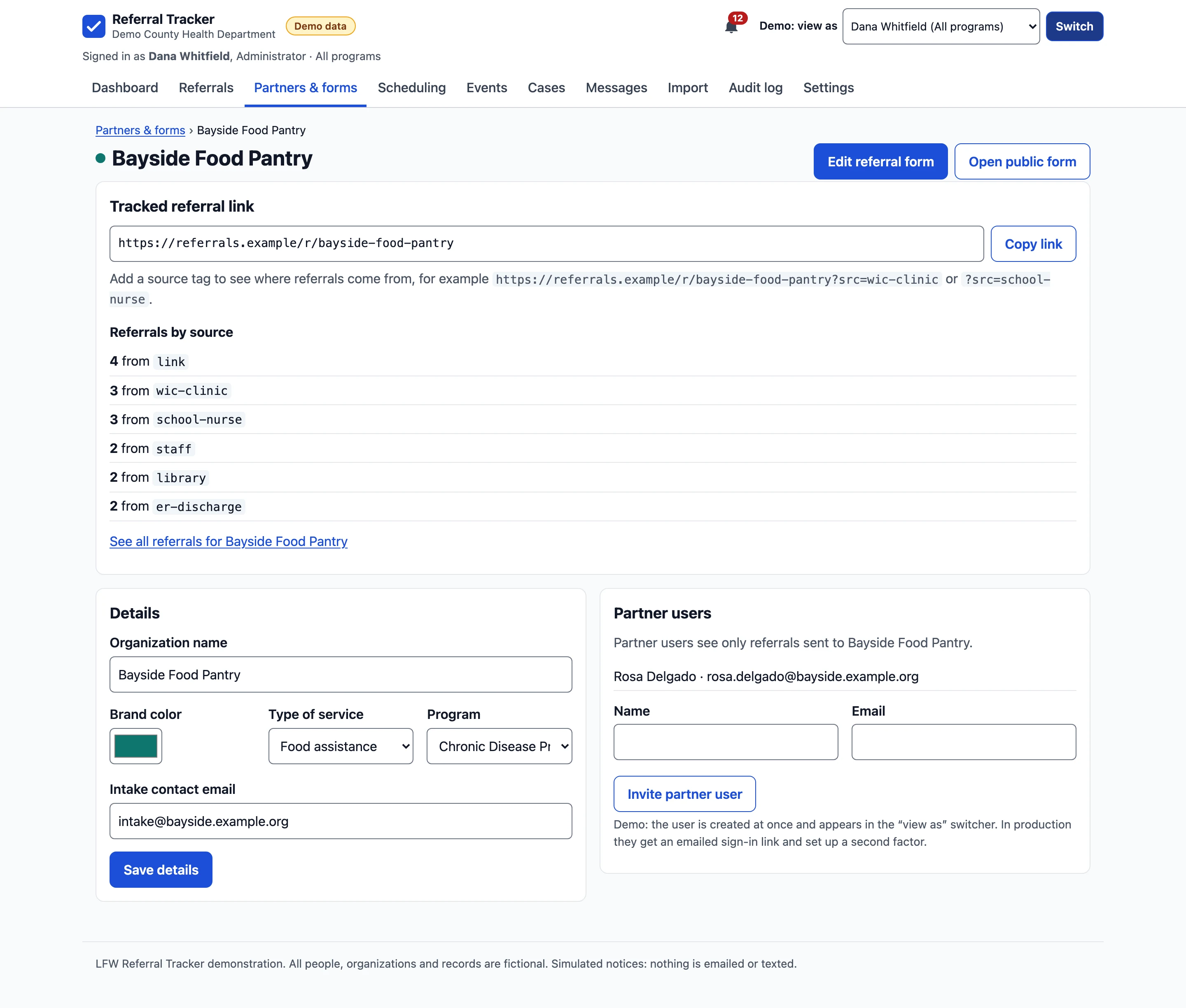
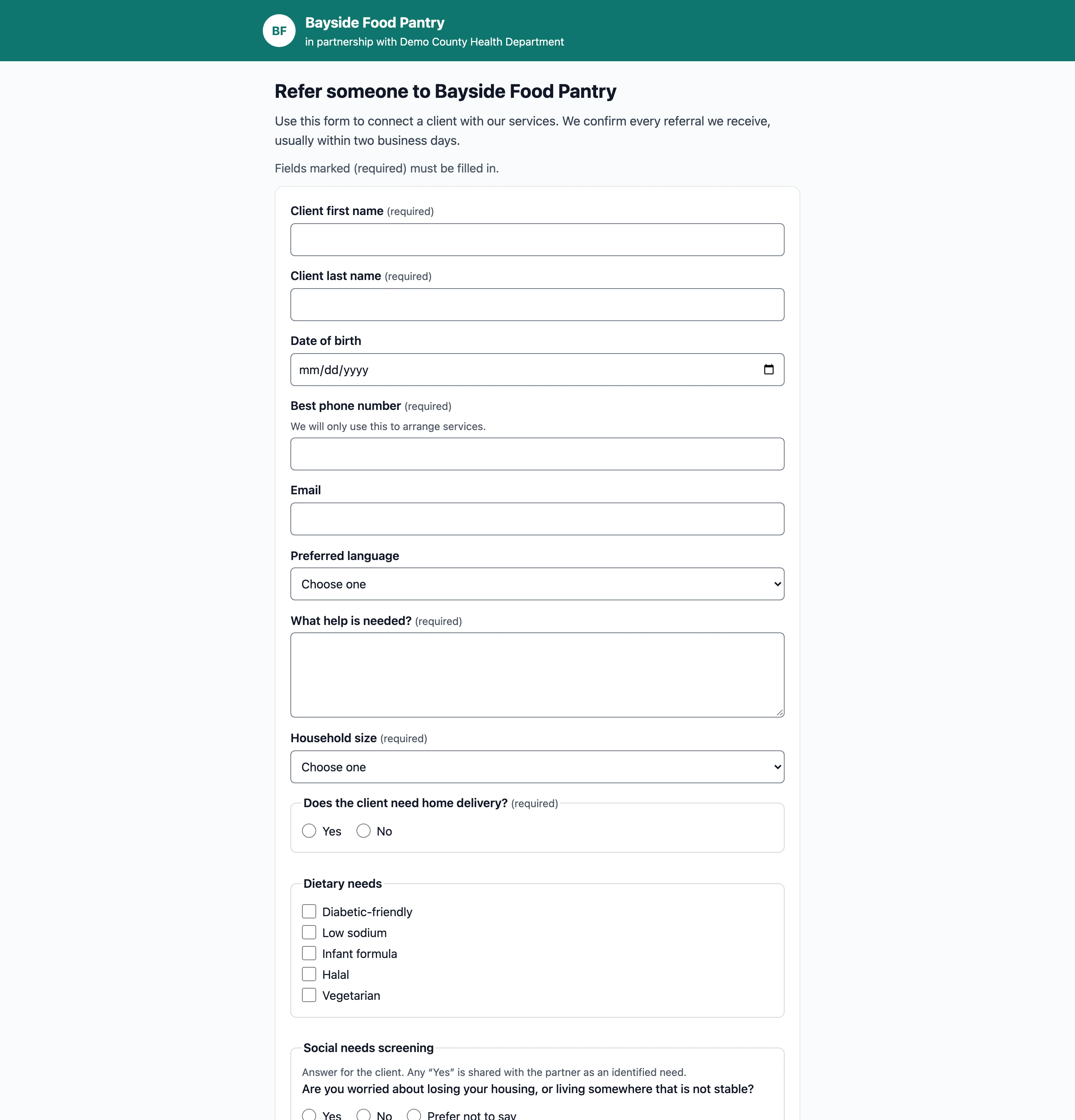
Each partner gets its own link and form. Your staff build both, without a developer.
- A tracked link for each partner Add a source tag to the link, such as ?src=school-nurse, and the partner's page counts where its referrals come from.
- A form builder Text, phone, date, dropdowns, checkboxes, yes or no, consent and a social needs screening block. Reorder by dragging or with Up and Down.
- Questions that appear when needed Show a field only when another answer calls for it, such as a delivery address after “needs delivery: yes”. The server checks the same rule.
- In the partner's colors The form carries the partner's name and color, with a live preview while staff edit it.
How a referral closes the loop.
- Sent: a partner or staff member sends a referral through a form.
- Received: the receiving partner opens it, and it is marked received.
- Accepted and scheduled: they accept it, book an appointment and message your staff in the referral itself.
- Completed and closed: they mark it completed, and your staff close it with the outcome. Declined referrals keep their reason.
- Overdue: a referral that has not moved after a set number of days is flagged.
Clinics, appointments and mass events.
Book a referral straight into a clinic's calendar.
- Clinic calendars A week view for each clinic and service, with appointments booked or moved from the referral.
- Mass clinics Time slots with a capacity, a public sign-up page, a waitlist that moves up when someone cancels, and a check-in list.
- Notices without health details Email and text notices say only that there is something new and link to sign in. Client details stay inside the system.
- Mass messages Send to a group of partners or a client list, with a log of exactly what went out.
Numbers leadership can use.
- A live dashboard Referral volume, completion rate, median time to close and overdue referrals, by partner and by program.
- Every chart as a table Each chart has a table view, so the numbers are readable without the picture.
- CSV export of any list Every export is recorded in the audit log.
- Bring your spreadsheets Import a CSV, match its columns, preview the rows and create the records.
Who sees what.
- Administrator
- Everything, including partners, forms, programs, users and settings.
- Program staff
- Referrals, cases and appointments in their own program.
- Read-only
- Records and dashboards in their program, without changes.
- Partner user
- Only the referrals sent to their organization.
- Audit log
- Every view, change and export, with who and when. The database refuses edits or deletions to it.
Where it stands.
The demo runs with fictional data and the role switcher you see in the screens. A health department's own system adds single sign-on with two-step sign-in, hosting under a Business Associate Agreement with encryption at rest, real email and text delivery and file uploads, as part of setting it up.
What it needs.
- Who it is for
- County and city health departments and the community partners they refer to.
- Your records
- Your department owns its data and can export all of it at any time.
- Accessibility
- Every demo page passes axe accessibility checks at desktop and phone widths.
- Release
- A working demo with fictional data. Not yet running for a health department.
Ask about it for your site.
Tell us how referrals move between your department and its partners today. We reply within one business day.