Before the event
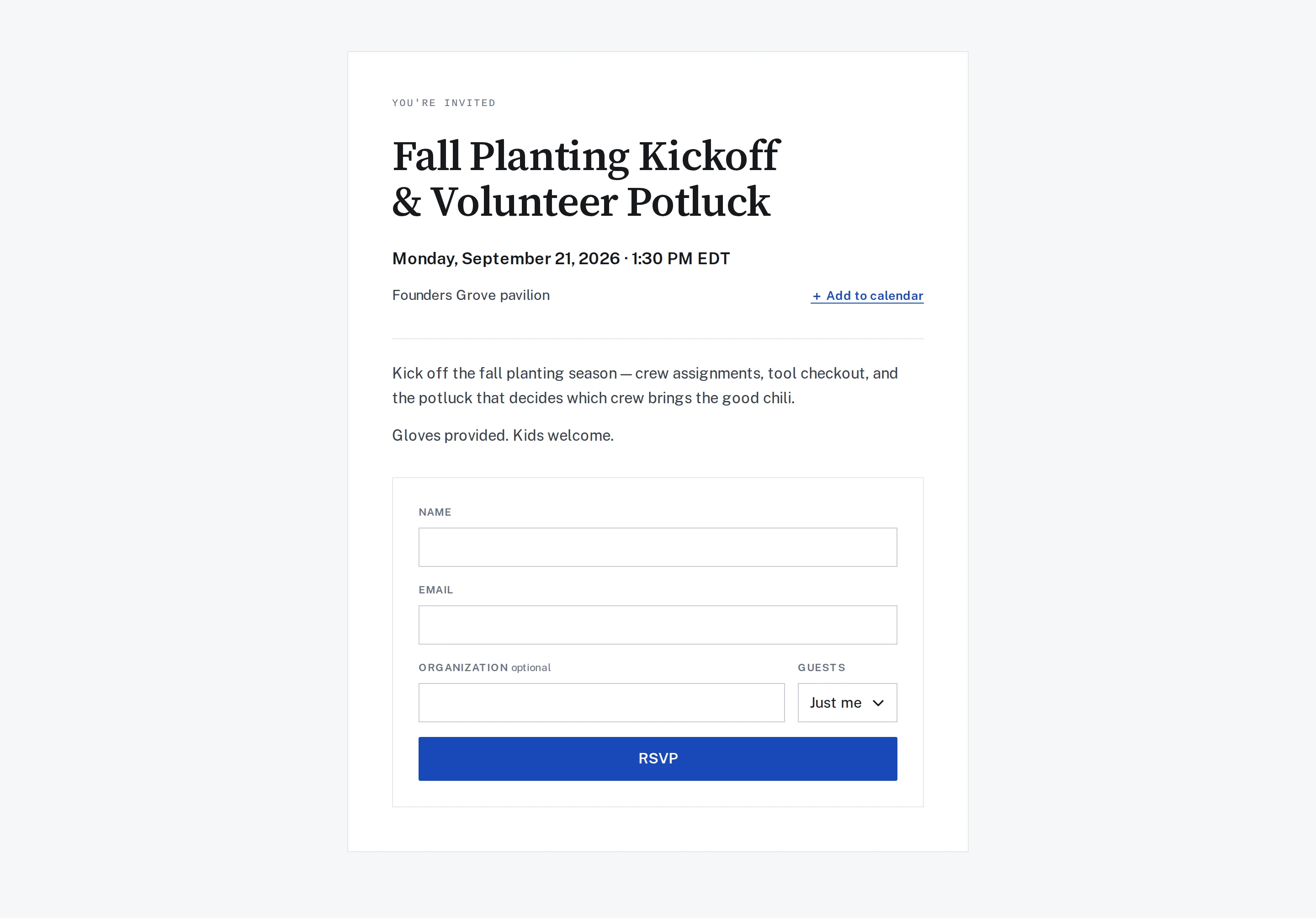
Publish the date, location, and registration details together. Attendees receive confirmation and a QR ticket.
How we work · Events
Give attendees one place to register and find event details. Give your team a guest list, capacity controls, and a clear view of who has arrived.
Actual screens from the LFW demo. Fictional organization and sample data.

Enlarge to view the full screenshot.

Enlarge to view the full screenshot.

Enlarge to view the full screenshot.
What to look for
Publish the date, location, and registration details together. Attendees receive confirmation and a QR ticket.
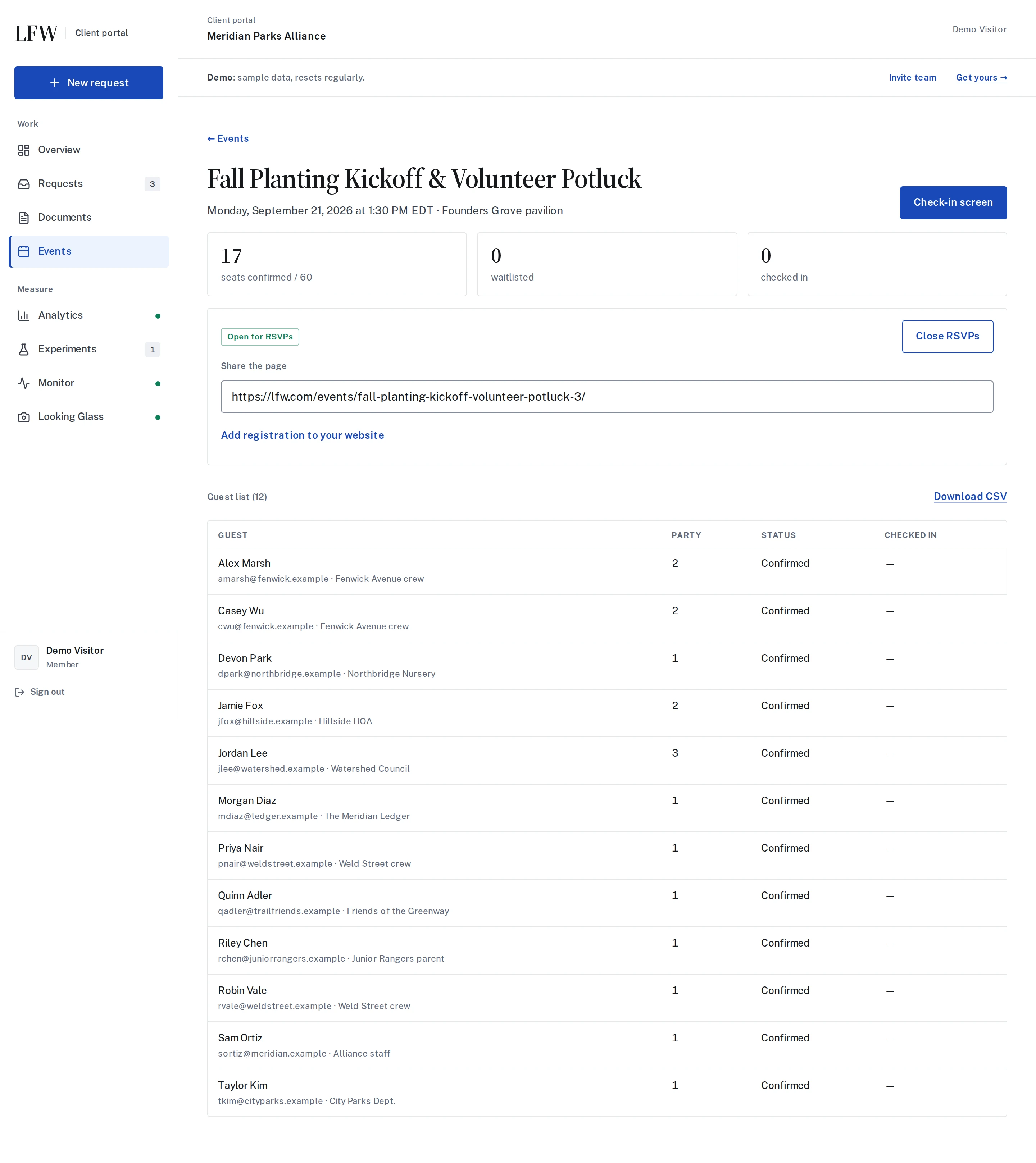
Track capacity and the waitlist. Keep attendee details in an exportable guest list.
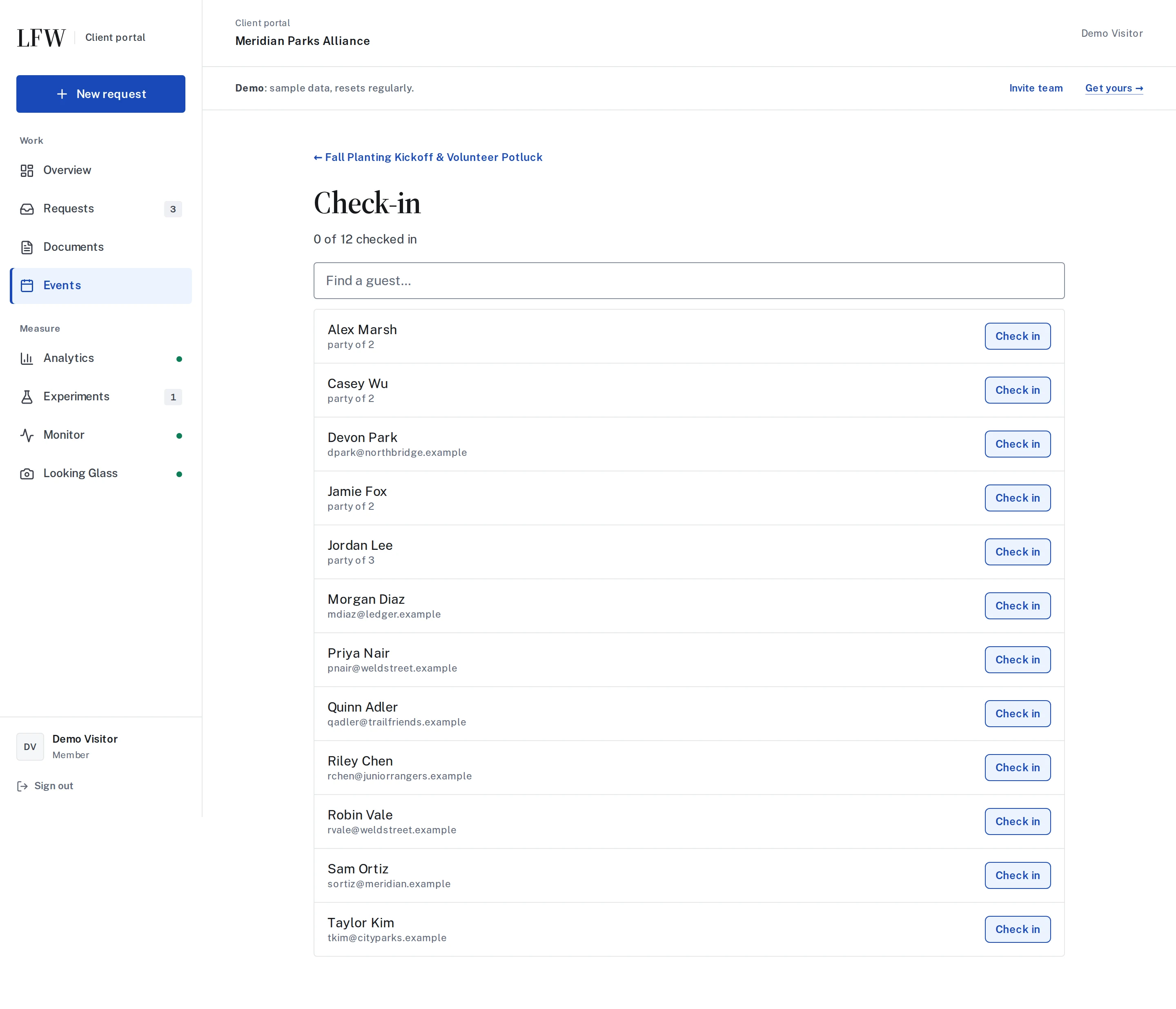
Use a phone to find a name or scan a ticket and record check-in.
LFW charges no per-registration fee. Setup, integrations, and support are agreed in writing. Hosting, payment processing, and third-party charges are separate; custom development is quoted separately from routine management.
That depends on the event. Bring requirements such as payments, sessions, membership pricing, and external systems so we can confirm what fits and what needs additional work.
Talk through the date, the registration journey, and what your team needs at the door.