LFW Multilingual
Open your website to the people who read in another language.
Residents and visitors find services, notices and forms in their own language.
- LFW Multilingual translates your site
- Your own AI agent or ours, with no per-word charge
- Translations stay current when your pages change
Try it: see this page in
This page switches to that language for five seconds, then switches back.
Sample page for a fictional city.
What changes for the people you serve.
A translated site is a real page in their language, found in search and kept current. A translate button in a browser is a guess.
-
Reach residents you miss today
Residents who read Spanish, Vietnamese or any other language find the same services, notices and forms as everyone else.
-
Found in their language
Each language gets its own web address, and LFW tells search engines which page is in which language, so they can show the Spanish page to people searching in Spanish.
-
The whole visit, not one page
Menus, forms, confirmation emails, images and videos switch language too, so nobody hits an English wall halfway through.
-
Accurate where it matters
An AI agent writes the first draft: your own, such as Claude Code or Codex, or LFW's. We recommend a person review each page before it goes live, and you choose which pages and who.
How it works.
Three steps, on the WordPress site you already have. No LFW staff step in between.
- Turn it on in the LFW portalPick your site and its languages, install the plugin and connect it. Pages arrive in the portal within minutes.
- An AI agent drafts, yours or oursEvery page, menu, form message and email is drafted by your own AI agent (Claude Code, Codex or any MCP client), by LFW's, by your people, or by an agency through XLIFF. No per-word charge.
- Your staff review and publishNothing goes live until a person approves it, unless you choose otherwise. Each language can stay in preview until you publish it.
Translations that keep up
When the original page changes, the translation follows.
Most translated sites go stale: the English page changes, and the Spanish one keeps last year's hours. LFW watches for that.
- Change detectionWhen a sentence is edited on your site, LFW links it to the sentence it replaced and flags its translation for review.
- A review queueThe portal lists every flagged sentence with its old and new wording, and the earlier translation filled in to start from.
- Never a stale translationUntil a person reviews it, readers see the new wording in English, marked as English, never last year's hours in Spanish.
Part of LFW Multilingual, in the client portal. LFW works in business hours: Monday to Friday, 9 a.m. to 5 p.m. Eastern (6 a.m. to 2 p.m. Pacific), excluding federal holidays.
What your staff see.
Review, glossary, publishing and the connection for your AI agent are in the LFW client portal. In WordPress, your staff and translators can also translate right on the page, and see every page's progress in each language.
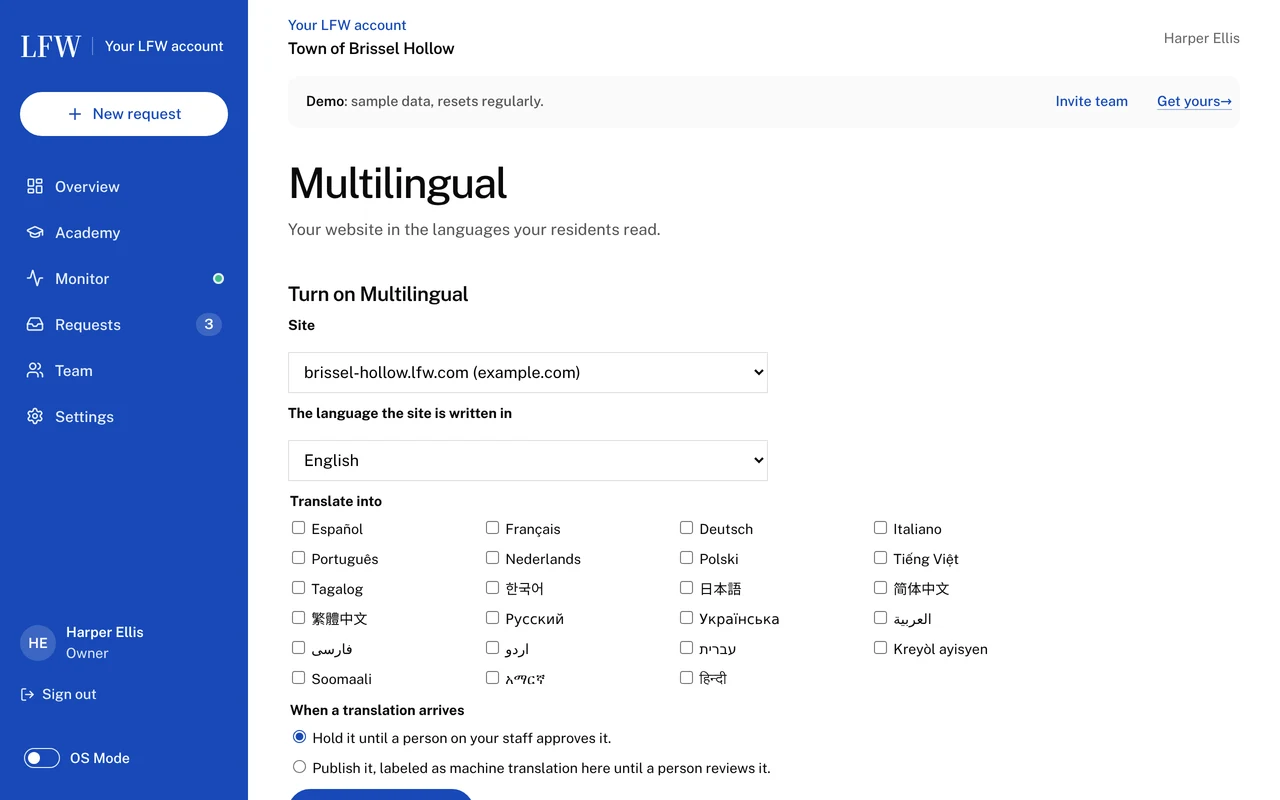
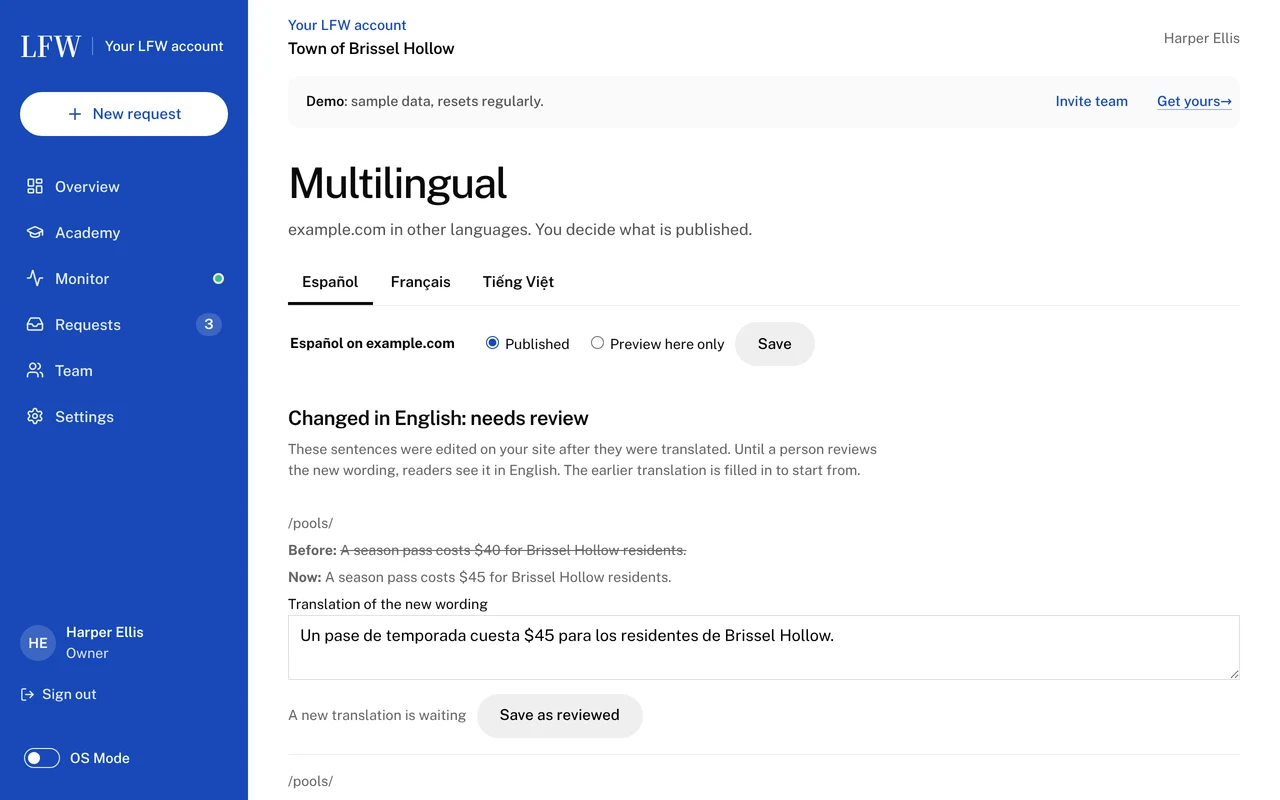
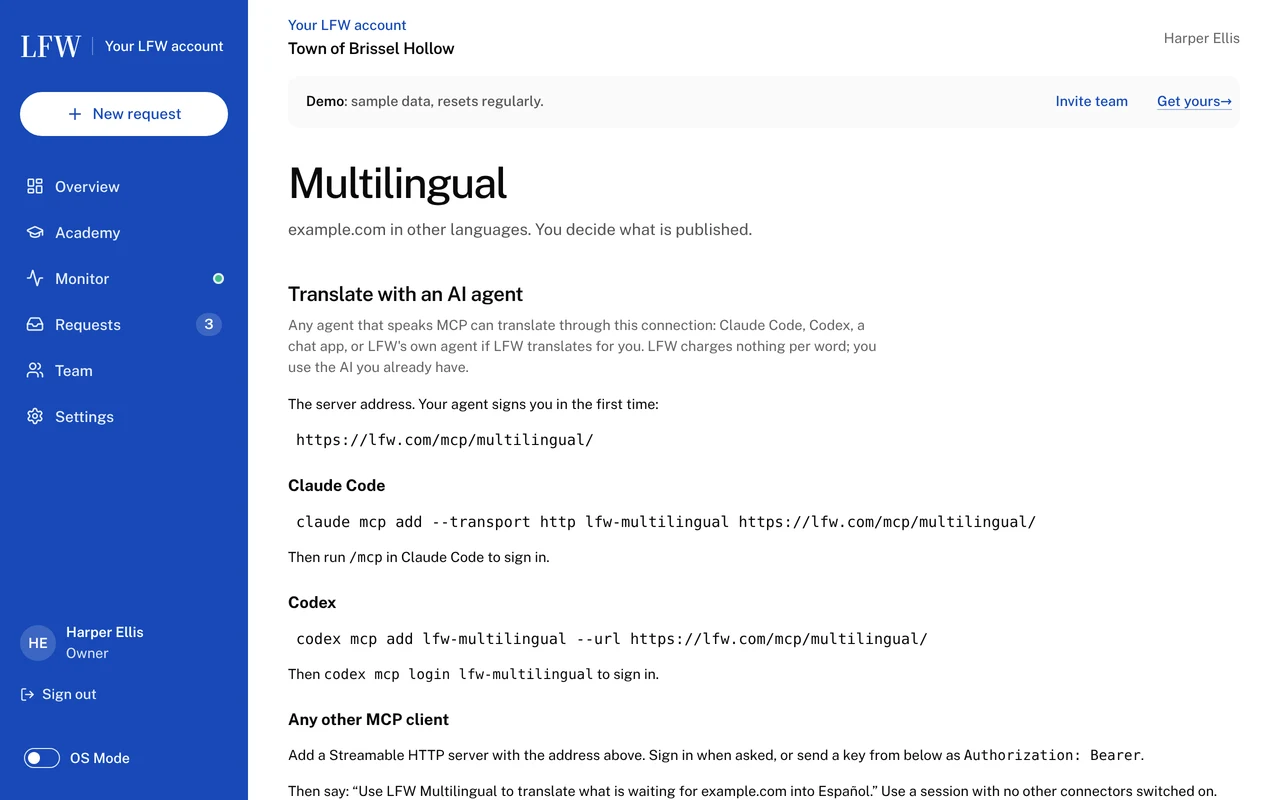
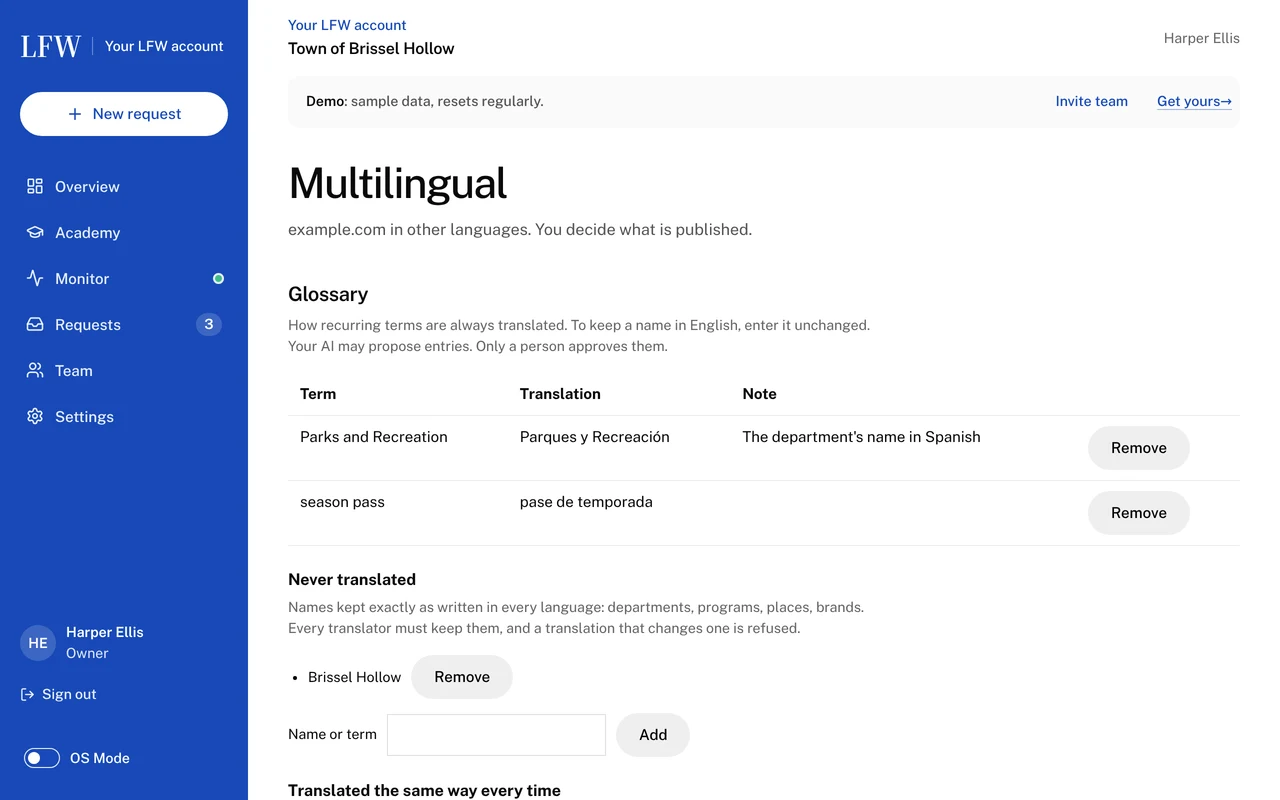
Screens from the LFW client portal with a fictional demonstration town, captured October 28, 2026. Every name and number is invented.
More than words.
A Spanish page that embeds an English video is not finished. Each language can carry its own media and links.
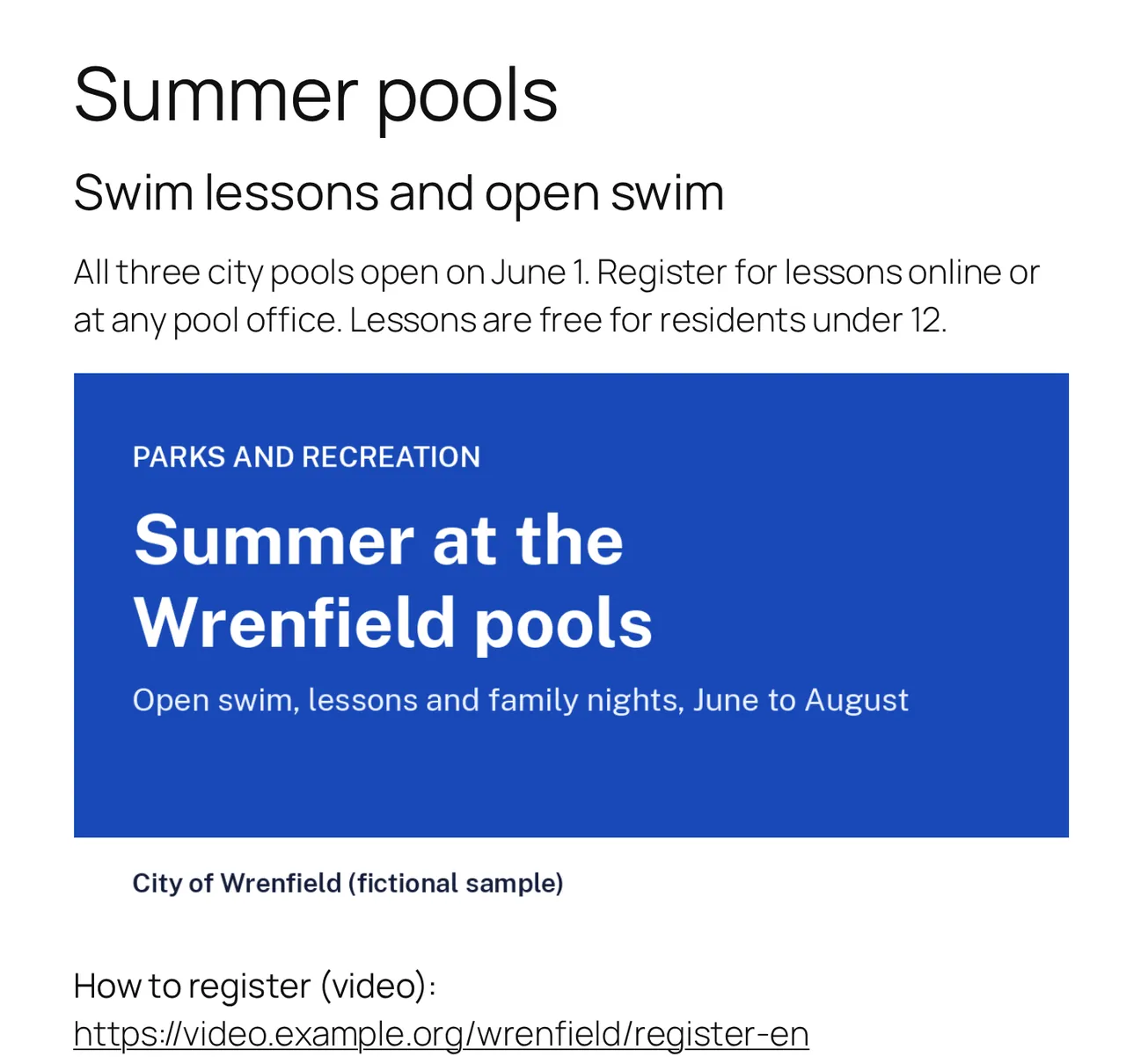
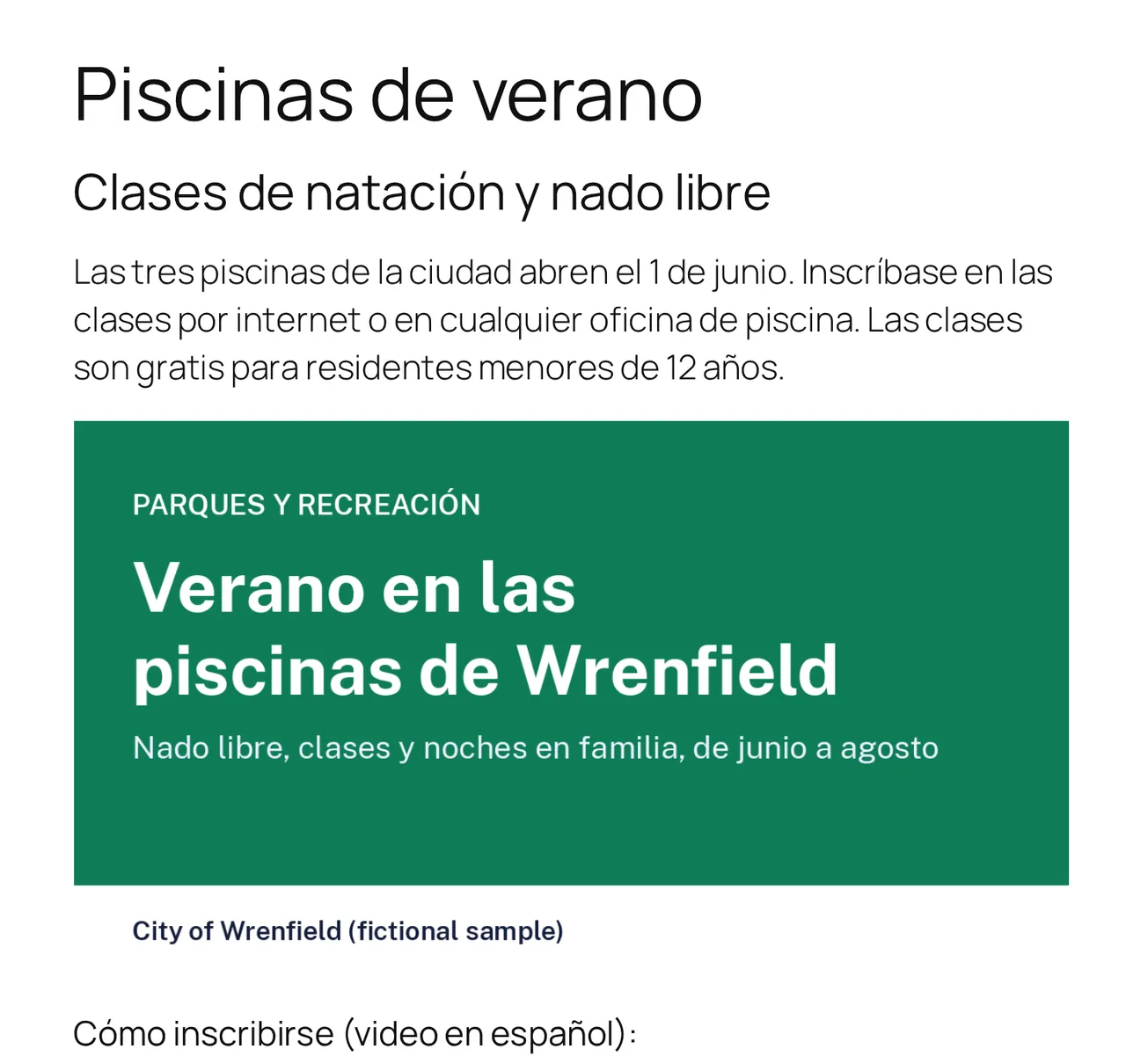
The same page, two languages, two different flyers
- VideoEmbed a different video on each language's page, such as a Spanish-language explainer on the Spanish page.
- Images and PDFsSwap a flyer, a chart with text in it, or a PDF for its translated version, language by language.
- LinksA link on the Spanish page goes to the Spanish page it points to, or to a different destination you choose for that language.
- Forms and emailsLabels, error messages and the confirmation email arrive in the visitor's language.
- Menus and sitemapsMenus switch with the page, a menu item can appear in one language only, and each language gets its own XML sitemap and web addresses for search engines.
- Accessible switchingThe language switcher, in a menu, a widget or a floating button, works by keyboard and screen reader. Each page declares its language so screen readers pronounce it correctly.
Ownership
The translations are yours.
They are stored in your own WordPress site's database by the LFW Multilingual plugin. No software license holds them hostage.
- Pause or stop LFW's service at any time. Every translation stays on your site.
- If you stop, the one thing that changes is drift: new edits to the main language are no longer carried over, so your team keeps the translations up to date.
- Nothing is locked to LFW. The site, its code and its content are in accounts you own.
How that differs from a translation proxy
Some services translate a site by serving the translated pages from their own servers. Weglot, one of them, says on its own plugin page:
“If you decide to stop using Weglot, your website will no longer be translated. All translations are stored on Weglot’s servers.”
It offers an export of the translations before you leave.
Weglot's plugin page on WordPress.orgIt works with the setup you have.
Already on Polylang, WPML, TranslatePress or Drupal's own translation? LFW can also work in the setup you have, as a quoted project.
-
WPML
Paid onlyFrom €99 a year
Most organization sites need the CMS plan, because the €39 Blog plan skips menus and page builders. Already on WPML? LFW uses your license.
Source: wpml.org -
TranslatePress
Free for one extra languageFree, or from €99 a year
The free version covers a bilingual site. Three or more languages need a paid plan.
Source: translatepress.com -
Drupal
Built inNo license
Translation is part of Drupal core. LFW works in Drupal's own translation screens.
Source: drupal.org
Prices as each vendor's page showed them on October 11, 2026. Euro prices exclude VAT where the vendor says so.
Multilingual for governments.
Residents who read another language need the same alerts, forms and services as everyone else, and many cities and states have language-access rules to meet.
What governments translate firstWhat it costs.
LFW Multilingual
Price set at quote, per site, for any number of languages. Translating with your own AI, by hand, or through a translation agency's XLIFF files adds nothing to it.
Translation
No per-word charge. Your own AI agent (Claude Code, Codex or any MCP client) translates through LFW, or LFW's own agent does it for you; the quote says how. Professional translation of legal, medical or emergency pages is quoted separately or arranged with a translator you choose.
Questions.
Is AI translation good enough?
As a first draft, usually yes, and it saves most of the cost. It still misreads names, local terms and tone, which is why we recommend a person review each page before it goes live. You choose which pages and who.
Who reviews the translations?
Your own staff, a volunteer you trust, or a professional translator you choose, in the LFW portal. Each approval is recorded with who made it.
What about legal, medical or emergency wording?
Those pages should be checked by a qualified translator. LFW does not certify translations. Tell us which pages carry that weight and the quote will say how they are handled.
Which languages can you do?
Twenty-three today, including Arabic, Persian, Urdu and Hebrew, which are marked right to left. AI agents are stronger in some than in others; a translator can check any of them.
Which AI can we use?
Any agent that speaks MCP: Claude Code, Codex, a chat app with connectors, or LFW's own. The WordPress plugin also has its own MCP endpoint and WP-CLI commands, so an agent can translate on your site with no LFW connection at all.
Will it hurt our search rankings or count as duplicate content?
Google says translated pages are only treated as duplicates if the main content stays untranslated. LFW gives each language its own address and marks which page is in which language. Nobody can promise rankings.
Will it slow the site down?
Translated pages are ordinary pages served by your own site, without a third-party translation script on every visit. They load like the rest of the site.
What happens when we edit an English page?
The edited sentences are flagged in the portal with the earlier translation filled in. Until a person reviews them, readers see the new wording in English, marked as English.
Do we need WPML or Polylang?
No. The LFW Multilingual plugin serves the translated pages itself. If your site already uses Polylang, WPML or TranslatePress, LFW can work in that plugin instead, as a quoted project.
Can our staff edit translations themselves?
Yes. In the portal they can review a whole page, find any sentence on the site and rewrite it, and keep a list of names that are never translated.
Does it work with our page builder and custom fields?
Yes. LFW Multilingual translates each page as visitors see it, so pages built with the block editor, Elementor, ACF or Secure Custom Fields need no setup.
What about forms, emails, PDFs and videos?
LFW Forms labels, error messages and the confirmation email are translated with the site. Other form plugins are checked in the quote. PDFs, images and videos can be replaced language by language.
What if we stop working with LFW?
Translated pages already on your site keep serving from its own database. New and edited pages stop being translated. You can download every translation first.
Do we have to translate our site by law?
That depends on your institution and where it serves. Federal guidance for public bodies changed in 2025, and state and local rules vary. LFW does not give legal advice: your counsel decides what must be translated, and LFW translates it.
Do you use AI?
We use AI tools, including Claude, to draft and check work. Client data is never used to train models, and a person reviews every output before it reaches you.
Find out what your site would cost in another language.
Send your website address and the languages you need. We reply within one business day.