For swim, tennis and garden clubs
Memberships, dues and lessons for your club.
Families join and pay online. The treasurer sees who has paid, with checks on the same list.
- Family memberships the board approves
- A dues roll that shows which families still owe
- Lesson sign-ups that never overfill
- Club events with a member price and a guest price
For the volunteers who run the club.
Written for the membership chair and the treasurer.
- Swim and pool clubs
- Tennis and racquet clubs
- Garden clubs
- Clubs run by a volunteer board
-
Today: Membership opens in March, and April goes to matching checks to a spreadsheet.
With LFW: Families pay online, and checks go on the same dues roll.
-
Today: Applications from new families live in someone’s inbox.
With LFW: New families apply online, and the board approves each with a note.
-
Today: Swim lessons fill in an hour, and two families get the same last spot.
With LFW: Lesson places never oversell, and a full lesson keeps its waitlist in order.
-
Today: The member list is a PDF from last summer.
With LFW: A members-only directory, where each family chooses what to share.
How a club season runs.
What families do, and what the board sees.
Families
-
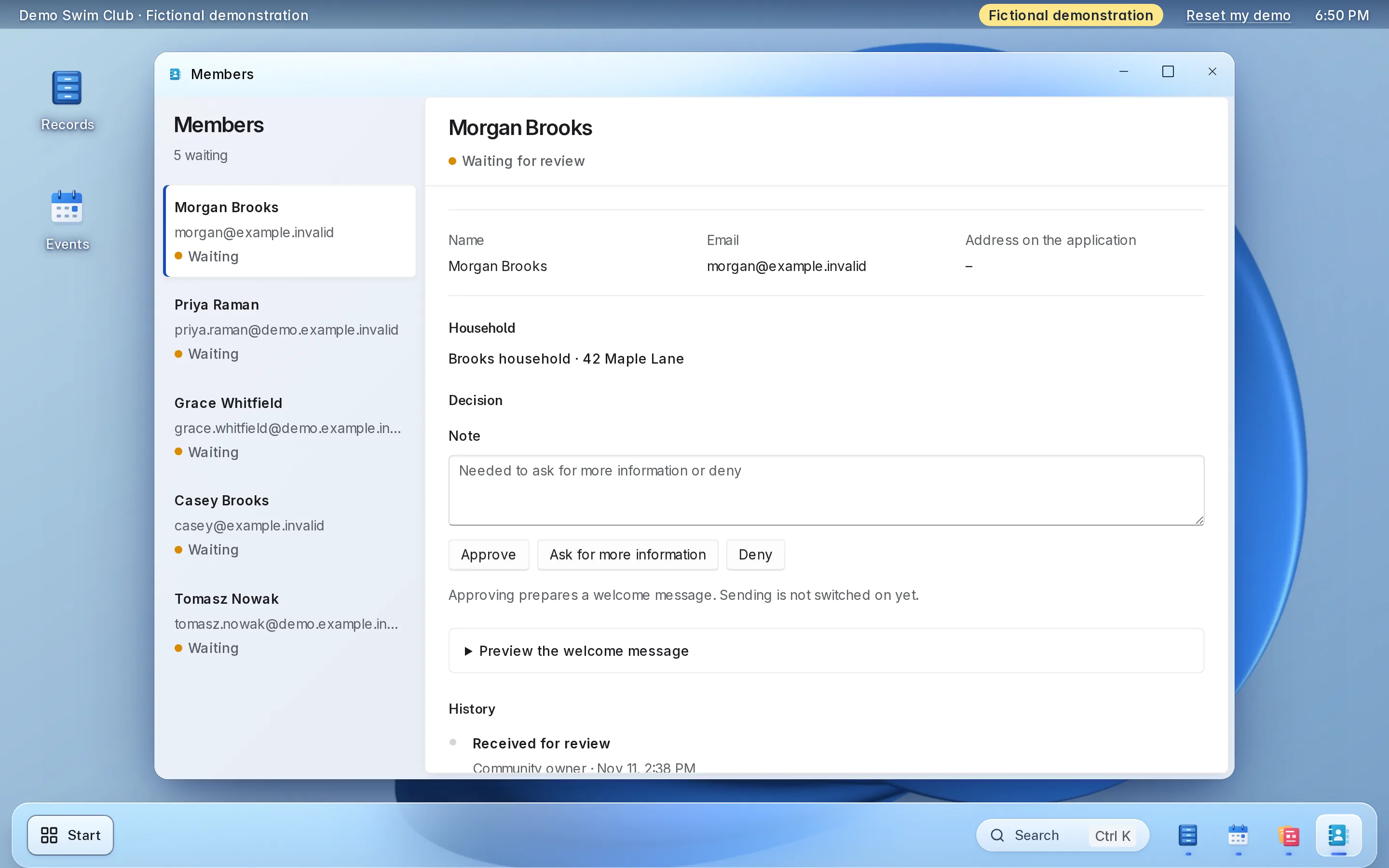
Applies to join
Fills in your membership application and adds documents while it waits.
-
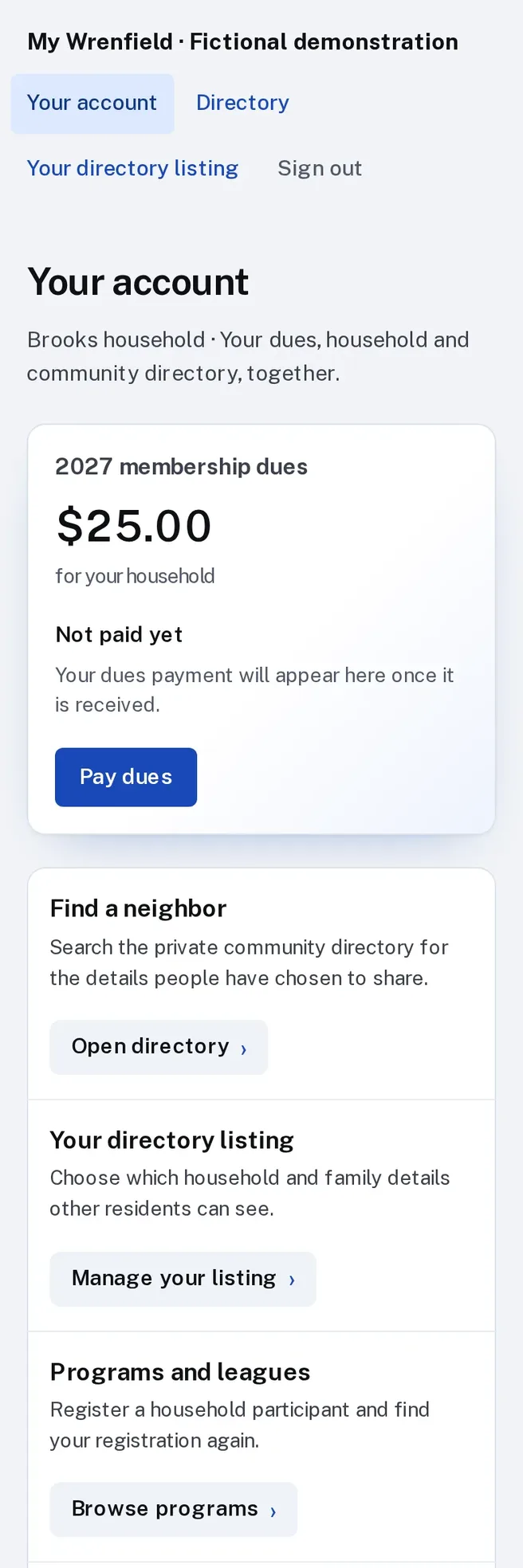
Pays family dues
Pays by card once approved, straight to the club’s Stripe account.
-
Signs up for lessons
Registers several children from one account and signs the waiver by name.
-
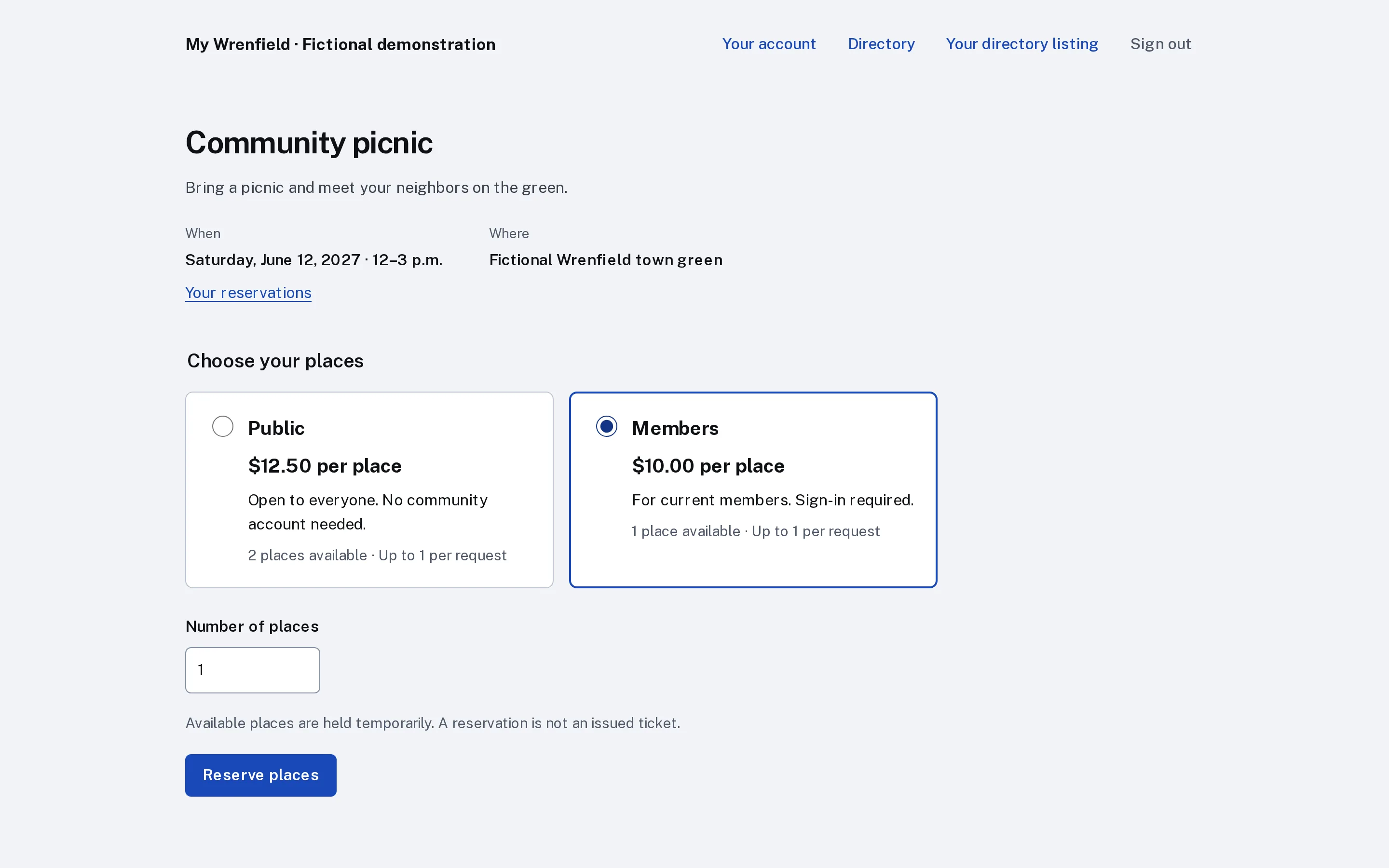
Comes to the club social
Members reserve at the member price. Guests pay the guest price.
The board
-
Approve new families
Approve or deny with a note. A duplicate check flags a repeat application.
-
Record checks and cash
Checks, cash and transfers go on the same roll as card payments.
-
See who still owes
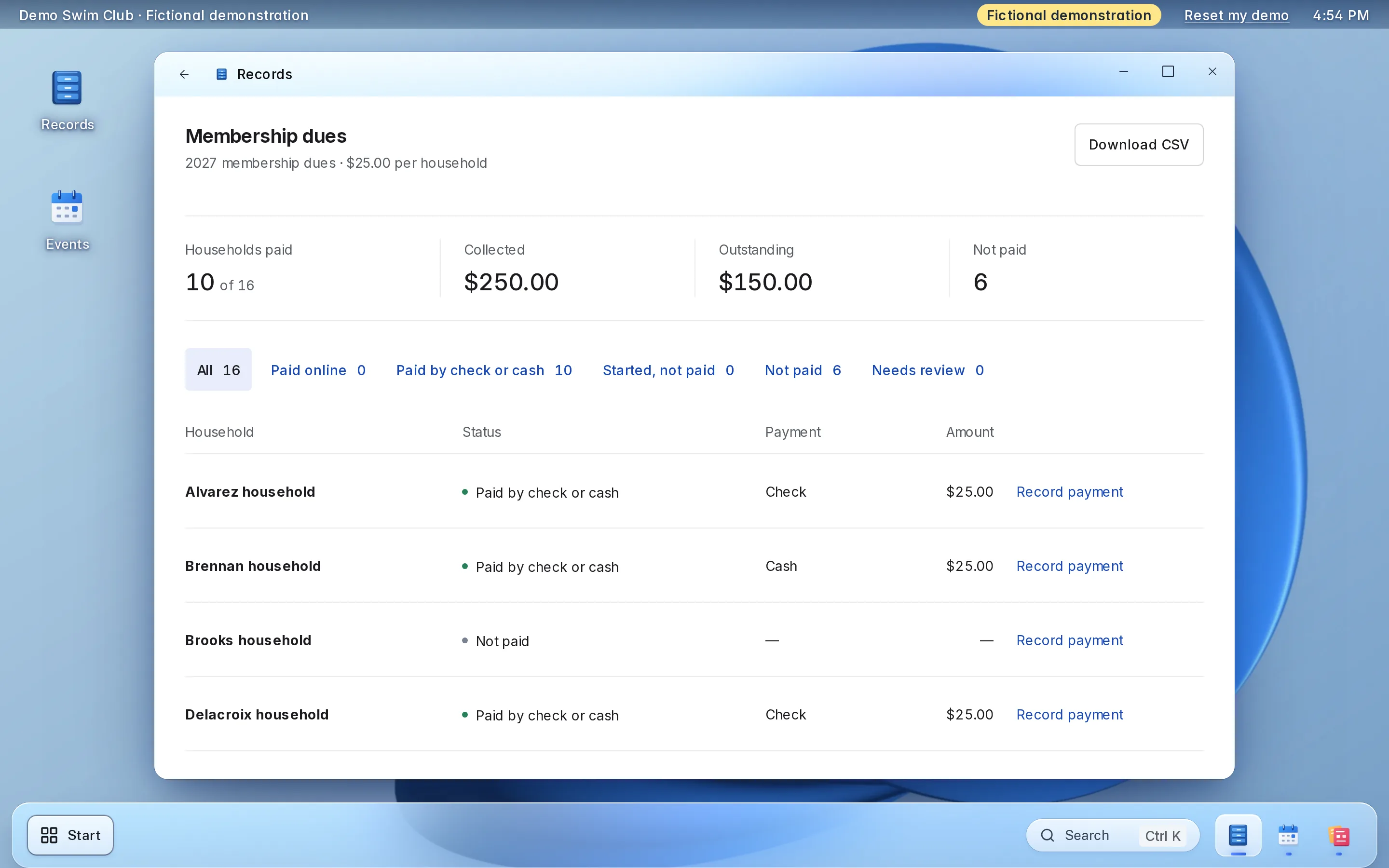
Paid and unpaid families and the totals, downloadable as a spreadsheet.
-
Fill lessons fairly
Lessons stop at their limit, even in a rush. The rest wait in order.
What it looks like.
Real screens from LFW’s fictional demonstration organization.
Enlarge to view the full screenshot.
Enlarge to view the full screenshot.
Enlarge to view the full screenshot.
Enlarge to view the full screenshot.
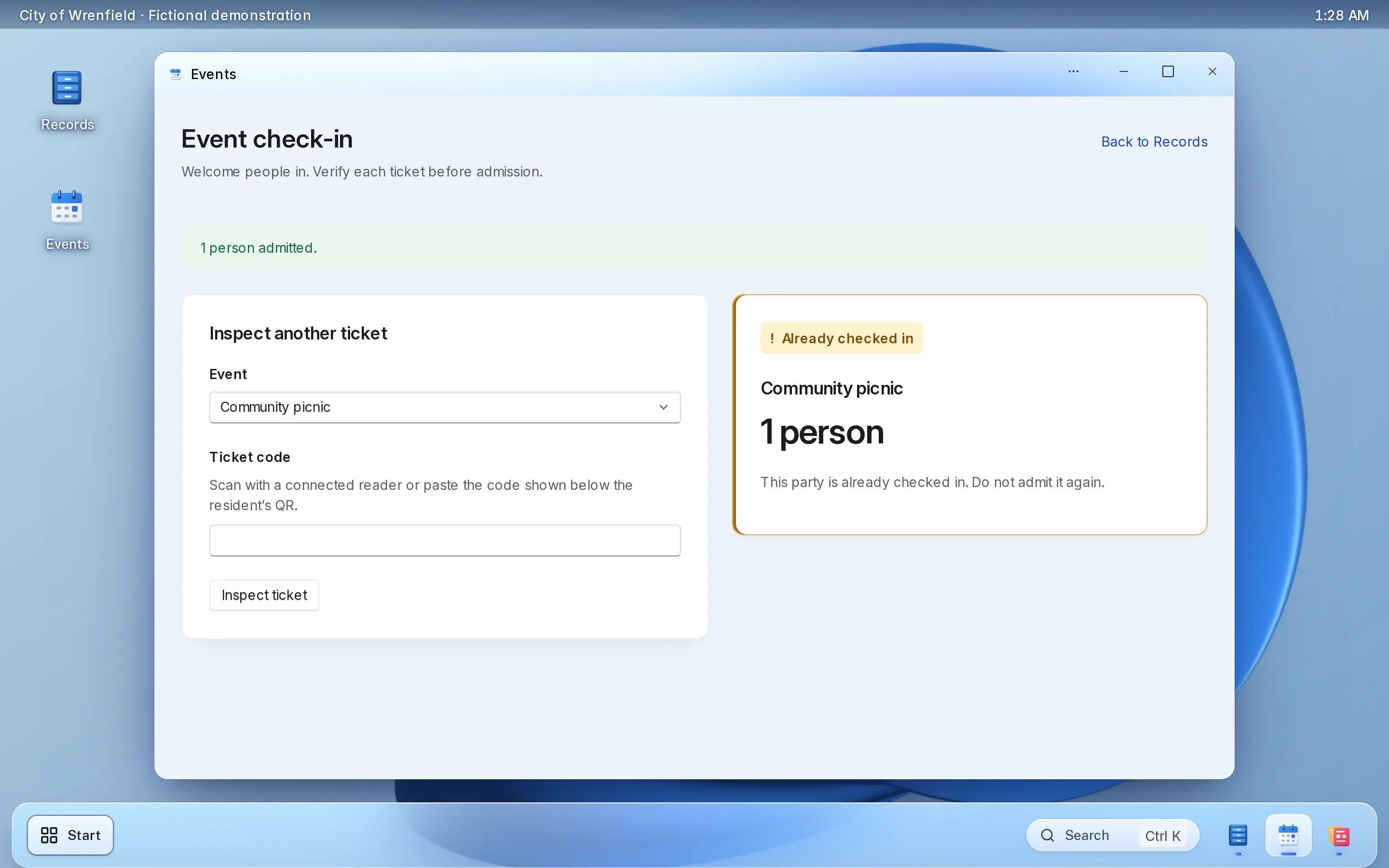
Enlarge to view the full screenshot.
Try the board’s screens here.
A working copy of the staff screens, with fictional data. Nothing you do here is sent or saved.
Things to try
-
Approve a new family, or deny one with a note
-
Record a check for a family that has not paid
-
Change what a family shares in the directory
-
Check a ticket in at the club social, then try it again
New families
5 waiting
No applications waiting.
Ferreira family
Waiting for review
- ana.ferreira@example.invalid
- Address on the application
- 12 Linden Drive
- Applied
- March 2
Kept with the decision. A denial needs one.
Decided
Nothing decided yet.
Membership dues
2027 family membership · $450.00 per family
- Families paid
- 8 of 12
- Collected
- $3,600.00
- Outstanding
- $1,800.00
- Not paid
- 4
| Family | Status | Payment | Amount | Action |
|---|---|---|---|---|
| Adeyemi family | Paid online | Card | $450.00 | |
| Barros family | Paid by check or cash | Check | $450.00 | |
| Chen family | Not paid | — | — | |
| Doyle family | Paid online | Card | $450.00 | |
| Eklund family | Paid by check or cash | Check | $450.00 | |
| Ferreira family | Not paid | — | — | |
| Gallo family | Paid online | Card | $450.00 | |
| Hart family | Paid by check or cash | Cash | $450.00 | |
| Ivanova family | Not paid | — | — | |
| Jordan family | Paid online | Card | $450.00 | |
| Kimura family | Paid by check or cash | Check | $450.00 | |
| Lyons family | Not paid | — | — |
Member directory
Only signed-in members can open the directory.
How other members see you
Doyle family
- Street address
- 26 Linden Drive
- Phone
- (555) 010-0115
- doyle@example.invalid
Only your family’s name.
- Adeyemi family (555) 010-0102 · adeyemi@example.invalid
- Barros family barros@example.invalid
- Gallo family 9 Orchard Way
- Hart family (555) 010-0128
- Kimura family 14 Poplar Street · kimura@example.invalid
Nobody matches.
Opening day social
Saturday, May 29, 2027 · 11 a.m.–2 p.m. · The pool deck
- Places booked
- 18 of 200
- Checked in
- 5
- Members
- $6.00
- Guests
- $10.00
Attendees
| Ticket | Holder | Places | Price | Checked in |
|---|---|---|---|---|
| DSC-1186 | Adeyemi family | 4 | Members | Not yet |
| DSC-2427 | Doyle family | 5 | Members | 11:08 a.m. |
| DSC-3359 | Robin Price | 2 | Guests | Not yet |
| DSC-4710 | Gallo family | 3 | Members | Not yet |
| DSC-5832 | Kimura family | 4 | Members | Not yet |
Fictional demonstration data. Nothing you type is sent or saved, and Reset starts it again.
Each part, in detail.
What it does, and the choices your board makes during setup.
-
Joining and approval
Your membership form asks what your club needs to know. Every application waits in one list until the membership chair decides.
- Approve or deny with a note that stays on the record
- A duplicate check flags a family that applied twice
- Applicants can add documents while they wait
-
Dues
Set this season’s dues, per family or per person. Card payments and the checks the treasurer records land on one roll.
- Card payments go to the club’s own Stripe account
- Checks, cash and bank transfers recorded next to them
- Paid, unpaid and the totals, downloadable as a spreadsheet
-
Lessons and clinics
Swim lessons, tennis clinics and workshops open on the date you set. A parent registers several children from one family account.
- Places never oversell, even when everyone registers at once
- A full session keeps a waitlist in order
- Waivers signed with a typed name at registration
- Each session’s roster for the instructor
-
Club events
The board publishes each social, tournament or garden tour, with a member price and a guest price. Free events take RSVPs; paid events sell tickets.
- Tickets scanned at the door with a phone camera
- The attendee list downloads as a spreadsheet
- A members-only directory, where each family chooses what to share
Set it up the way your club runs.
Choices made once, during setup.
Demo Swim Club · Fictional demonstration data. Choices stay in this browser and are not saved. Choose a setup example to preview. Several choices can be used together.
Membership dues
- Each family pays once
- $450.00
Membership dues
- Each person pays
- $450.00
Registration window
Lesson sign-ups
Opening day social
- Members
- $6.00
Opening day social
- Guests
- $10.00
Access
Access
What setup includes.
Most of it is your member list, your dues and this season’s lessons.
What you bring
- Your member list, as a spreadsheet
- This season’s dues, and whether families or people pay
- The questions on your membership form
- A Stripe account in the club’s name
- This season’s lessons or clinics, with their places and waiver
What LFW does
- Sets up your club’s workspace
- Imports your families from the spreadsheet
- Builds the membership form with you
- Opens this season’s dues and lessons
- Adds the dues button and your events to your website
- Walks your treasurer through the dues roll
Keep your website.
Families use LFW from the site they already know.
-
A Pay dues button
One script tag adds it to any page of your site.
<script src="https://demo.lfw.com/embed.js" data-key="demo-clubs"></script> -
Your events
Upcoming events appear on your site with one script tag.
-
WordPress or Drupal
A plugin or module connects a site that runs on either.
Platform agnostic
-
Only your addresses
The embeds work only on the web addresses you list.
Allowed addressesyourassociation.example
No website yet? Families use the pages LFW hosts for your club, and a website can be quoted separately.
What it costs.
-
Small clubs
RecommendedStarting at $600 a year
One club running membership, dues, lessons and events.
Get a quoteIncludes
- Membership applications and review
- This season’s dues, online and recorded by the treasurer
- Lesson and clinic sign-ups
- The members-only directory
- Club events and tickets
- Setup and the import of your member list
-
Larger organizations
Quoted in writing
For several departments and enterprise implementations.
Get a quoteIncludes
- Everything in the starting plan
- A written quote with the price, what it covers and the term
Stripe charges its own card-processing fees on each payment. They are separate from LFW’s price. LFW adds no fee of its own on each payment.
Your members’ information.
Who sees it, where the money goes and how you leave.
-
The money
Dues and tickets are paid into your club’s own Stripe account, in its name.
-
The directory
Only signed-in members can open it, and each family chooses what it shows.
-
Board and staff access
Each person signs in as themselves and sees only the parts you give them.
-
Hosting
LFW hosts and runs the software. There is nothing for you to install or update.
-
Your data
The dues roll and attendee lists download as spreadsheets whenever you want them.
-
Support
Email LFW with any question. We answer Monday to Friday, 9 a.m. to 5 p.m. Eastern.
Questions.
What does it cost?
Starting at $600 a year for a small club. Stripe’s card-processing fees are separate. LFW adds no fee of its own on each payment. Larger organizations, several departments and enterprise implementations cost more and are quoted in writing.
How long does setup take?
Setup is your member list, your dues and your membership form. Your written quote gives the start date.
Can families still pay by check?
Yes. The treasurer records checks, cash and bank transfers on the same roll as card payments.
Where does the money go, and what are the fees?
Into the club’s own Stripe account, in its name. Stripe charges its card-processing fees on each payment, separately from LFW’s price.
What happens when swim lessons fill up?
Sign-ups stop at the limit you set, even when many families register at once. Later families join a waitlist in the order they signed up.
Can one parent register several children?
Yes. A parent registers each child from the family’s account and signs the waiver once for each registration.
Can guests come to club events?
Yes. Set a member price and a guest price for the same event.
Who can see members’ phone numbers?
Only signed-in members, and only what each family chooses to share.
Can we bring our current member list?
Yes. Send it as a spreadsheet, and LFW imports your families before you open dues.
What happens when the board changes?
Give the new treasurer access and remove the old one. The dues history and the member list stay with the club.
Do we have to change our website?
No. A Pay dues button and your events go on the site you have, with one script tag each.
How do we cancel?
Your written quote sets out the term and the notice. Download your dues roll and attendee lists, and ask LFW for the export of your records.
See it with your own club in mind.
Try the live demo, or ask for a written quote your board can review.