For homeowners associations
Assessments, violations and amenities in one place.
Bill owners, follow up what is late, handle violations and book the clubhouse.
- Monthly or quarterly assessments with late fees
- A delinquency list the treasurer works from
- Violation cases with photos, notices and fines
- Residents book the clubhouse and pool within your rules
For the board and the manager who run the community.
Written for the treasurer, the board and the community manager.
- Self-managed HOAs
- Townhouse and condo boards
- Part-time community managers
- Covenant committees
-
Today: Assessments live in a spreadsheet, and late fees are worked out by hand.
With LFW: Assessments bill on schedule, and the late fee follows your grace days.
-
Today: A violation is an email with a photo, and nobody knows which notice went out.
With LFW: Each violation is a case, with its notice letters and cure deadline.
-
Today: A fine is voted, then someone has to remember to bill it.
With LFW: A fine decided on a case goes on the owner’s account at the next billing.
-
Today: Minutes and covenants live in three people’s email.
With LFW: One library of covenants and minutes, with versions, board-only or open.
How the year runs.
What owners do, and what the board sees.
Owners
-
Pays the balance
Sees each assessment and late fee, then pays by card. Checks still work.
-
Reports a problem
Sends a possible violation with photos. Only staff see who reported it.
-
Answers a notice
Sees the cure date, then asks for a hearing or appeals the fine.
-
Books the clubhouse
Picks a time and learns at once if the space is closed or the limit is used.
-
Votes once per household
Casts the household’s one vote while the ballot is open.
The treasurer and the board
-
Set up the assessments
Amount, period, due date and late fee. Each period is billed once.
-
Work the delinquency list
See who is past due, record a check, waive a late fee or set up a plan.
-
Run a violation case
Photos, notice letter, cure date, hearing and decision in one case.
-
Charge a fine
A fine joins the owner’s next bill. An overturned one is voided or credited.
-
Decide requests, keep records
Approve architectural requests, post minutes and covenants, run elections.
What it looks like.
Real screens from LFW’s fictional demonstration organization.
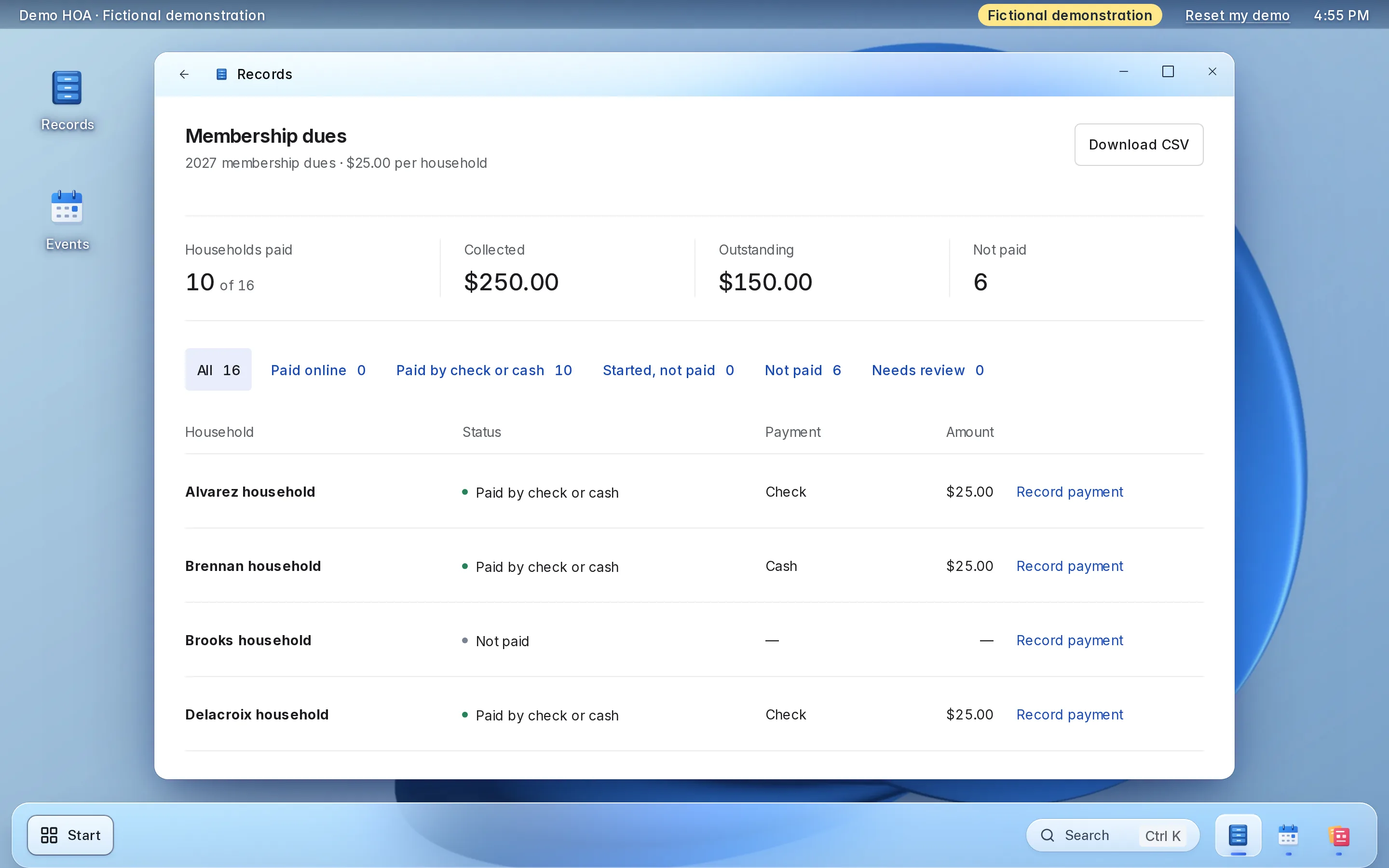
Enlarge to view the full screenshot.
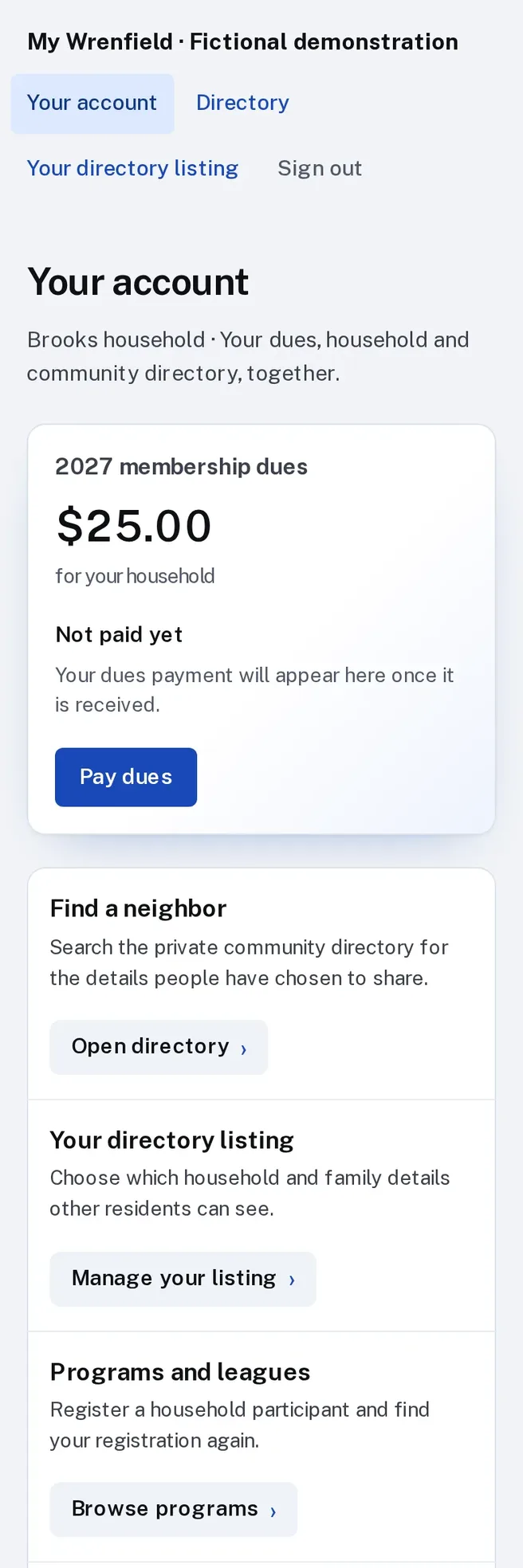
Enlarge to view the full screenshot.
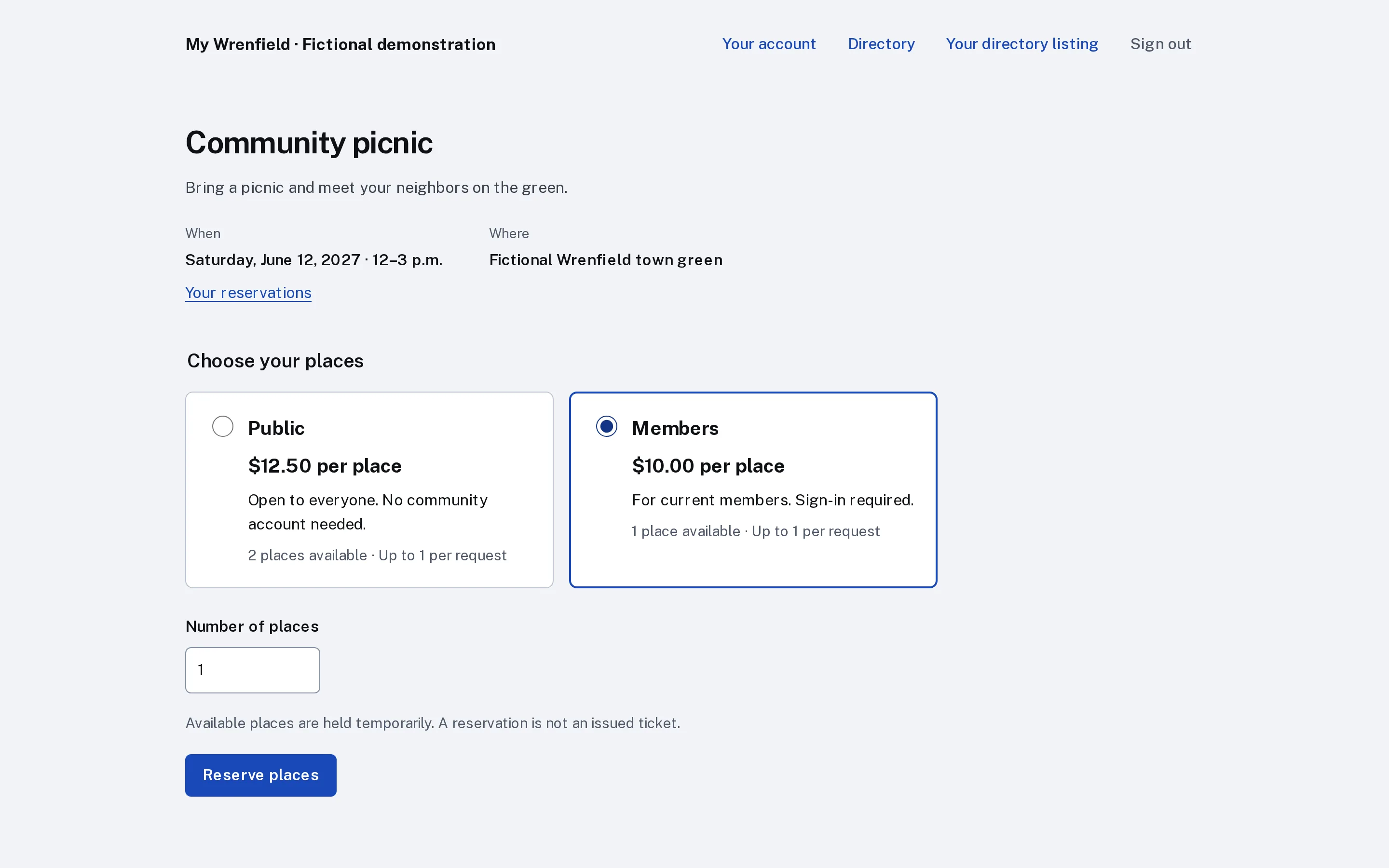
Enlarge to view the full screenshot.
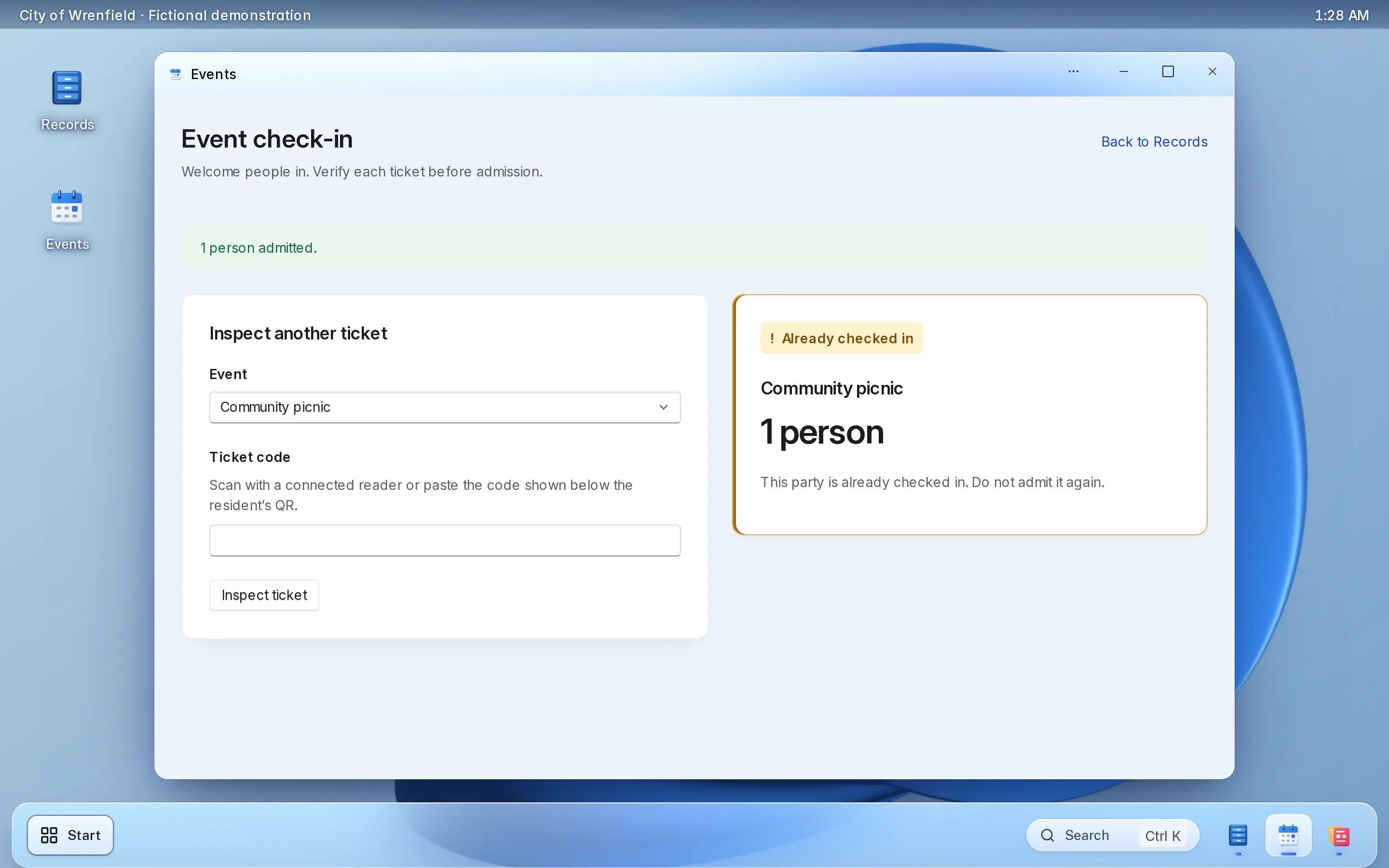
Enlarge to view the full screenshot.
Try the board’s screens here.
A working copy of the staff screens, with fictional data. Nothing you do here is sent or saved.
Things to try
-
Approve an architectural request, or deny one with a note
-
Record a dues check for a home that has not paid
-
Change what a household shares in the directory
-
Check a ticket in at the cookout, then try it again
Architectural requests
4 waiting
No requests waiting.
Dana Whitlock
Waiting for review
- Request
- Replace the rear fence with a 6-foot cedar fence. Drawing and contractor quote attached.
- dana.whitlock@example.invalid
- Property
- 14 Birch Hollow Court
- Submitted
- October 28
Kept with the decision. A denial needs one.
Decided
Nothing decided yet.
Owner dues
2027 annual dues · $480.00 per household
- Households paid
- 9 of 12
- Collected
- $4,320.00
- Outstanding
- $1,440.00
- Not paid
- 3
| Household | Status | Payment | Amount | Action |
|---|---|---|---|---|
| Bell household | Paid online | Card | $480.00 | |
| Castillo household | Paid by check or cash | Check | $480.00 | |
| Dunmore household | Not paid | — | — | |
| Eriksen household | Paid by check or cash | Check | $480.00 | |
| Farouk household | Paid online | Card | $480.00 | |
| Greer household | Paid by check or cash | Bank transfer | $480.00 | |
| Holloway household | Not paid | — | — | |
| Menon household | Paid online | Card | $480.00 | |
| Ostrowski household | Paid by check or cash | Check | $480.00 | |
| Pike household | Not paid | — | — | |
| Tanaka household | Paid by check or cash | Check | $480.00 | |
| Whitlock household | Paid online | Card | $480.00 |
Resident directory
Only signed-in members can open the directory.
How other members see you
Menon household
- Street address
- 47 Aster Lane
- Phone
- (555) 010-0118
- menon@example.invalid
Only your household’s name.
- Bell household 22 Birch Hollow Court · bell@example.invalid
- Castillo household 9 Birch Hollow Court
- Eriksen household 18 Aster Lane · (555) 010-0131
- Ostrowski household 31 Aster Lane · ostrowski@example.invalid
- Tanaka household (555) 010-0156
Nobody matches.
Fall cookout
Saturday, September 25, 2027 · 4–7 p.m. · The clubhouse lawn
- Places booked
- 16 of 150
- Checked in
- 3
- Residents
- $5.00
- Guests
- $8.00
Attendees
| Ticket | Holder | Places | Price | Checked in |
|---|---|---|---|---|
| HOA-1204 | Bell household | 4 | Residents | Not yet |
| HOA-2381 | Castillo household | 3 | Residents | 4:12 p.m. |
| HOA-3517 | Chris Navarro | 2 | Guests | Not yet |
| HOA-4460 | Menon household | 5 | Residents | Not yet |
| HOA-5093 | Tanaka household | 2 | Residents | Not yet |
Fictional demonstration data. Nothing you type is sent or saved, and Reset starts it again.
Each part, in detail.
What it does, and the choices your board makes during setup.
-
Assessments
A charge plan bills each account every month, quarter or year. Running the billing again never bills a period twice.
- Per household, per unit or per person
- A mid-period start can be prorated by day
- Card payments to the association’s own Stripe account; checks, cash and transfers recorded beside them
-
Late fees and reminders
Set the due days, the grace days and the late fee once. The fee is added when an assessment is past due, once per invoice.
- A flat fee, or a percent with a cap
- The treasurer can waive a fee with a reason
- Up to five reminder days; reminders wait in the outbox until you switch email sending on
-
Collections
The delinquency list shows who is past due. From an account the treasurer records payments, waives a fee or sets up a payment plan.
- A payment plan spreads overdue assessments over installments, with no late fees while it runs
- A statement for one account between two dates, with opening and closing balances, as a CSV
- Invoices and the delinquency list download as CSV, and every export is logged
-
The owner’s account
Each owner sees their own invoices and balance, and pays online. The treasurer links an account to its household by searching for it.
- Invoices, fines, payments and the balance in one list
- The link between account and household is recorded in the audit trail
- Only the treasurer or an owner of the workspace can make the link
-
Violations
One case per violation, from the first report to the close. Staff open cases, and residents can report one with photos.
- Photos stay with the case, and a report waits for staff before the household sees it
- A notice letter as an accessible PDF, and a cure date with reminders
- A hearing the household asks for or staff schedule, and an appeal
- Every step keeps who, when and what, and a case reopens only with a written reason
-
Fines
A fine decided on a case becomes a charge on the owner’s account at the next billing run, shown as an invoice labelled Fine.
- If the appeal is granted or the case is withdrawn, the charge is voided
- If the owner already paid, it is credited once, and shows as owed back
- A fine for a household with no linked account waits until the treasurer links one
-
Amenities
Residents book the clubhouse, courts or pool slots from their account, under the rules you set for each space.
- Open to household members only, or only to households whose dues are current
- A limit per household per day, week, month or season
- A minimum notice and a season, such as the pool from May to September
- A cancelled booking frees the time and the household’s limit
-
Architectural requests
Your request form asks what your covenants require. Owners attach drawings, quotes and photos, and each request waits in the board’s review list.
- Files stay with the request
- Approve or deny with a note; a denial needs one
- Who decided, when and why, kept on the record
-
Board documents, notices and votes
The covenants, the minutes and the budget in one library, and a vote or election run the same way every time.
- Each document is board-only or open to members, with its versions kept
- A meeting notice prepared for every member account, with a record of who sent it and when
- One vote per household, a quorum rule, results at close, and proxy votes entered by staff with a note
-
The resident directory and events
A directory only signed-in residents can open, where each household decides what to share. Events have a resident price and a guest price.
- Address, phone and email shared one by one
- Tickets scanned at the door with a phone camera
- The attendee list downloads as a spreadsheet
Set it up the way your association runs.
Choices made once, during setup.
-
The assessment
-
Late fees
-
Violation types
-
Amenity rules
-
Who decides and who sees money
-
Documents and votes
What setup includes.
Most of it is your owner list, your charges and your rules.
What you bring
- Your owner list, as a spreadsheet, with the amounts owed today
- The assessment amount and how often it is billed
- Your late fee rule
- Your violation categories, cure periods and standard fines
- The rules for each amenity
- A Stripe account in the association’s name
What LFW does
- Sets up your association’s workspace
- Imports your households from the spreadsheet
- Sets up the charge plan, late fee and billing accounts, and links each account to its household
- Sets up violation types, notice letters and the amenity rules with you
- Builds the architectural request form and the board’s review list with you
- Adds the dues button and your events to your website
- Walks the treasurer, the manager and the board through their screens
Keep your website.
Owners use LFW from the site they already know.
-
A Pay dues button
One script tag adds it to any page of your site.
-
Your events
Upcoming events appear on your site with one script tag.
-
WordPress or Drupal
A plugin or module connects a site that runs on either.
-
Only your addresses
The embeds work only on the web addresses you list.
No community website yet? Owners use the pages LFW hosts for your association, and a website can be quoted separately.
What it costs.
-
Small HOAs
RecommendedStarting at $450 a year
One homeowners association running assessments, violations and amenities.
Get a quoteIncludes
- Assessments, late fees, collections and the owner’s account
- Violation cases and fines
- Amenity booking with your rules
- Architectural requests and the board’s review list
- Board documents, notices and votes
- The residents-only directory, events and tickets
- The dues button and your events on your website
- Setup and the import of your owner list
-
Larger organizations
Quoted in writing
For several departments and enterprise implementations.
Get a quoteIncludes
- Everything in the starting plan
- A written quote with the price, what it covers and the term
Stripe charges its own card-processing fees on each payment. They are separate from LFW’s price. LFW adds no fee of its own on each payment.
Your owners’ information.
Who sees it, where the money goes and how you leave.
-
The money
Dues and tickets are paid into your association’s own Stripe account, in its name.
-
The directory
Only signed-in residents can open it, and each household chooses what it shows.
-
Board and staff access
Each person signs in as themselves and sees only the parts you give them.
-
Hosting
LFW hosts and runs the software. There is nothing for you to install or update.
-
Your data
The dues roll and attendee lists download as spreadsheets whenever you want them.
-
Support
Email LFW with any question. We answer Monday to Friday, 9 a.m. to 5 p.m. Eastern.
Questions.
What does it cost?
Starting at $450 a year for a small HOA. Stripe’s card-processing fees are separate. LFW adds no fee of its own on each payment. Larger organizations, several departments and enterprise implementations cost more and are quoted in writing.
How long does setup take?
Setup is your owner list, your assessment and your rules. Send the owner list as a spreadsheet and LFW imports your households before you open billing. Your written quote gives the start date.
Can owners still pay by check?
Yes. The treasurer records checks, cash and bank transfers on the same account as card payments.
Where does the money go, and what are the fees?
Into the association’s own Stripe account, in its name. Stripe charges its card-processing fees on each payment, separately from LFW’s price.
Are late fees and reminders sent automatically?
Late fees are added automatically once an assessment is past its due date and grace days. Reminders and notice emails wait in an outbox until email sending is switched on, so do not count on them being sent yet.
How does a violation become a fine?
A case moves from the report to a notice, a cure date and a hearing. A fine decided on the case becomes a charge labelled Fine on the owner’s account at the next billing run. If the appeal is granted, the charge is voided, or credited if it was paid.
Can owners see their balance?
Yes. An owner signs in and sees their invoices, fines, payments and balance, and pays online. The treasurer can open a statement for any account and download it as a CSV.
Can we limit who books the clubhouse?
Yes. A space can be open to household members only, or only to households whose dues are current, with a limit per household, a minimum notice and a season. Residents see why if they cannot book.
How do architectural requests work?
An owner fills in your request form and attaches drawings, quotes or photos. The request waits in the board’s review list, and the board approves or denies it with a note. Conditions of approval are not a separate feature; put them in the note.
Can a committee or our community manager use it?
Yes. Each person signs in as themselves and sees only the parts the board gives them, so the record shows who decided.
Can we hold votes and elections?
Yes. One vote per household, secret or open, with a quorum rule and results at close. Staff can enter a proxy vote with a note.
What happens when the board changes?
Give the new board members access and remove the old ones. The assessments, cases, requests and their decisions stay with the association.
See it with your own community in mind.
Try the live demo, or ask for a written quote your board can review.