For organizations that run a staff intranet
A staff intranet that works with SharePoint.
Staff find the policy, the form and the person, and read each page in their own language.
- One search over the intranet, SharePoint and OneDrive
- Sign-in with the work account, roles for each area
- HR forms that staff fill in and submit on screen
- Translation with review before readers see it
For the team that runs the staff intranet.
Written for communications, HR, IT and the staff who publish.
- City and county governments
- International organizations
- Agencies with many offices
- Communications teams
-
Today: Policies and documents sit in three systems, and no search reaches them all.
With LFW: One search over pages, SharePoint and OneDrive, trimmed to what each may open.
-
Today: The leave form is on three sites, and the newest is on none of them.
With LFW: Each group’s Home page pins the pages and quick links it needs.
-
Today: Staff in field offices read English pages written at headquarters.
With LFW: Pages are translated with your own service and reviewed before publishing.
-
Today: One administrator can publish anything, and nobody can say who changed a page.
With LFW: A second person approves before publishing, and every role change is listed.
For cities and counties.
Department pages, HR forms, the clerk’s office and IT.
-
A page for each department
Public works, the library and HR each publish their own pages and news, and edit nothing else.
-
HR forms on screen
A leave request or an incident form is built on screen by your staff and filled in on screen by employees.
-
The clerk’s policies and notices
Policies are pages, and a second person can be required to approve each change before it goes live.
-
IT keeps control
Staff sign in with the work account, and IT sets who edits, reviews and publishes where. Every change is listed.
For international organizations.
Staff in several countries and languages, on Microsoft 365.
-
The six UN languages
Pages and news translate through the service you choose, and a reviewer approves each one. Arabic reads right to left.
-
Offices in several countries
Each office or group of staff gets its own Home page, with its own news, pinned pages and quick links.
-
SharePoint stays the source
News, pages and lists are read live and never copied.
-
Large Entra tenants
Audience groups come from your Entra groups, including for people in hundreds of groups.
How a working day goes.
What staff do, and what the people who run the intranet do.
Staff
-
Sign in once
Single sign-on with your own work accounts. It never creates new ones.
-
Search everything once
One box covers the intranet and, with Microsoft 365, SharePoint and OneDrive.
-
Read in their own language
Approved translations open in the reader’s language. Arabic reads right to left.
-
Open the SharePoint news
SharePoint news, pages and lists appear live, read in the person’s own name.
Communications and IT
-
Write a page or post
Build it on screen from blocks and send it for review.
-
Approve the translations
Reviewers read each translation before staff can see it.
-
Give each area its editors
Set roles for a site or for one page and those under it. Every change is listed.
-
Read the availability report
Each month’s minutes down, overall and in business hours, as a spreadsheet.
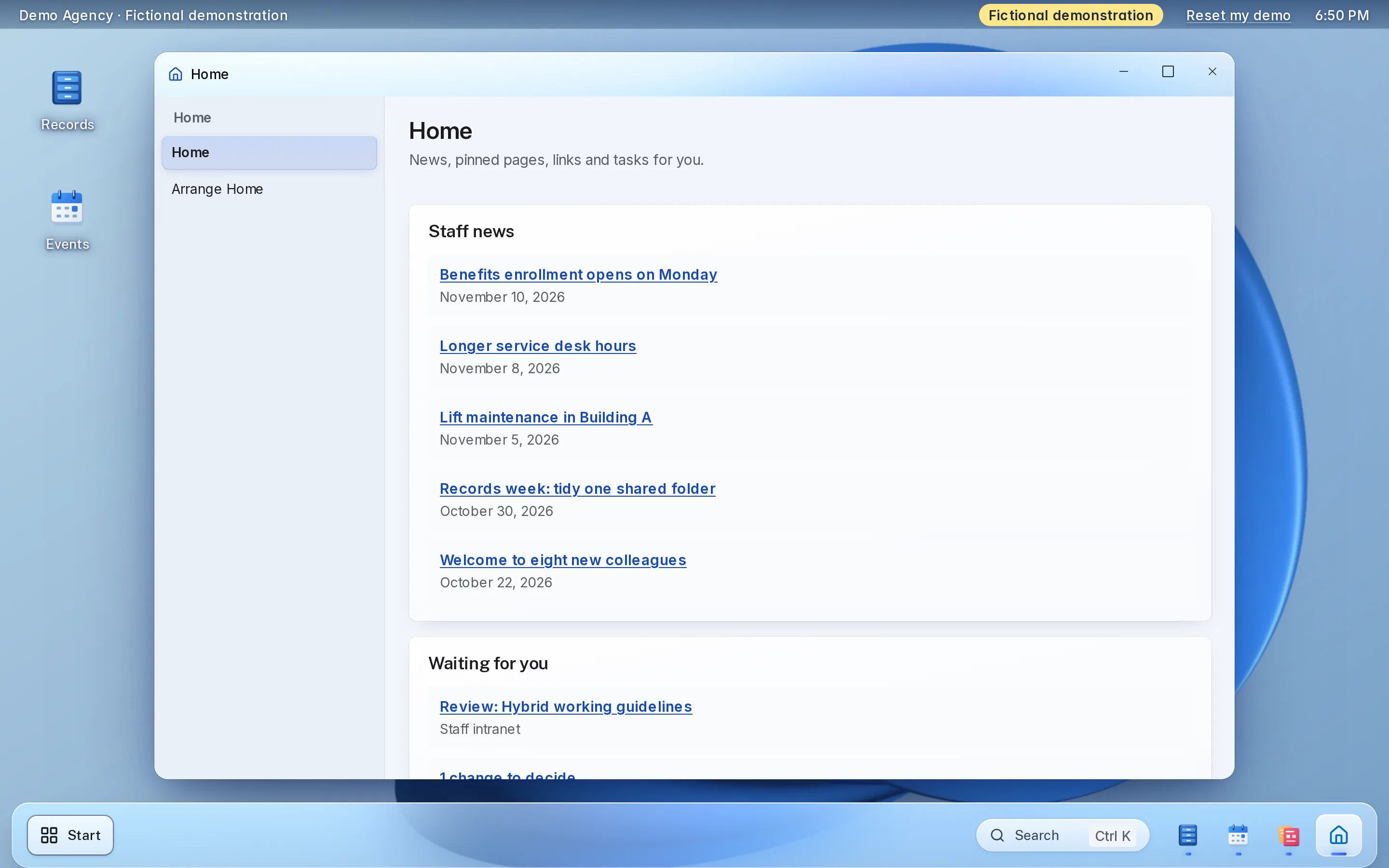
Try the intranet’s screens here.
A working copy of two staff screens, with fictional data. Nothing you do here is sent or saved.
Things to try
-
Search for “leave”, then narrow the results to one source
-
Untick Microsoft 365 and see what search covers without it
-
Approve a translation, or send one back with a note
Search
Each person sees only the results they may open.
10 results
- Annual leave guide Intranet pages · How to request, approve and record leave for staff and managers.
- Travel and expense policy Intranet pages · What can be claimed, the limits and who approves a trip.
- Welcome to your first week Intranet pages · Accounts, badges, the building and who to ask.
- The new library hours begin Monday Intranet news · The reading room now opens at 8 a.m. on weekdays.
- Security awareness week Intranet news · Short sessions in every office, with a leave day for those who attend all three.
- Office closures calendar SharePoint · A list of closure days by office, kept by Facilities.
- Procurement rules, current version SharePoint · The rules and thresholds, with the approval route for each.
- Leave planning, Q3 draft OneDrive · A spreadsheet of planned leave by team, shared with the department head.
- Field office handover checklist OneDrive · Steps for handing over a posting, with the leave balance check.
- Leave balance policy 4.2 HR system · How leave is accrued, carried over and paid out, indexed from the HR system.
Nothing matches.
Translations to review
5 waiting
No translations waiting.
Travel and expense policy
Waiting for review
- Translation
- French translation of 14 paragraphs, made by the organization’s own translation service.
- Language
- French
- Page
- Policy library
- Sent for review
- November 8
Kept with the decision. A denial needs one.
Decided
Nothing decided yet.
Fictional demonstration data. Nothing you type is sent or saved, and Reset starts it again.
Each part, in detail.
What it does, and the choices your team makes during setup.
-
Pages and news
Editors build pages and news posts on screen from blocks, and a page can need a second person’s approval before it goes live.
- Headings, paragraphs, lists, callouts, tables, quick links, images, video and files
- A Home page with its own layout for each group of staff
- Nobody approves their own edit
-
One search
One box searches intranet pages and news and, for people who connect their Microsoft 365 account, SharePoint, OneDrive and the Graph connectors you list.
- Each person sees only what Microsoft lets them open
- Connectors for sources such as Oracle or Atlassian, as your own connectors index them
- Mail, chat and calendar are never searched, and searches are not stored
-
SharePoint inside the intranet
Show SharePoint news, pages and lists in the intranet without copying them. Each person reads them in their own name.
- Read only: nothing is ever written to SharePoint
- Images and other web parts open in SharePoint with a link
- Choose the sites, pages and list columns, and who sees each
-
Languages
Pages and news translate through a service you choose, with your own key, in the six UN languages by default.
- Azure AI Translator, your own service, an AI model with your key, or translators working from files
- A person approves each translation before readers see it
- Arabic and other right-to-left languages read right to left; screen labels stay in English
-
Sign-in and access
Staff sign in with the organization’s own account, and roles decide who edits, reviews and publishes where.
- Microsoft Entra ID, with Google Workspace, Okta, OpenID Connect and SAML 2.0 also offered
- Roles for a whole site or for one page and the pages under it
- Audience groups from your Entra groups, including for people in hundreds of groups
-
Your look
Set the product name, colors, logo, favicon and typefaces, so the intranet looks like the organization.
- Colors that fail the contrast check are refused, with the reason
- Upload your own typeface files where your license allows
- One button returns to LFW’s own look
Set it up the way your organization runs.
Choices made once, during setup.
-
What search includes
-
Who sees which Home page
-
Who publishes where
-
How translation runs
What setup includes.
Most of it is your Microsoft 365 settings and who publishes.
What you bring
- A Microsoft Entra administrator, if you use Microsoft 365
- The SharePoint sites whose news, pages and lists should appear
- The Graph connector IDs, if search should reach other systems
- Your translation service and the languages you want
- Your logo, colors and typefaces
- Who publishes and who reviews, by area
What LFW does
- Sets up your organization’s workspace
- Registers the sign-in and Microsoft 365 connections with your administrator
- Adds your SharePoint sources, search settings and translation service
- Applies your branding and builds the Home layout with you
- Sets the roles for each area and the review steps
- Walks your administrators and editors through their screens
Keep SharePoint and Microsoft 365.
The intranet reads them as each person; it does not replace them.
-
SharePoint stays the source
News, pages and lists are read live and never copied.
-
Each person’s own access
Every Microsoft read is made in that person’s name, with read-only permissions.
-
Your other systems
Search reaches the systems your Graph connectors index.
-
The sign-in you have
Staff use the work account they already have.
No SharePoint? The intranet’s own pages and news work on their own, and search covers them.
What it costs.
-
Small organizations
RecommendedStarting at $1,800 a year
up to 150 staff
One organization’s intranet on Microsoft 365.
Get a quoteIncludes
- The intranet, hosted and run by LFW
- Pages, news, Home layouts and search
- SharePoint sources and the Microsoft 365 connection
- Translation review and the roles for each area
- Your branding
- Setup, and a walkthrough for your administrators and editors
-
Larger organizations
Quoted in writing
For several departments and enterprise implementations.
Get a quoteIncludes
- Everything in the starting plan
- A written quote with the price, what it covers and the term
Your Microsoft 365 licenses are yours. Your translation service bills you directly; LFW adds no charge for machine translation.
Your staff’s information.
Who signs in, who sees what, and how you leave.
-
Sign-in
Staff sign in with your organization’s account. Sign-in secrets are stored sealed and never shown again.
-
Microsoft 365 reads
Read-only, in each person’s own name. A connection that carries more than the three read permissions is refused.
-
Roles and history
Roles are set by area, and every grant and removal is listed with who made it.
-
Searches
Searches are not stored, and mail, chat and calendar are never searched.
-
Your data
A signed copy of your sites, pages, news, history, groups and Home layout, taken through the API.
-
Availability and load
A monthly availability report you can download, and a load test measured on a four-core test server.
-
Hosting
LFW hosts and runs the software. The hosting region is agreed in your written quote.
-
Support
Email LFW with any question. We answer Monday to Friday, 9 a.m. to 5 p.m. Eastern.
Questions.
What does it cost?
Starting at $1,800 a year for up to 150 staff, for a small organization. Your Microsoft licenses and your translation service are billed separately by their providers. Larger organizations, several departments and enterprise implementations cost more and are quoted in writing.
How long does setup take?
Setup follows the parts of the administrator guide: sign-in, the Microsoft 365 connection, SharePoint sources, search, translation, branding, roles and the Home layout. Your written quote gives the start date and the schedule.
Do we keep SharePoint and Microsoft 365?
Yes. The intranet reads SharePoint news, pages and lists live and never copies them or writes to them. Your documents stay where they are.
What if we do not use Microsoft 365?
The intranet's own pages, news and Home layouts work on their own, and search covers them. Staff sign in with Google Workspace, Okta, OpenID Connect or SAML 2.0 instead.
Is this an HR system?
No. It shows policies, news, the directory search and forms. HR records, payroll and leave balances stay in the system you use, and search can reach it only through a Graph connector that you list.
What does it read in Microsoft 365?
Read-only access to SharePoint sites, files and the Graph connector items you list, always in the name of the person using it. Mail, chat and calendar are never searched.
Can we bring our current pages and news?
Content that is in SharePoint can show in the intranet as it is. Content in another system is moved or rewritten as delivery work, which your written quote scopes.
Which languages can staff read?
The six UN languages by default, and others you add. Pages and news translate through the service you choose, and a reviewer approves each one before readers see it. Screen labels stay in English.
How is it secured, and who sees what?
Staff sign in with your account, and roles are set by site or page. Every grant and removal is listed, nobody approves their own edit, and Microsoft reads are read-only in each person’s name.
Where is it hosted? Can it be in the EU?
LFW hosts and runs it, and the hosting region is agreed in your written quote. Ask for the region you need, and the quote will say what LFW can provide.
How many people can use it at once?
On a four-core test server with a local load test, 500 signed-in people were served at once, with 95 percent of pages in under one second. That is a measurement, not a guarantee for your deployment.
How do we export our data and cancel?
Your written quote sets out the term and the notice. A signed copy of your sites, pages, news and Home layout is taken through the API, and a partner can restore it without LFW. Branding, sign-in and Microsoft settings are listed separately.
See it with your own organization in mind.
Try the live demo, or ask for a written quote your team can review.