Privacy choices say when your browser has already decided.
If your browser sends a privacy signal, the Privacy choices dialog now says so first, explains that nothing can be switched on here, and offers only Close. The choices always worked; the dialog just showed switches it could not honor.
LFW.com honors Global Privacy Control and Do Not Track: with either signal on, every optional service stays off, whatever a visitor clicks. That has been true since the dialog shipped.
The dialog used to show the same options and buttons as for everyone else, with a one-line note beneath them, so a visitor with a signal saw a checkbox that would not take. Now the note leads, with an icon, and the switches are gone in that state. The way to make a different choice is in the browser's own settings, and the dialog says so.
Without a signal the dialog is as it was, with two additions that apply everywhere: a close button in the corner, and a click outside the box closes it.
Matched captures of the dialog with a browser privacy signal on, before and after. The before image is rendered with the previous version of the dialog's script, not saved from an earlier day.
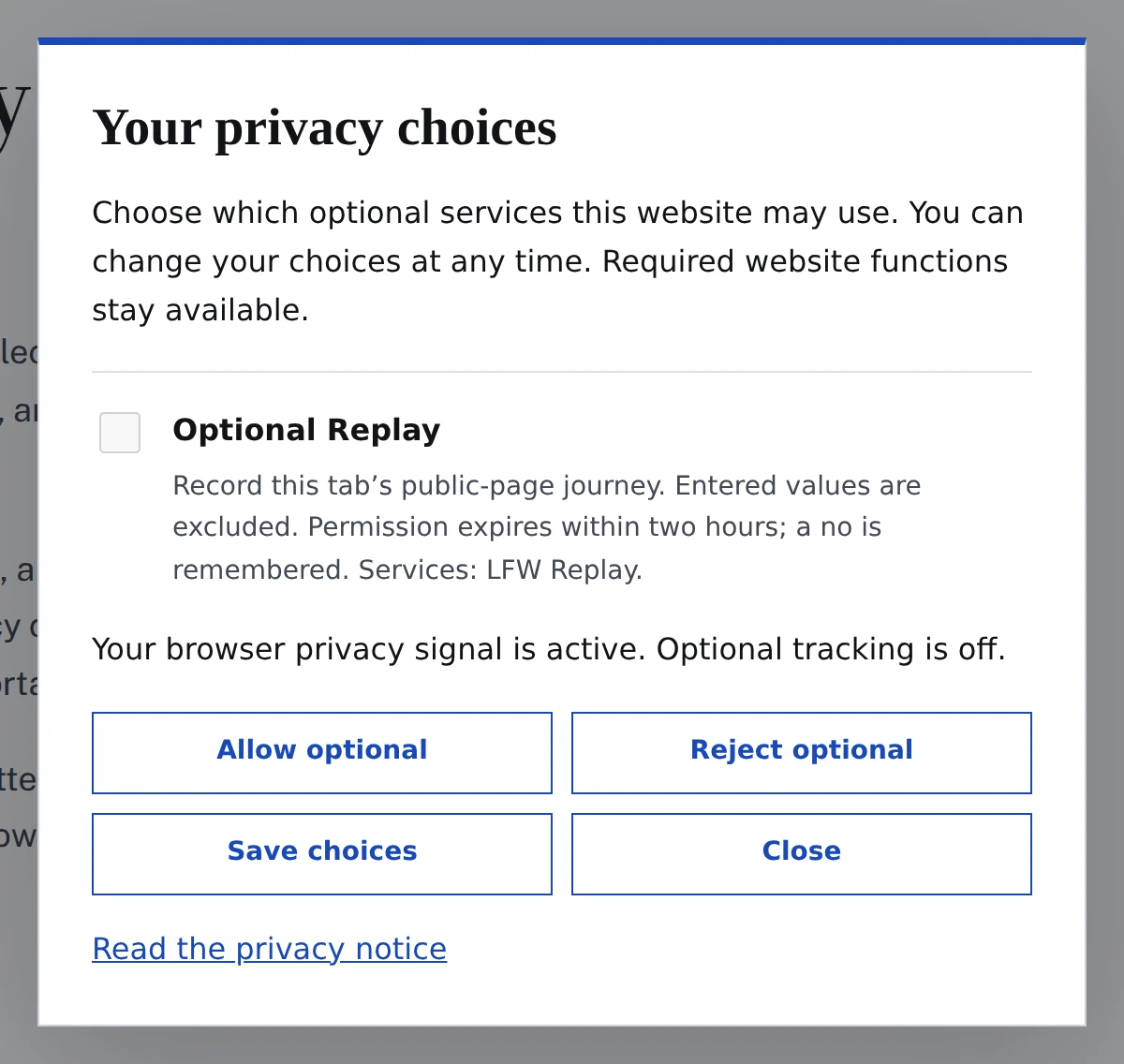
Enlarge to view the full screenshot.
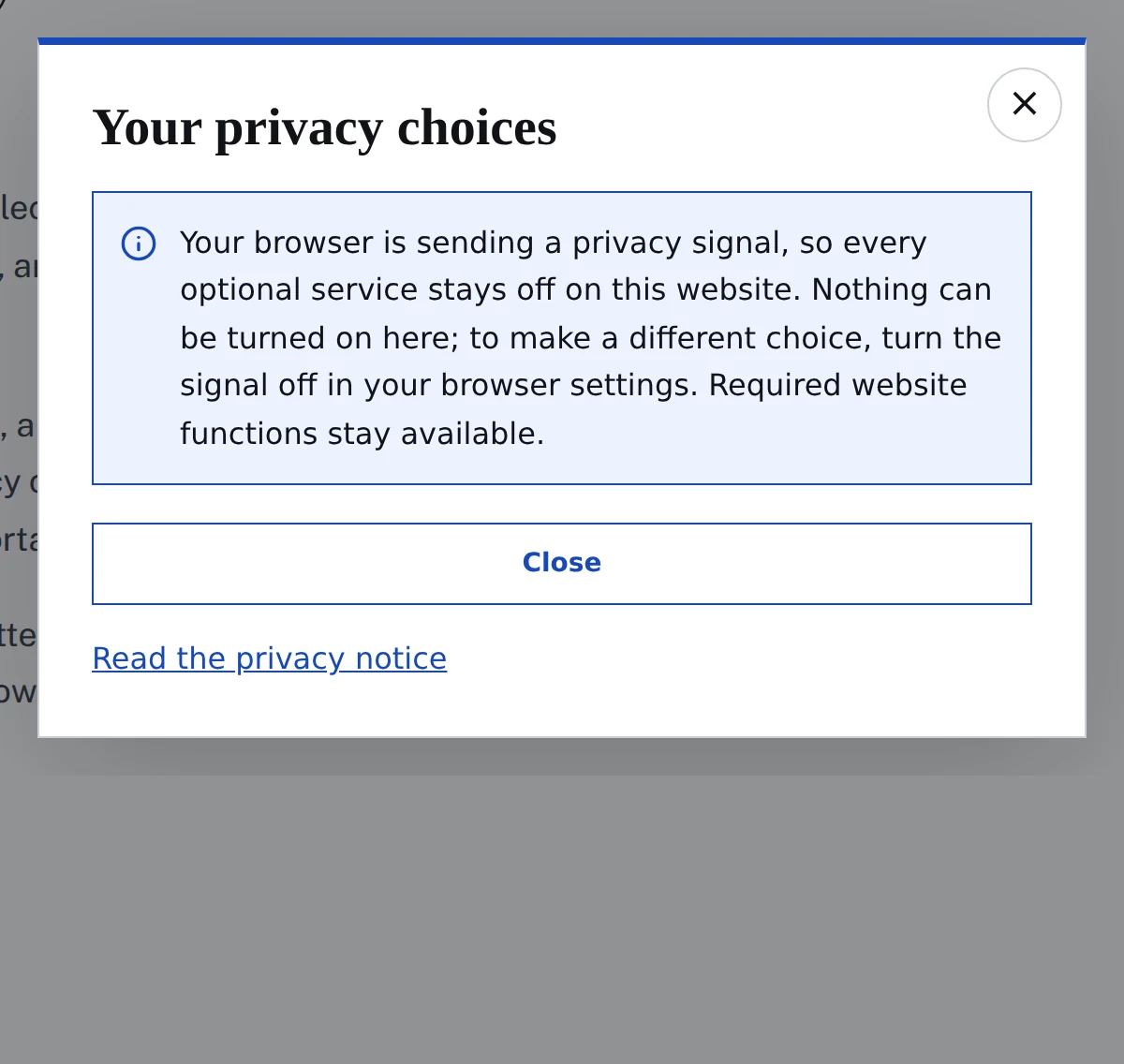
Enlarge to view the full screenshot.