LFW Incident Manager
Run a public health emergency on ICS, in one system.
Incidents, ICS positions, beds, patients, supplies and volunteers on one record.
- The duty officer, hospitals and volunteers see the same numbers
- Every change in the audit log
For health departments and healthcare coalitions · working demo, not in production
See it with sample data.
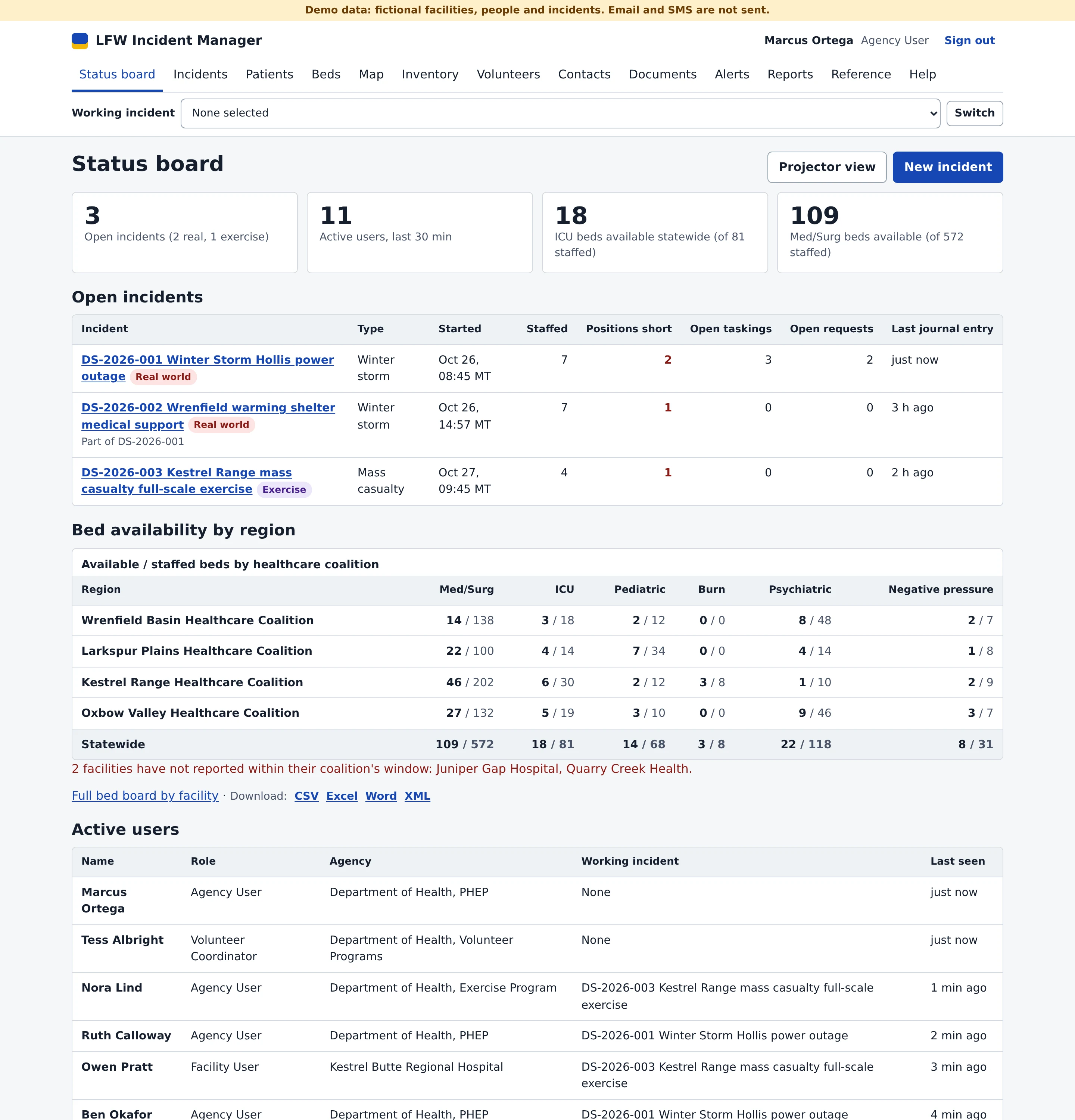
Screens from the working demo, for a fictional state health department, its healthcare coalitions and their hospitals. Every person, facility and incident is invented, and each screen carries a Demo data ribbon.
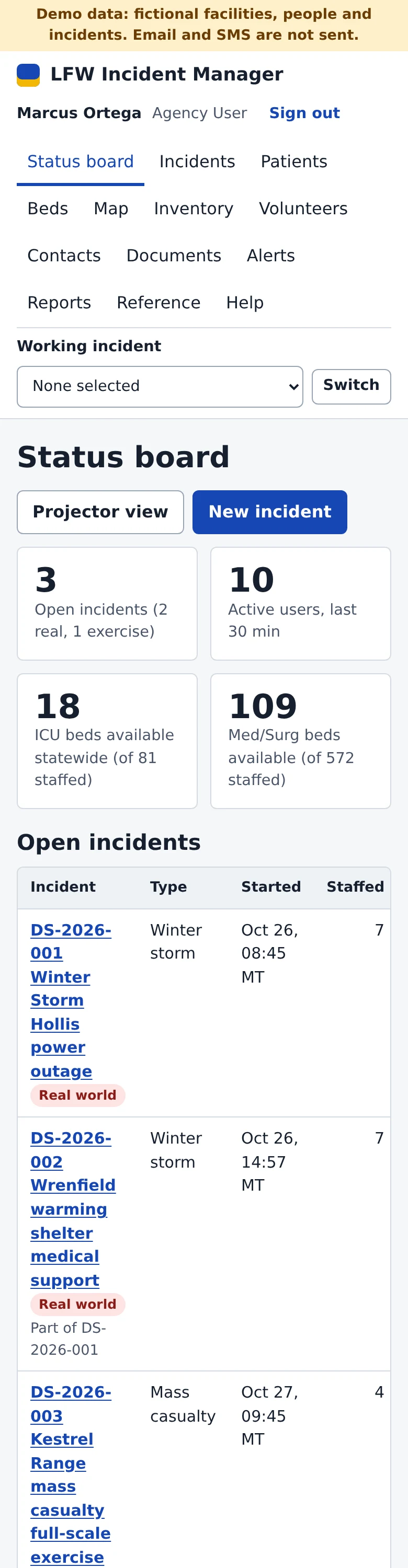
Enlarge to view the full screenshot.
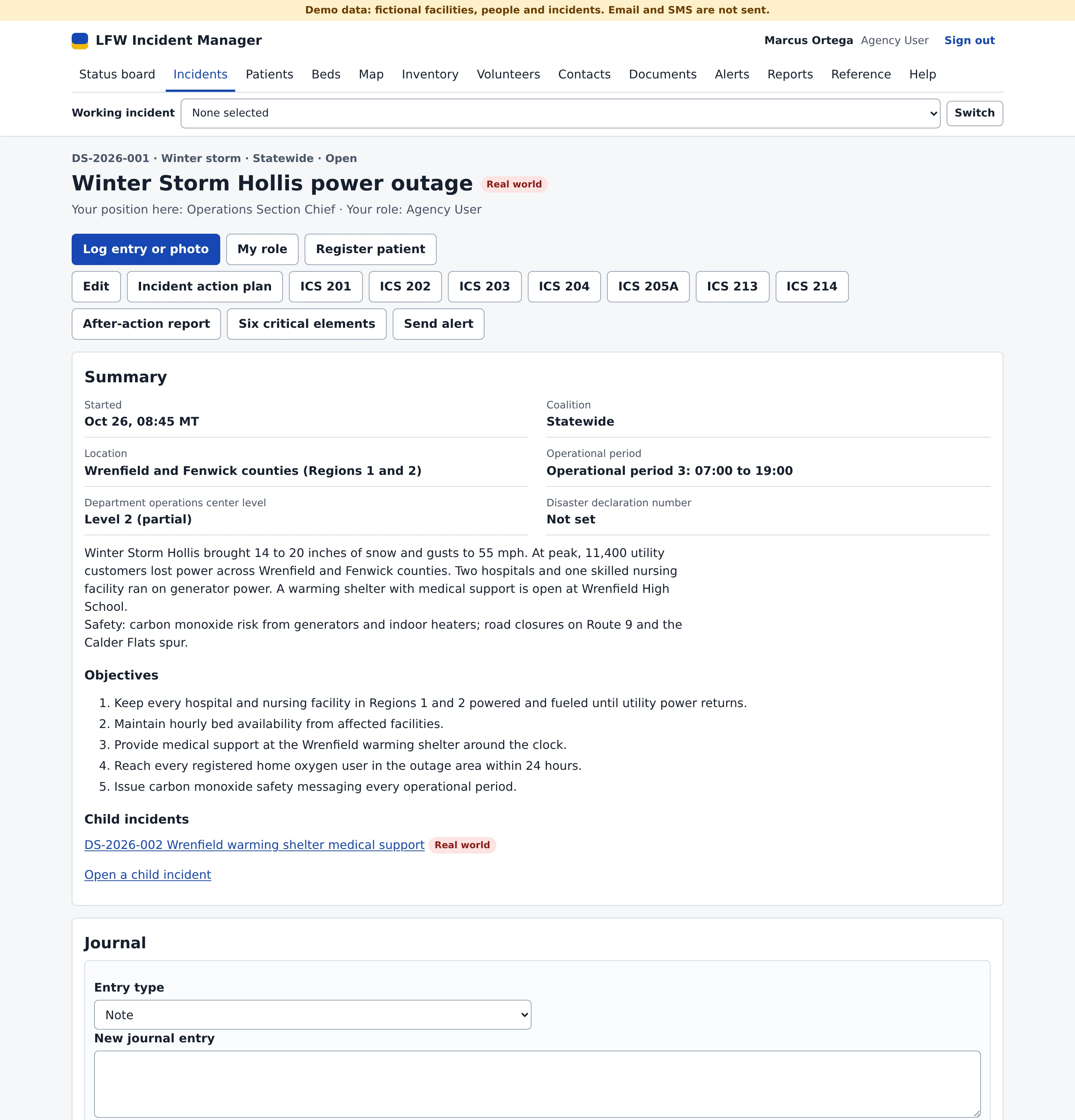

Enlarge to view the full screenshot.
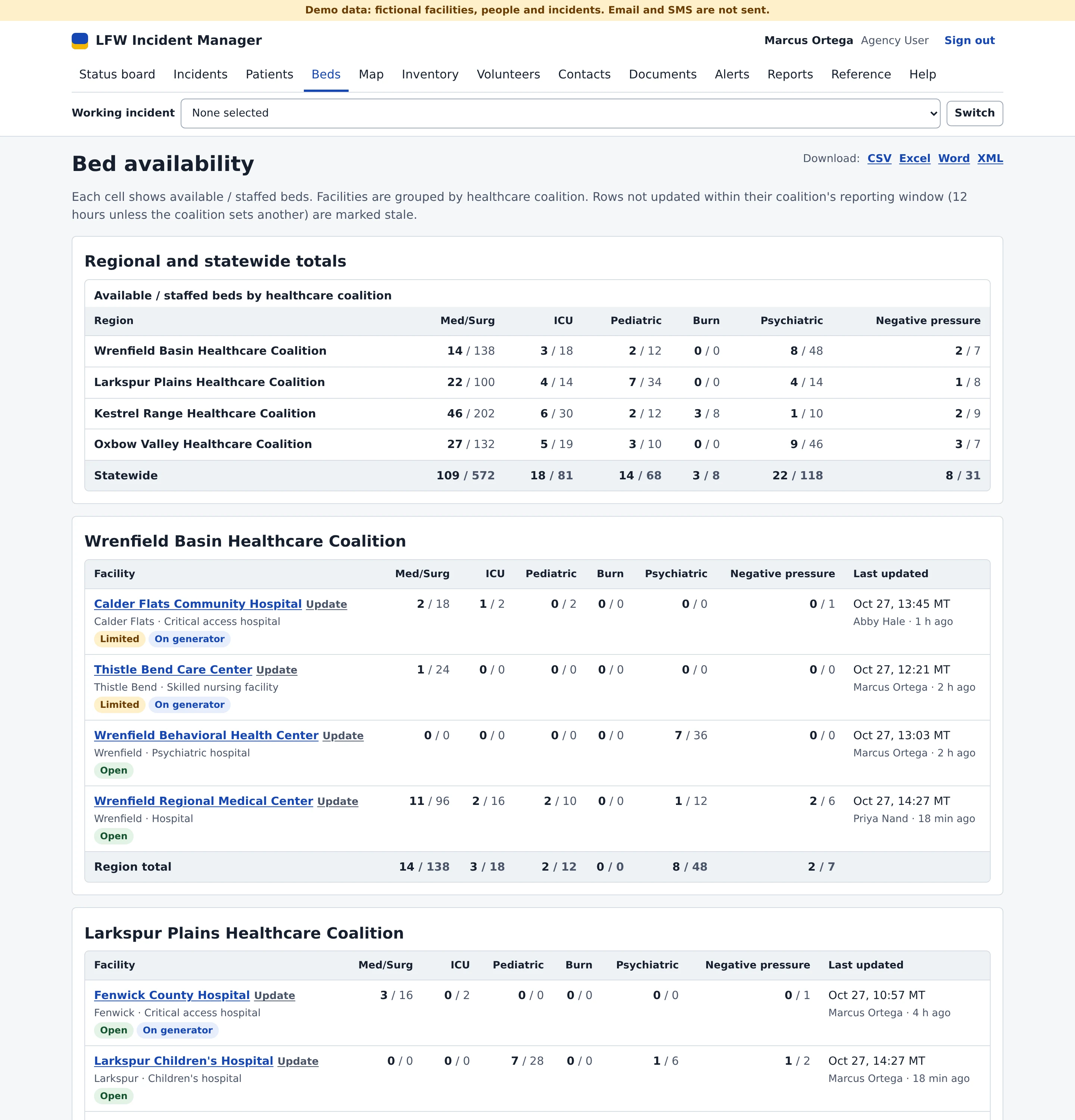
Enlarge to view the full screenshot.
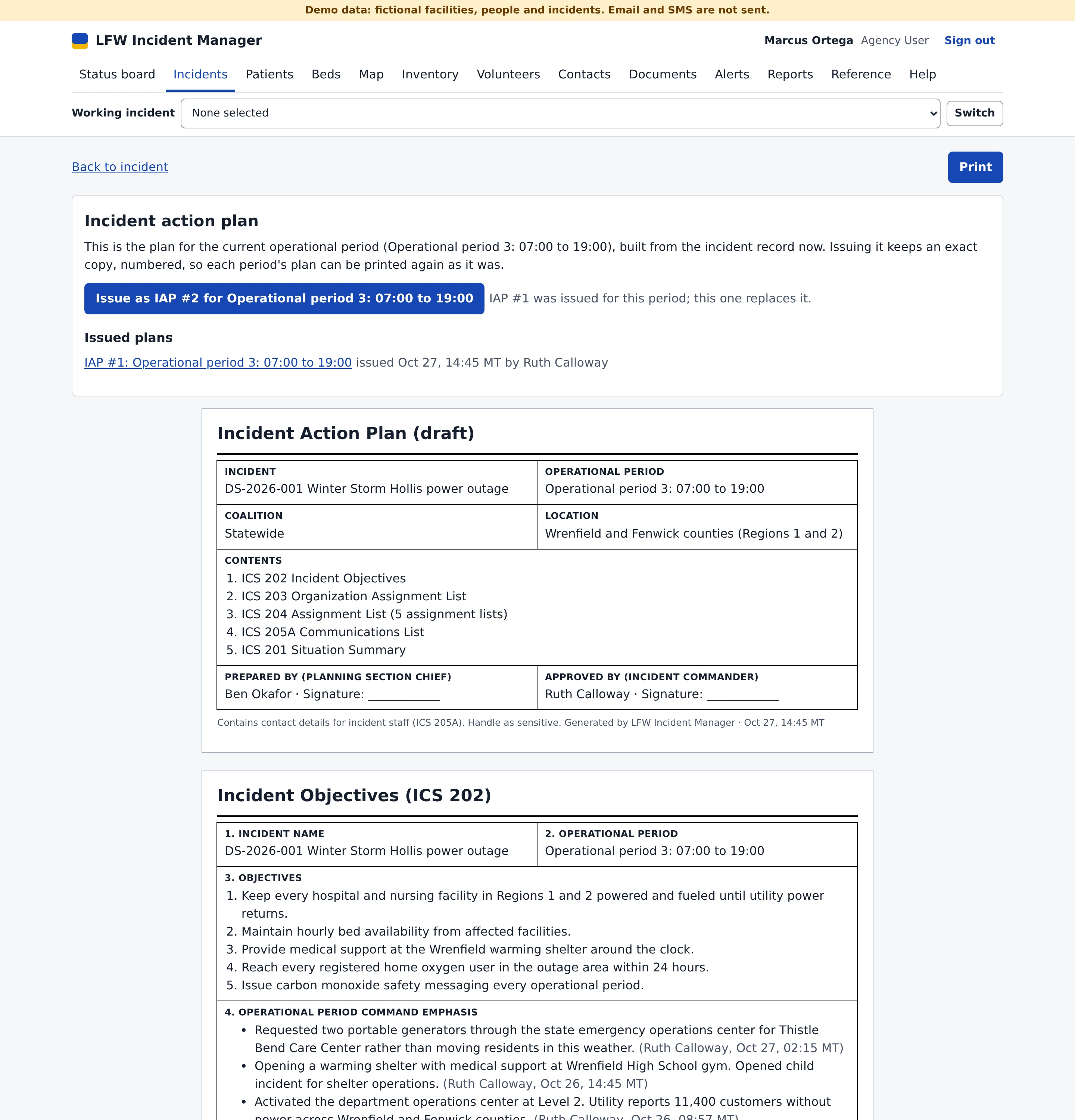
Enlarge to view the full screenshot.
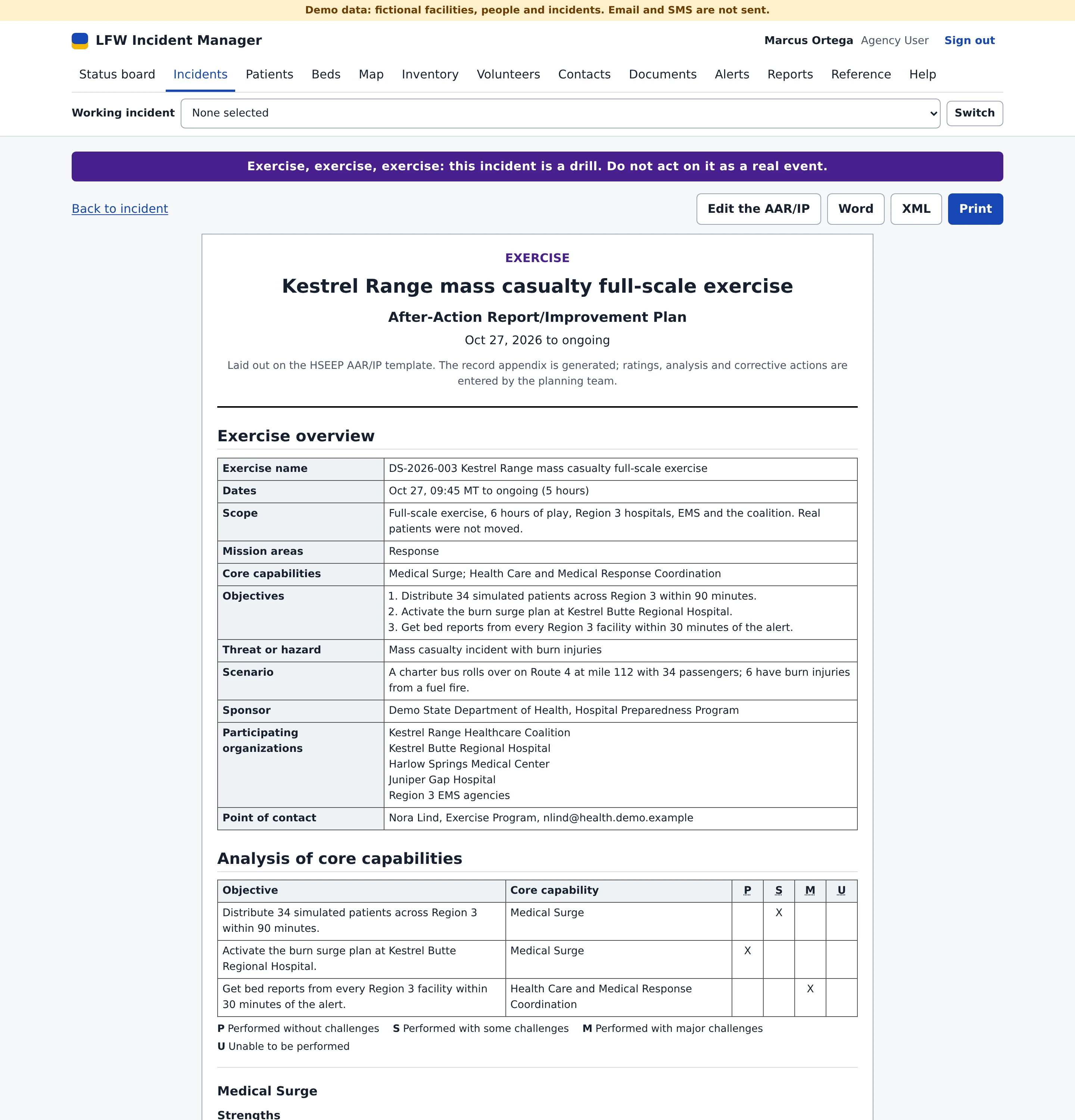
Enlarge to view the full screenshot.
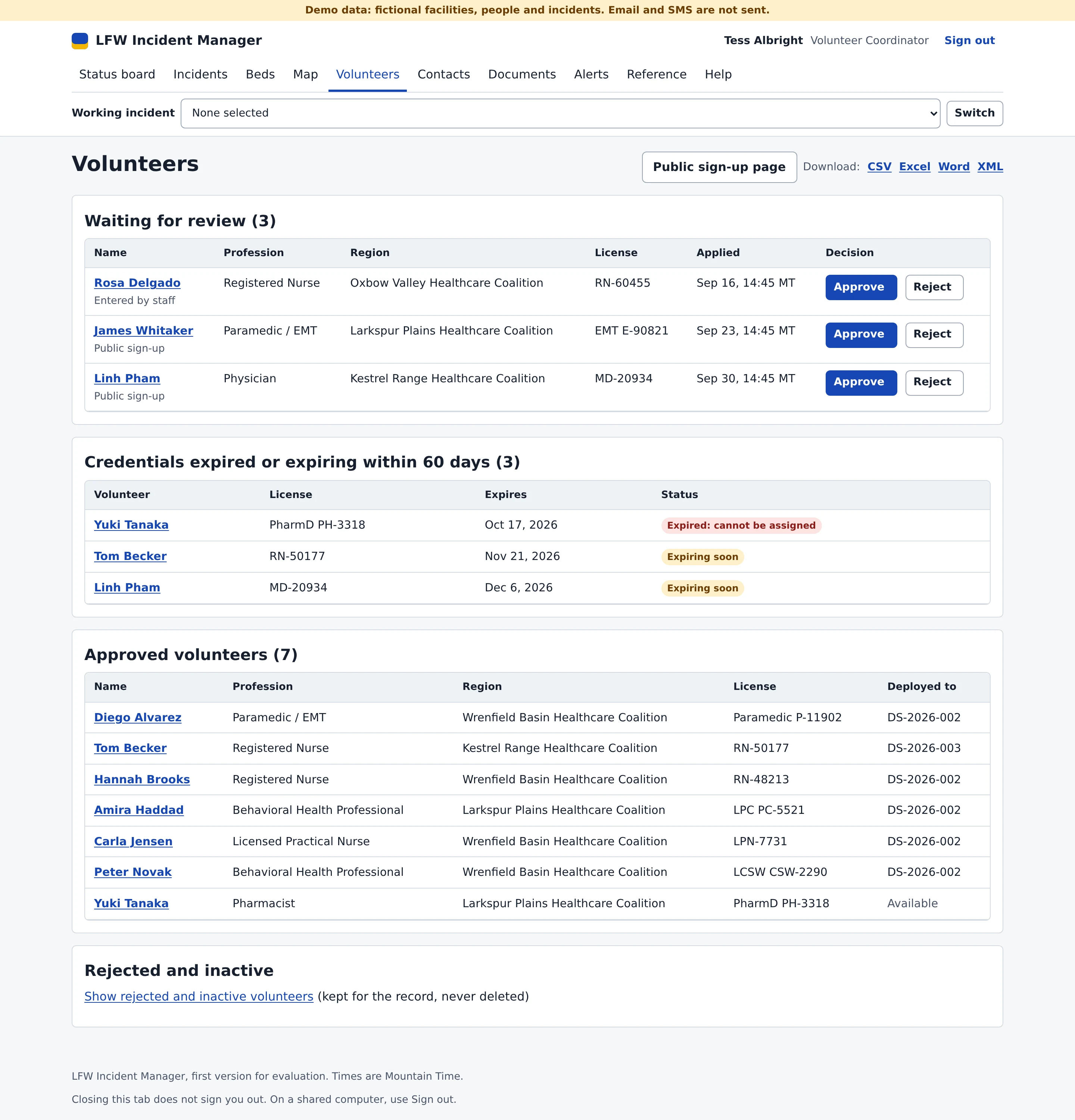

Enlarge to view the full screenshot.
Incidents on ICS, from the first hour to the after-action report.
Real incidents and exercises run side by side, each clearly marked.
- ICS positions with staffing limits Set a minimum and maximum for each position. People take a role themselves, a full position refuses another assignment, and the incident's staff get an alert when a position drops below its minimum.
- An incident action plan per operational period A cover page, ICS 202, 203, 204, 205A and the 201 situation summary, printed together. Issuing the plan keeps a numbered copy exactly as printed.
- A journal nobody can rewrite Entries and photos from a phone camera. A journal entry cannot be edited or deleted. A correction is a new entry that points to the old one.
- Emergency Support Functions Tag positions, taskings and resource requests with ESF 1 to 15 (ESF 8 by default), then filter or group by ESF in reports.
- Checklists All-hazards templates by hazard type and HICS and ICS position checklists, checked off with a name and time.
- After-action reports on HSEEP The AAR/IP with core capabilities rated P, S, M or U, an improvement plan and the incident record, to print or download in Word and XML. The Joint Commission Six Critical Elements evaluation is included.
Beds, patients and supplies.
Hospitals report once, and the coalition and the state see the same numbers.
- Bed availability by coalition Six bed categories with regional and statewide totals. A facility that has not reported within its coalition's window is flagged.
- Updates from the facility Facility users update their own beds from a phone. A facility going on diversion or closing sends an alert to its coalition.
- An API for hospital systems A token bound to one facility posts bed counts as JSON or CSV. Read endpoints cover beds, incidents and facilities, with GeoJSON for ArcGIS and QGIS and an OpenAPI document.
- Patient tracking START triage, transport details, a movement history that cannot be changed, QR triage tags that open the patient when scanned, and manifests per incident and facility.
- Inventory Stock at a state cache, coalition caches and facility stockrooms, with low-stock alerts. Resource requests are filled from stock, and no location can go below zero.
- A map Facilities by bed status, incidents and inventory locations, with annotations and GeoJSON or ArcGIS overlays.
Volunteers, from sign-up to check-in.
- Public sign-up Volunteers apply on a public page. The coordinator approves or rejects each one in a queue.
- Credentials with expiry dates A volunteer with an expired credential cannot be assigned. Coordinators get an alert for each credential expiring within 30 days.
- QR badges and check-in Staff scan a volunteer's badge to check them in or out of an incident.
- Self-service by email link Volunteers sign in with a single-use link to see their own record and badge.
Alerts, documents and records.
- Alerts to the right people Send incidents, resource requests, taskings and one-question polls to users, roles, regions, incident staff, volunteers or contact groups.
- Documents Uploads and Google Drive links on incidents, facilities, inventory items, taskings and journal entries.
- An audit log you can check Every change records who, what, before, after and when, chained by SHA-256 and verified on every view. Filter by record, person, incident or date, and export to CSV.
- Records retention Set how long closed incidents and inactive volunteers are kept. A record past its period is archived to a download with its hash, then purged only after a typed confirmation.
- Works offline in the field Installs on a phone from the browser. Journal entries, patients and bed reports made without a connection stay on the device and are sent on reconnect, with any conflict shown for a decision.
- Every table exports CSV, Excel, Word and XML of every table, an ad hoc report builder, and CSV import with a preview.
Who sees what.
- Administrator
- Everything, plus the audit log, users, single sign-on, API tokens, import and settings.
- Agency user
- Incidents, patients, inventory, staffing, alerts, reports and beds at every facility.
- Coalition staff
- Their own coalition's incidents, facilities, beds and inventory. Statewide incidents open read-only.
- Facility staff
- Only their own facility's beds, patients and stockroom. A facility administrator also manages that facility's accounts.
- Volunteer coordinator
- Volunteers, credentials, badge check-in and alerts.
- Read-only
- The board, incidents, beds, inventory and map, with no changes and no patient data.
- Sign-in
- Single sign-on through OpenID Connect with roles from your directory groups, and an idle timeout with a warning.
Where it stands.
The demo runs with fictional data. Email and text alerts go to an outbox and are not sent. Real email, text and voice delivery, malware scanning of uploads and hosting are set up with your department. There is no native phone app: it installs from the browser.
What it needs.
- Who it is for
- State and local health departments, healthcare coalitions, the hospitals that report to them and emergency management offices working ESF 8.
- Your records
- Your department owns its data and can export every table at any time.
- Accessibility
- 141 demo pages pass automated axe accessibility checks at desktop and phone widths.
- Release
- A working demo with fictional data, not in production. No health department runs it yet.
Ask about it for your health department, coalition or hospital.
Tell us how your health department, coalitions and hospitals share incident, bed and volunteer information today. We reply within one business day.