LFW Recreation Suite

Everything your parks department sells, on one account.

Everything a parks department runs, on one family account.

  • Classes, camps and leagues
  • Shelters, fields, pool passes and rentals
  • One ledger that balances every day

For city and county parks and recreation departments and park districtsWorking demo with fictional data · six products, built

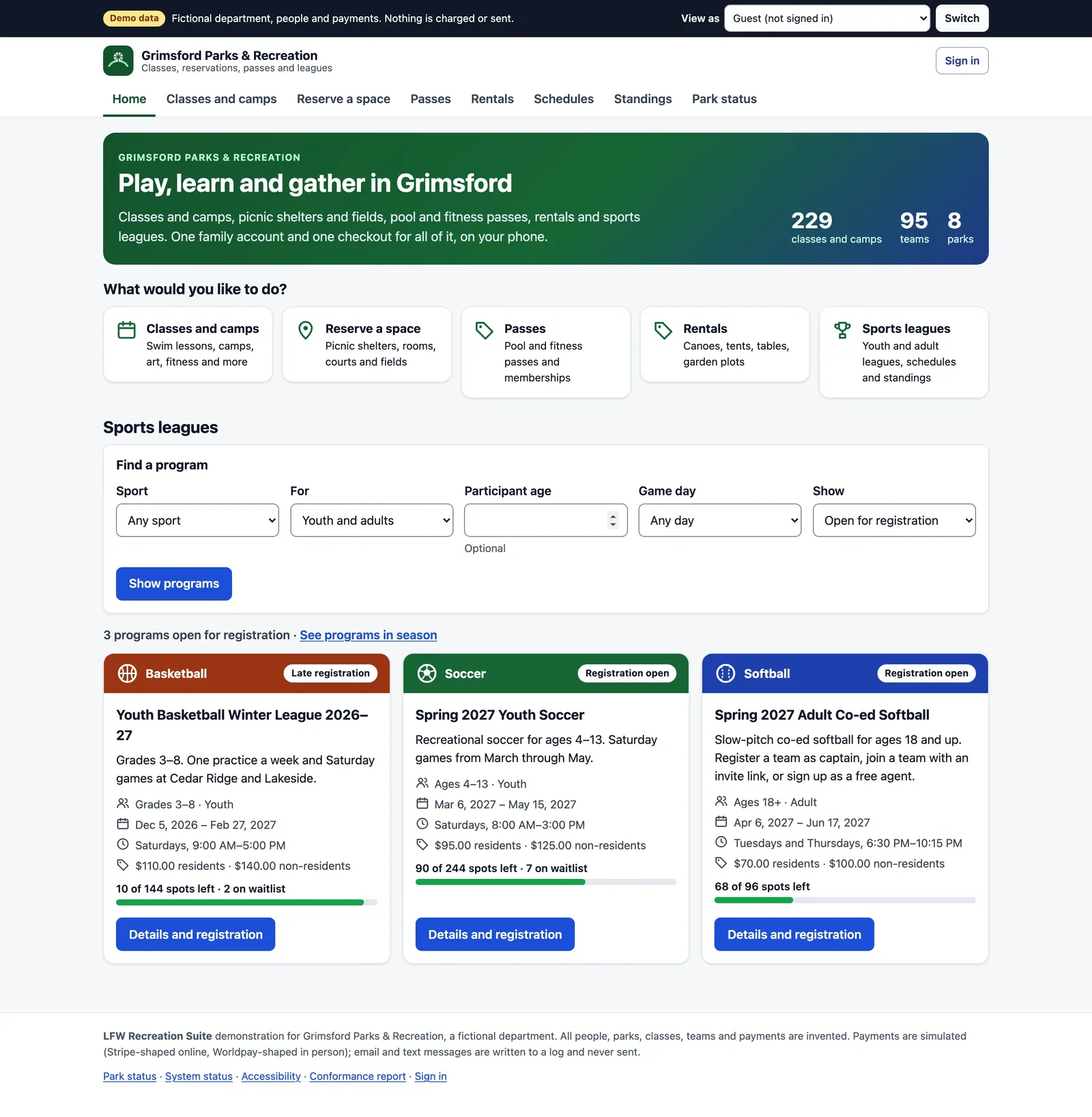
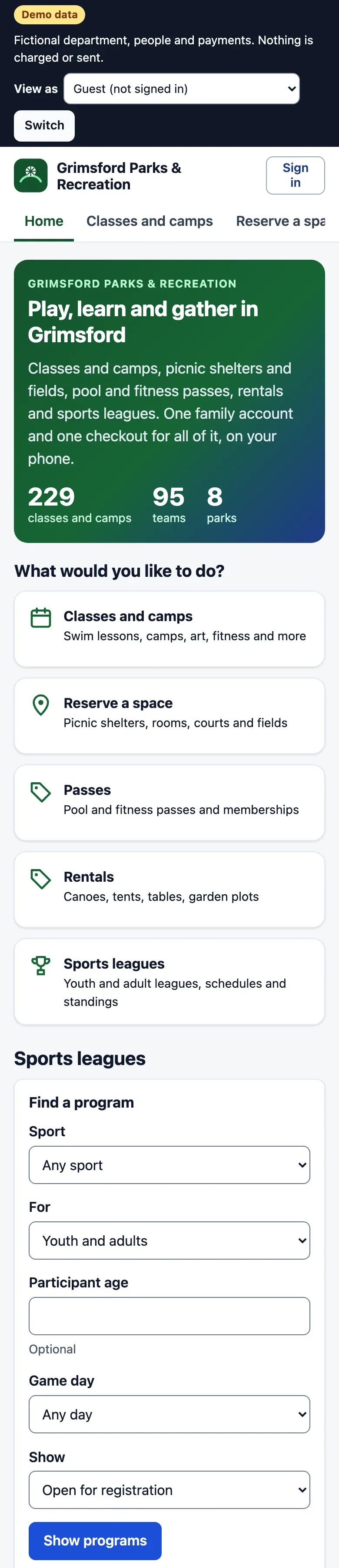
LFW Recreation Suite demo home page for the fictional Grimsford Parks & Recreation, with a Demo data label: a hero reading "Play, learn and gather in Grimsford" with 229 classes and camps, 95 teams and 8 parks; five tiles for classes and camps, reserving a space, passes, rentals and sports leagues; a league program finder; and three league cards (youth basketball, youth soccer, adult co-ed softball) showing resident and non-resident prices and spots left.
Fictional department, labeled Demo data.

A year in a parks department.

The busy days are the ones that break software. Each of these is a step in the demo's test run.

  1. January Registration for winter classes opens. Every family who arrives in the half hour before gets a fair, random place in line. Classes
  2. March A youth soccer league needs 95 teams scheduled across 8 parks without a field conflict. League Manager
  3. May Graduation parties book every picnic shelter, with deposits, insurance certificates and permits. Reservations
  4. June The pool opens. Members check in with a QR code on a card or a phone. Passes
  5. July Camp pickups need a photo ID check, and the staff-to-child ratio has to hold all day. Classes
  6. September A storm closes four fields. Games, bookings and refunds are handled in one step. Reservations
  7. December The auditor asks for the year. Every payment ties to the general ledger. The shared ledger

Six products that share one family account.

Turn on the ones you need. A department can start with leagues and add the rest when a contract ends.

LFW Classes

Classes, camps and swim levels, with an opening day that does not crash.

  • Age, grade and swim-level rules, with instructors marking levels passed from a phone.
  • Residency checked against your address file, with resident and non-resident fees.
  • Wish lists before opening day, then a fair queue for everyone who arrives in the first 30 minutes.
  • Camp sign-in and sign-out with authorized pickups, photos and a live staff-to-child ratio.

Replaces Activity registration in CivicRec, RecDesk, ActiveNet or RecTrac

A Learn to Swim Level 3 class page: what the class covers, its sessions with days, times, instructors and open spots, one session full with a Join waitlist button, resident and non-resident fees and a note that fee assistance is available.

LFW League Manager

Registration, teams, schedules, standings and playoffs for every league.

  • Household and team registration, with invite links for captains and free agents.
  • A schedule generator that knows every field booking and class on the same calendar.
  • Standings with the tiebreakers shown, and playoff brackets seeded from them.
  • One rainout call that moves games and tells teams and officials.

Replaces League modules and separate league apps

Read more about LFW League Manager
The League Manager scheduling screen for a youth basketball winter league: each division with its team count, the number of games, a note that no field or team conflicts were found, options for doubleheaders and cross-division play, and a button to regenerate the schedule.

LFW Reservations

Shelters, fields, rooms and courts, booked online and never twice.

  • Live availability from the same calendar as games and classes.
  • Instant booking or request-to-book, per facility, with an approval queue.
  • Deposits, insurance certificates with expiry reminders and permits with a QR check.
  • Field closures that cancel bookings and refund renters in full.

Replaces Facility booking modules, paper permits and spreadsheet calendars

Reservation Manager demo page for Harbor Point Pavilion, a fictional picnic shelter, with a Demo data label: capacity, hours and a request-to-book note; live availability by day with bookable start times from 8:00 AM to 5:00 PM and a two-day notice on the first days; resident and non-resident half-day and full-day rates with a $250 security deposit; shelter rules; and buttons to book the pavilion or print its QR sign.

LFW Passes

Pool and fitness passes, family memberships and punch cards.

  • Photo ID member cards with a QR code that any phone camera can check in.
  • Monthly auto-renewal on a saved payment method, with freezes that move the end date.
  • Check-in refusals that give the reason: expired, frozen, no visits left.

Replaces Membership modules and stand-alone check-in systems

Two member cards for a family annual pool pass, each with a placeholder photo, the member's name, the pass, its end date, a member number and a QR code, with buttons to add the card to Apple Wallet or Google Wallet, marked simulated.

LFW Rentals

Canoes, tents, tables and garden plots, by the day or the season.

  • Rentals by quantity with live availability and a refundable deposit.
  • A rental desk for pick-up, check-out and check-in with condition notes.
  • Damage and late fees taken from the deposit first, the rest billed to the family.

Replaces Clipboards and a second booking system

The public rentals page: canoes with paddles and life jackets, folding chairs and tables, pickleball paddle sets, a pop-up tent, a portable PA system, kayaks, snowshoes and a stage platform, each with its daily price, deposit, pick-up place and how many are free today.

LFW Front Desk

The register at the pool, the rec center and the concession stand.

  • Day passes, concessions, merchandise, tickets and gift cards on a tablet or phone.
  • Cash, card, Tap to Pay on iPhone, gift card and split tender.
  • Cash drawer counts, over and short notes, and a bank deposit slip at close.

Replaces A separate point-of-sale system and its end-of-day spreadsheet

Front Desk Manager point-of-sale demo for a fictional aquatic and fitness center desk, with a Demo data label: an open cash drawer with a $150 float, item buttons by category for day passes, punch cards, concessions, merchandise, event tickets and a gift card of any amount, with low-stock counts in red, and a Current sale panel to attach a family.

One family account under all of it.

Every product reads and writes the same records, so nothing is typed twice and nothing disagrees.

One family account
Children, guardians, health and pickup details, every receipt and the week ahead.
One checkout
A class, a shelter and a pass in one payment, with sibling discounts and fee assistance.
One ledger
Every fee carries its GL account. Every day balances, and exports go to Munis, New World or Oracle.
One activity record
Every sign-in, refund, export and view of health details, in a log that refuses edits.

The LFW platform: your website, forms, sign-in and monitoring. See the platform

The finance overview: net revenue for 2026 of $1,789,359, collected today, refunds waiting for approval and deposits held, revenue by module for the year with Classes largest, and checks such as a seven-day tie-out of transactions to the general ledger and payouts not yet matched to the bank statement.

What departments pay for today.

Recreation software is usually bought as one large contract with modules priced by quote.

BuyerWhat they boughtPrice
A California city, 2025Recreation registration softwareUp to $138,896 over three years
A California park district, 2024The same product$14,564 a year from year two
A Minnesota city, 2026A smaller registration product$6,240 a year

Contracts in LFW's bid records, from public council and board documents. LFW League Manager is $3,000 a year for the department. The other products are priced by what a department turns on; ask for a quote.

What the tests show.

147
pages checked for accessibility at desktop and phone width, every role, 0 violations
29
steps in the suite's end-to-end test, from opening day to a two-person refund
5
importers for household exports from RecTrac, CivicRec, ActiveNet, PerfectMind and RecDesk
4
export formats for every report: CSV, Excel, Word and tagged PDF

From the demo's own test run on fictional data. Payments, email, text and wallet passes are simulated in the demo; production runs on your processor and your email domain.

Questions departments ask.

Can we start with one product?

Yes. Each product runs on its own, and the others can be turned on later. A department can start with the product whose current contract ends first.

Can we bring our families and balances over?

The suite imports household exports from RecTrac, CivicRec, ActiveNet, PerfectMind and RecDesk, with a preview first. Residency is re-checked and account credit carries over.

Which payment processor do we use?

Your own. The department is the merchant of record for online payments and picks its in-person processor. Card numbers never reach LFW's servers.

What is not built yet?

Native phone apps (the web app installs on phones), offline point of sale, card reader and receipt printer integrations, golf tee sheets and translations. We list these in every proposal.

See your department in it.

We walk your staff through a full season in the working demo, from opening day to the year-end audit, and answer your RFP's requirements line by line.