LFW Procurement Suite

Every solicitation on your own website, kept current on its own.

Every solicitation gets its own page.

  • Documents, addenda, answers and award
  • Bidders sign up for alerts
  • Status changes on its own at the due date

For purchasing offices in cities, counties, special districts and schoolsFree plugin for WordPress · built, not released yet

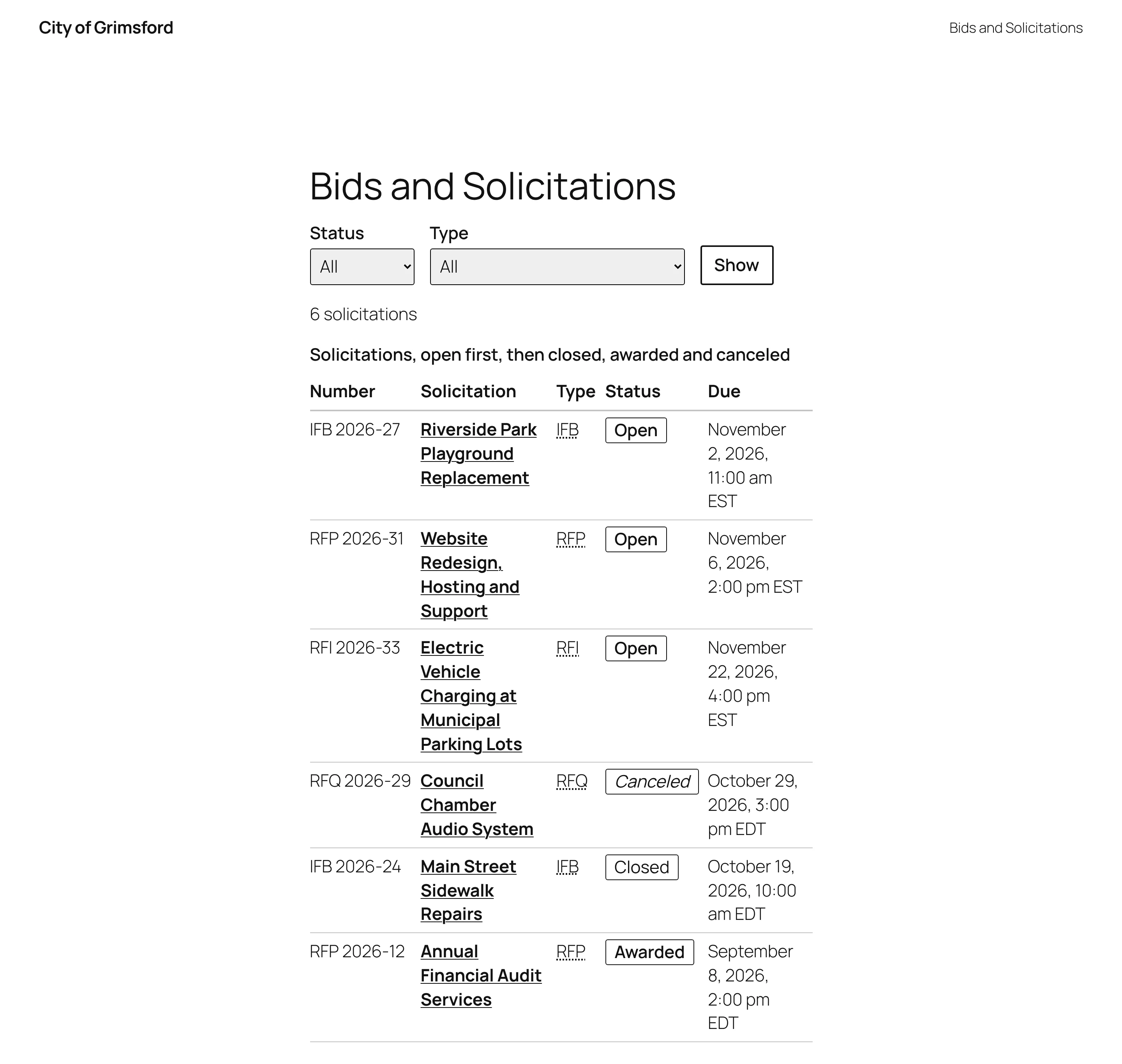
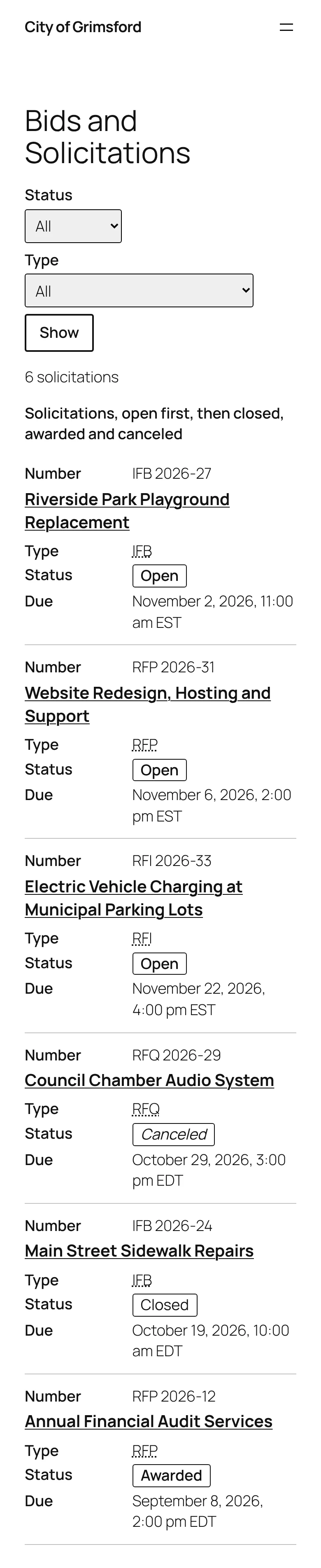
The Bids and Solicitations page of a fictional city: filters for status and type, then a table of solicitations with number, title, type, status in words (Open, Canceled, Closed, Awarded) and due date.
Fictional department, labeled Demo data.

The life of one solicitation.

From the day it posts to the day it is awarded, the page keeps itself current.

  1. Posting day The RFP goes up with its documents. One link puts the due date, question deadline and pre-bid meeting in each bidder's calendar. One solicitation
  2. Week two Addendum 2 moves the due date. The page says Changed by Addendum 2 beside it, with the date it replaced. One solicitation
  3. Week three The question deadline passes. Staff publish the answers, and subscribers get an email. One solicitation
  4. Due date The status changes from Open to Closed on its own. Nobody has to remember. Staff screen
  5. Award Staff enter the vendor. The page shows the award and subscribers are told. Staff screen

LFW Bid Manager, from posting to award.

The free plugin posts solicitations on your own WordPress site. Sealed online bids add the LFW account.

A page for each solicitation

Documents, addenda, answers and the award in one place.

  • Open solicitations listed first on your index, soonest due first, with filters by status and type.
  • Documents with file type and size, and addenda newest first, numbered for you.
  • Due date changes recorded through an addendum, shown beside the date.
  • Questions by email or an optional form that closes at the question deadline.
  • Alerts for one solicitation's addenda, answers, award and cancellation.

Replaces PDFs emailed to whoever asked, and a phone call to confirm the latest addendum

One open solicitation, a playground replacement: its status, a details table with number, type, issue date, pre-bid meeting and a due date marked Changed by Addendum 2 with the date it replaced, then documents and addenda.

What your purchasing staff do

Plain boxes on each solicitation, in the WordPress screens staff already use.

  • Details, documents, addenda, answers, award and cancellation, each in its own box.
  • Status nobody has to remember: Open until the due date, then Closed, Awarded or Canceled.
  • Nothing a visitor types appears on a page or in an email until staff publish it.

Replaces A web request to the IT office for every addendum

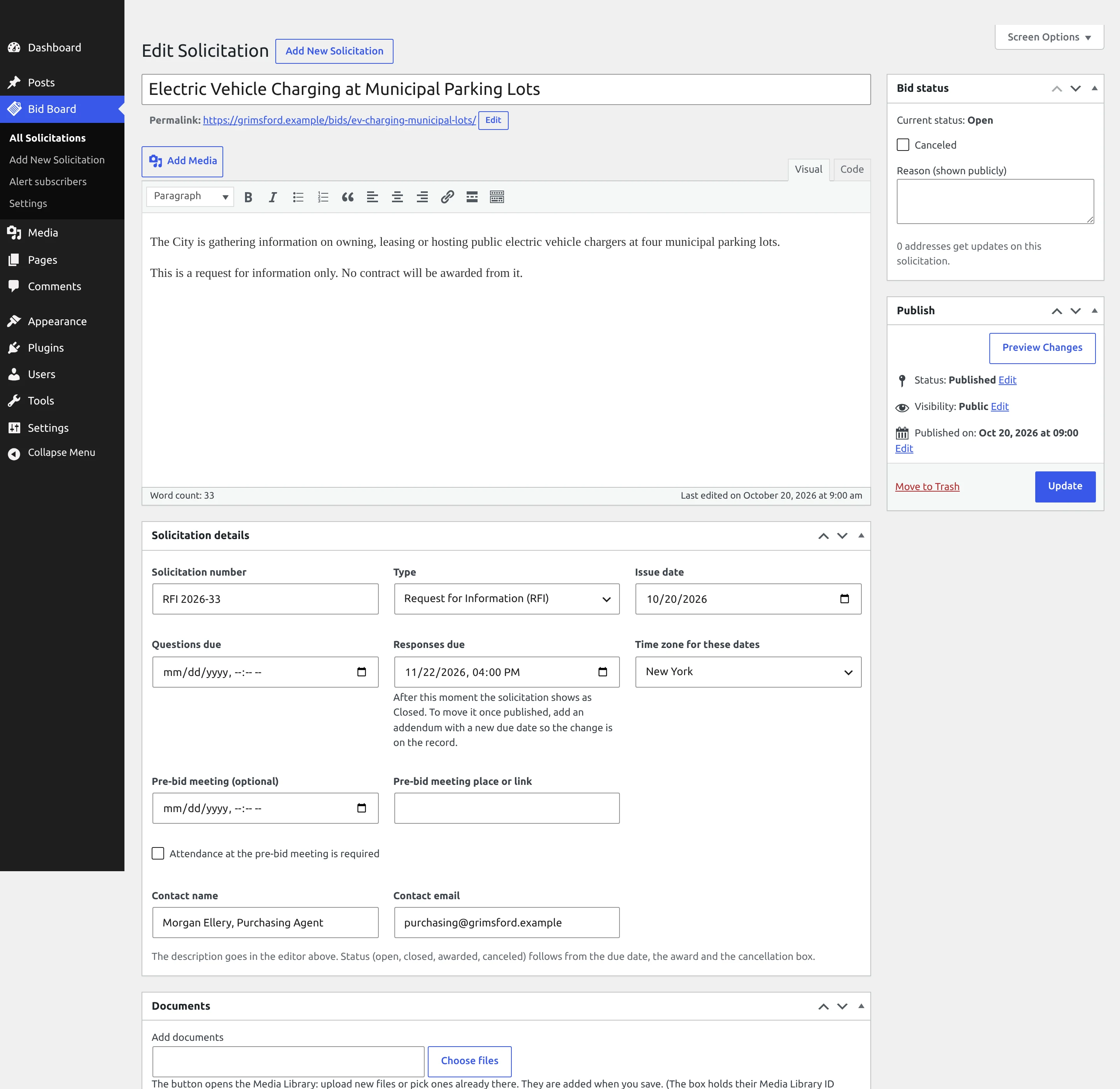
The WordPress edit screen for a solicitation: the description in the editor, a Bid status box with a Canceled checkbox and its public reason, and Solicitation details boxes for number, type, issue date and deadlines.

Sealed bids online

Sealed bids that nobody can open before the due time.

  • Each bid is sealed to the opening officials' keys, and the bidder gets a receipt.
  • A bidder can send a new version until the due time, and sees every version with its receipt.
  • Two officials open the bids together after the due time, with a recovery key kept in the town safe.

Replaces Hosted e-bidding portals sold by subscription

The bidder's page for Winter road salt, 1,200 tons: time left until the due date, Your bid is received with a receipt link, a button to send a new version, the rules for what counts as on time, and the bid's versions.
The bidder's page for a fictional town's road salt bid. This screen carries no demo label; the town, bid and bidder are invented.

Opened together, after the due time

Two officials, their own keys and a fingerprint nobody can swap.

  • The key bundle is fixed before any bid arrives, and its fingerprint is shown.
  • Bidders cannot submit until the officials' keys are in place.
  • Each solicitation shows its due time, key status and bids received so far.

Replaces Envelopes in a locked drawer and a sign-in sheet at the opening

LFW Bid Board for opening officials: two online solicitations for the fictional town, a road salt bid with its key bundle fixed and two bids received, and a clock tower repair request still waiting for officials' keys.
The opening officials' list for a fictional town. This screen carries no demo label; the town and bids are invented.

Built for input from the public.

A bid page takes sign-ups and questions from strangers. Each way that goes wrong is closed.

Nothing shown unreviewed
A question appears only after staff publish it with an answer.
Confirmed sign-ups
Alerts start only after the bidder presses Confirm. A mail scanner that opens links cannot sign anyone up.
One-click unsubscribe
Every alert carries an unsubscribe link, and unsubscribing deletes the address.
No IP addresses
Limits use a keyed hash that expires, and the question form asks for no name or email.

The LFW platform: your website, forms, sign-in and monitoring. See the platform

Opening keys for ITB 2026-07, Winter road salt: the key bundle is fixed with its fingerprint, and a table of the three keys, two officials and a recovery key kept in the Town Hall safe.

What purchasing offices pay today.

Hosted bid portals are sold by yearly subscription.

BuyerWhat they boughtPrice
A Virginia university, 2025A contract management module from a bid portal vendor$7,500 a year

From public purchase records in LFW's bid records. LFW Bid Manager is a free plugin.

Limits that hold.

2,000
characters at most in a bidder's question
7
days before an unconfirmed sign-up is deleted
1
click to unsubscribe, which deletes the address
0
IP addresses stored; limits use a keyed hash that expires

From the plugin's own rules and tests, run with axe accessibility checks at desktop and phone widths.

Questions purchasing offices ask.

What does it cost?

Bid Manager is a free plugin. It runs on your own WordPress site and needs no LFW account.

Can bidders submit sealed bids online?

Sealed online bids are built and in testing in the LFW account. The free plugin posts the solicitation; bids are sealed until two officials open them after the due time.

Do we keep our own records?

Yes. Solicitations, addenda, answers and awards are stored in your own site's database, not at LFW.

Our site does not run WordPress. Can we still use it?

Not today. Tell us what your site runs and we will tell you what it would take.

Try it on a site of your own.

Open a working copy in your browser, post a solicitation and an addendum, and see what bidders see. Nothing is installed and nothing is sent to LFW.