Single sign-on
Sign-in security for government WordPress sites.
Staff sign in with your institution’s own accounts. Your groups set each person’s role, staff roles cannot fall back to a password, and every sign-in is recorded.
Built · licensed per site · not released yet
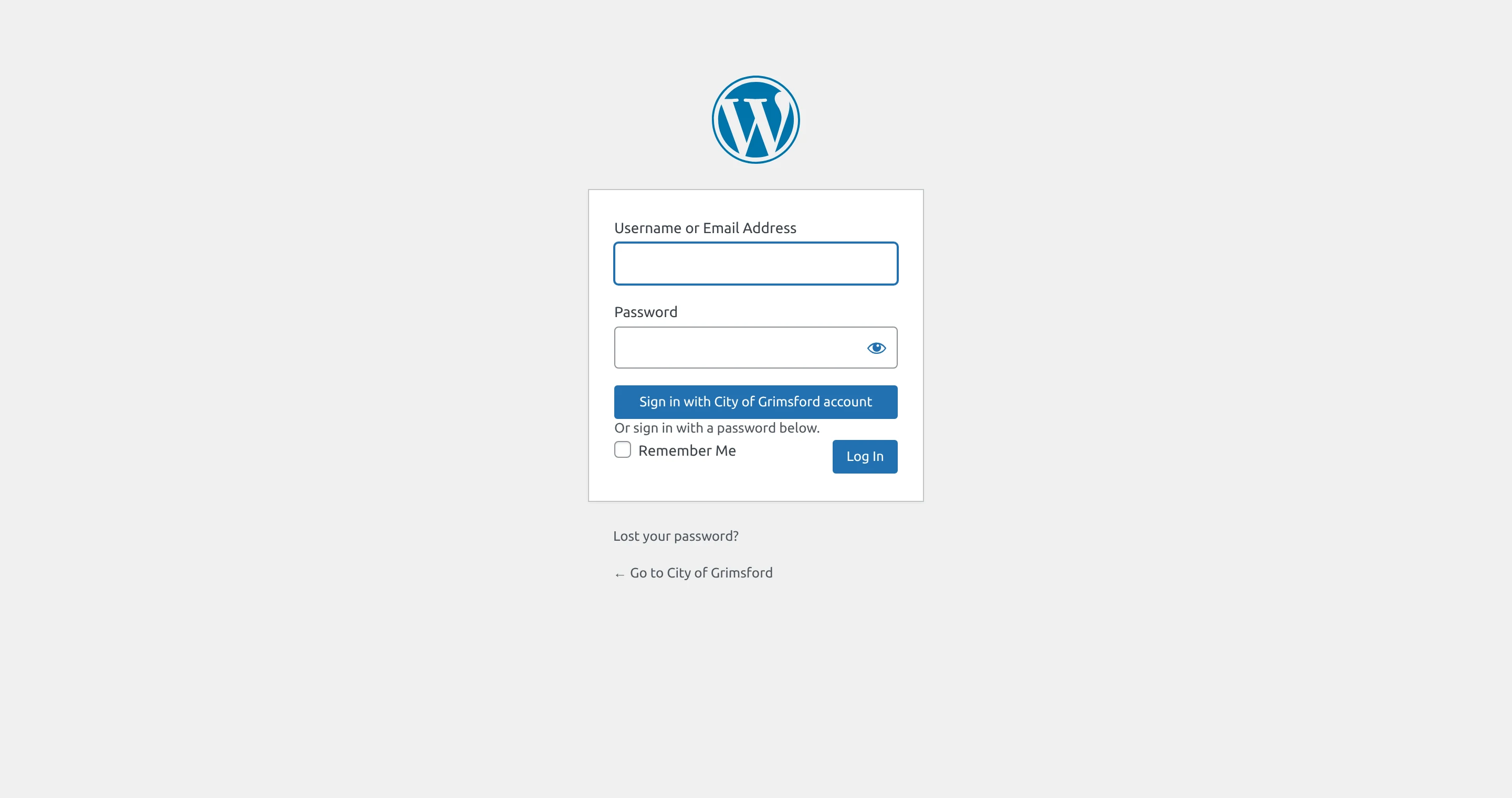
See it with sample data.
The plugin on a test WordPress site for a fictional city, signed in through a test identity provider. Every entry in the log is a real sign-in made for these screenshots.

Enlarge to view the full screenshot.
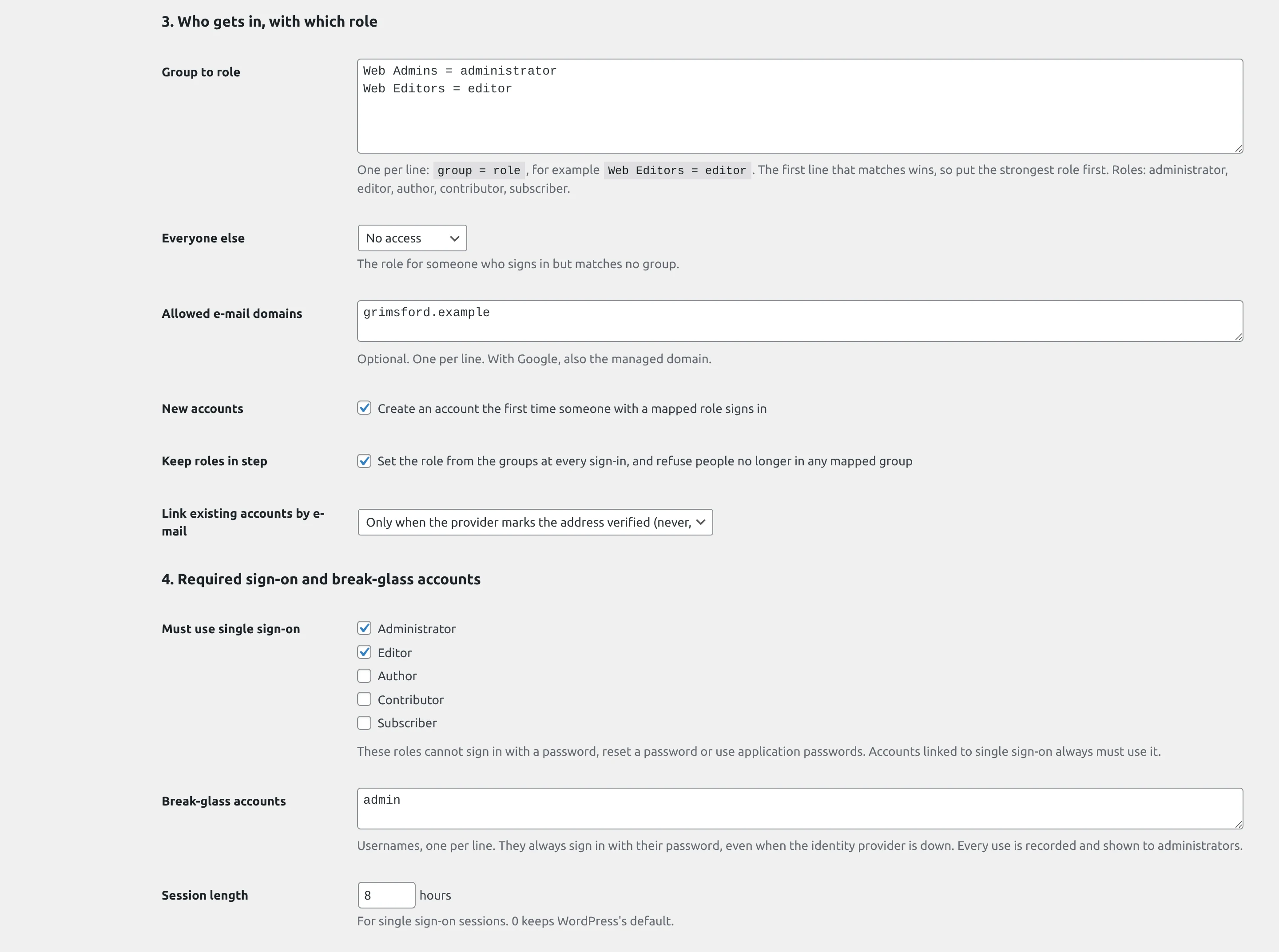
Enlarge to view the full screenshot.
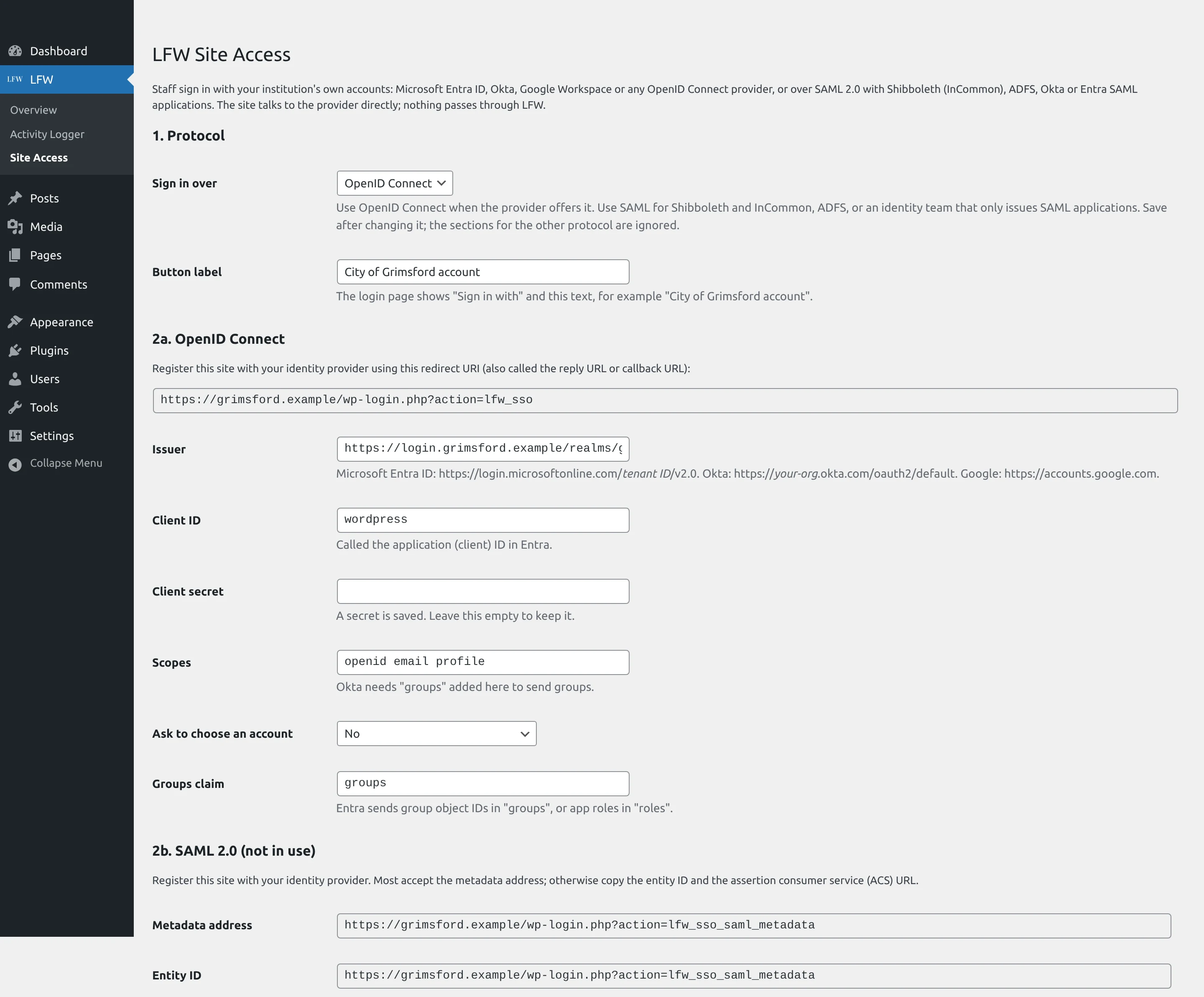
Enlarge to view the full screenshot.
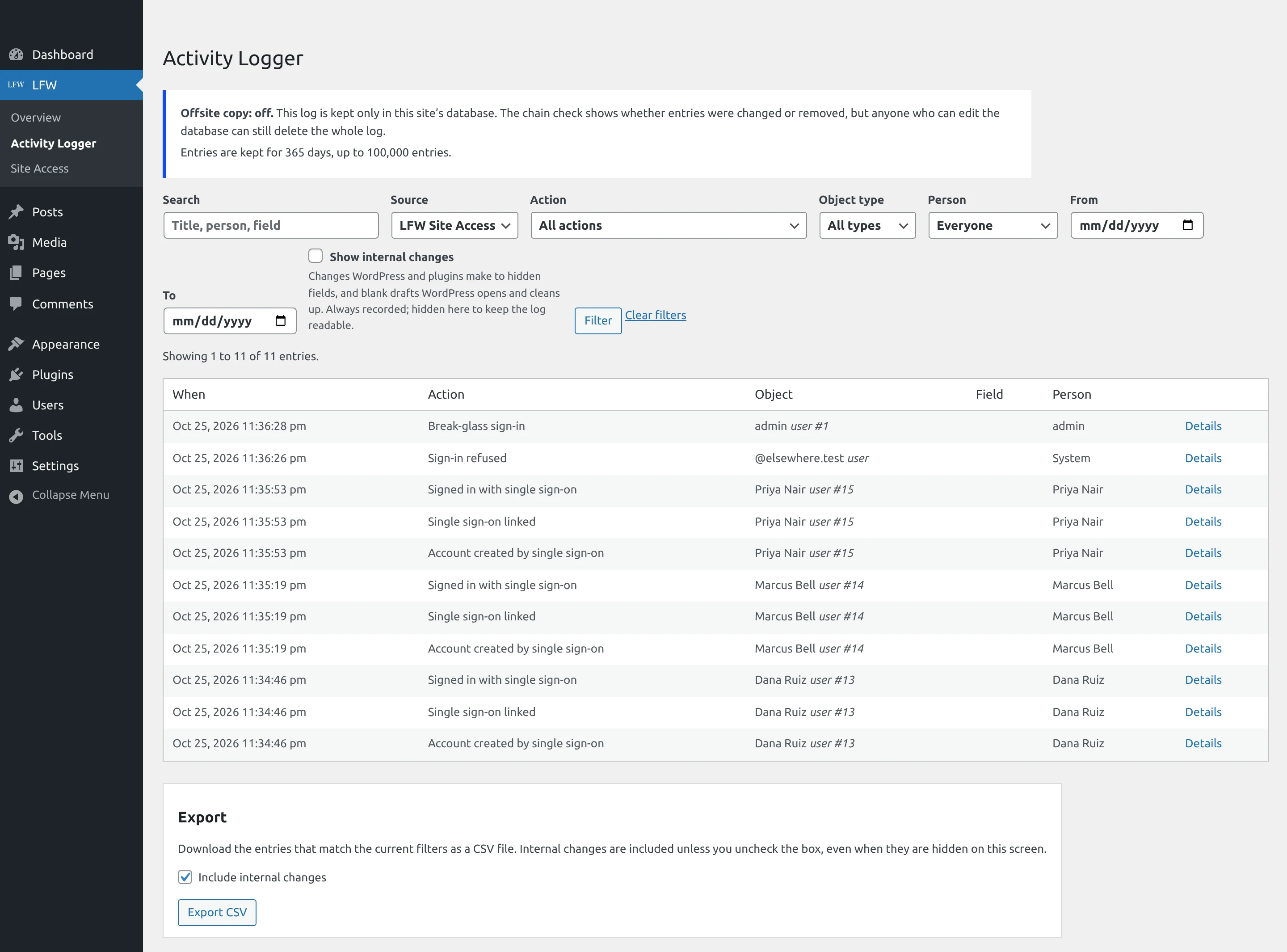
Enlarge to view the full screenshot.
What it does.
For WordPress, tested end to end against real identity providers and the LFW account.
- Sign in with accounts staff already have Your LFW account, Microsoft Entra ID, Okta, Google Workspace or any OpenID Connect provider. Also SAML 2.0 with Shibboleth (InCommon) or ADFS, on WordPress and on Drupal. The LFW account suits an institution without its own identity provider: staff sign in with the same account they already use for LFW.
- Your two-step sign-in applies Staff sign in at your identity provider, so its two-step rules apply. The staff roles you choose cannot use a password at all.
- Your groups decide the role Each group maps to a role, kept in step at every sign-in. Someone removed from every mapped group can no longer sign in.
- New staff get an account The first sign-in creates the account with the role their group maps to, only for your email domains. An existing account is matched only by a verified address.
- A record of who signed in Sign-ins, refusals, new accounts, role changes and settings changes go to LFW Activity Logger.
- Everyone, on every site, in one place Your LFW account lists everyone who can sign in to each of your sites. Remove a person from all of them in one step, and review everyone each quarter with a record for your auditor.
How it fails safe.
A sign-in plugin guards every account on the site, so each part is built to refuse first.
- A break-glass account always works Named local administrators always sign in with a password, even when your identity provider is down. Every use is recorded and shown to administrators.
- Off means WordPress’s own sign-in Turning the plugin off returns the site to WordPress’s own sign-in. Nothing else changes.
- Your secrets stay on your site The client secret is entered on the site, or kept in wp-config.php, and never passes through LFW.
- Tokens are checked strictly Each sign-in is signed by your provider’s published key and checked for issuer, audience, expiry and this sign-in’s nonce. Unsigned tokens are refused.
- A sign-in link works once Each sign-in is tied to the browser that started it and used once, so a copied or replayed link is refused.
- No password back doors For staff who must use single sign-on, password resets and application passwords are switched off too.
What it needs.
- Your website
- WordPress 6.4 or newer, or Drupal 10.3 or 11, on PHP 8.1 or newer.
- Your identity provider
- Your LFW account, Microsoft Entra ID, Okta, Google Workspace or any OpenID Connect provider. Also SAML 2.0 providers such as Shibboleth (InCommon) and ADFS, on WordPress and on Drupal.
- License
- Per site, with the price list at release. A lapsed license never locks anyone out: updates stop, sign-in keeps working.
- Release
- The WordPress plugin and the Drupal module are built and tested in LFW’s repository and not released yet.
What comes next.
Everything above is built and tested, on WordPress and on Drupal, over OpenID Connect and SAML 2.0.
It will ship with a price list, a license agreement, an accessibility conformance report and security documents before any solicitation names it.
Name it in your RFP.
When a solicitation asks for a license to a named sign-in product, use this name exactly:
LFW Single Sign-OnPublisher: LFW.com LLC, doing business as LFW. Licensed per site.
Ask for a quote.
Tell us how many sites and which identity provider. We reply within one business day.