Software · Custom modules
Build the workflow around your work.
Configure reusable records, workflows and forms for your process, with named access and reviewed installation.
For teams with a process that standard modules do not quite cover.
Available capabilities.
- Guided template setup and explicit named-staff permissions
- Native record types, workflows, private views and draft forms
- Reviewed packages, plans, installation receipts and version checks
- Dependency checks and disabling without deleting business records
The complete workflow.
- 1
Choose a starting point
An organization owner chooses a request-and-review or progress template. The guided setup provides the native record type, review workflow, private list and draft form.
- 2
Configure the fields
Name the module and add optional text, whole-number, date or yes/no fields. The installer checks the package and its dependencies before applying it.
- 3
Assign access
Choose named staff and their viewer, editor or reviewer role. Reviewers can start and complete the module’s review workflow. Existing wider permissions are preserved and must be managed separately.
- 4
Preview and install
Review the resources, fields and selected access, then confirm installation. The form stays a draft. Connecting submissions and publishing require separate reviewed setup.
- 5
Maintain the module
Versioned packages, installation plans and receipts make changes reviewable. Disabling hides module entry points and keeps the native business records. The installer rejects unsupported or conflicting changes.
See the screens
Fictional demonstration. The product interface shown is in English.
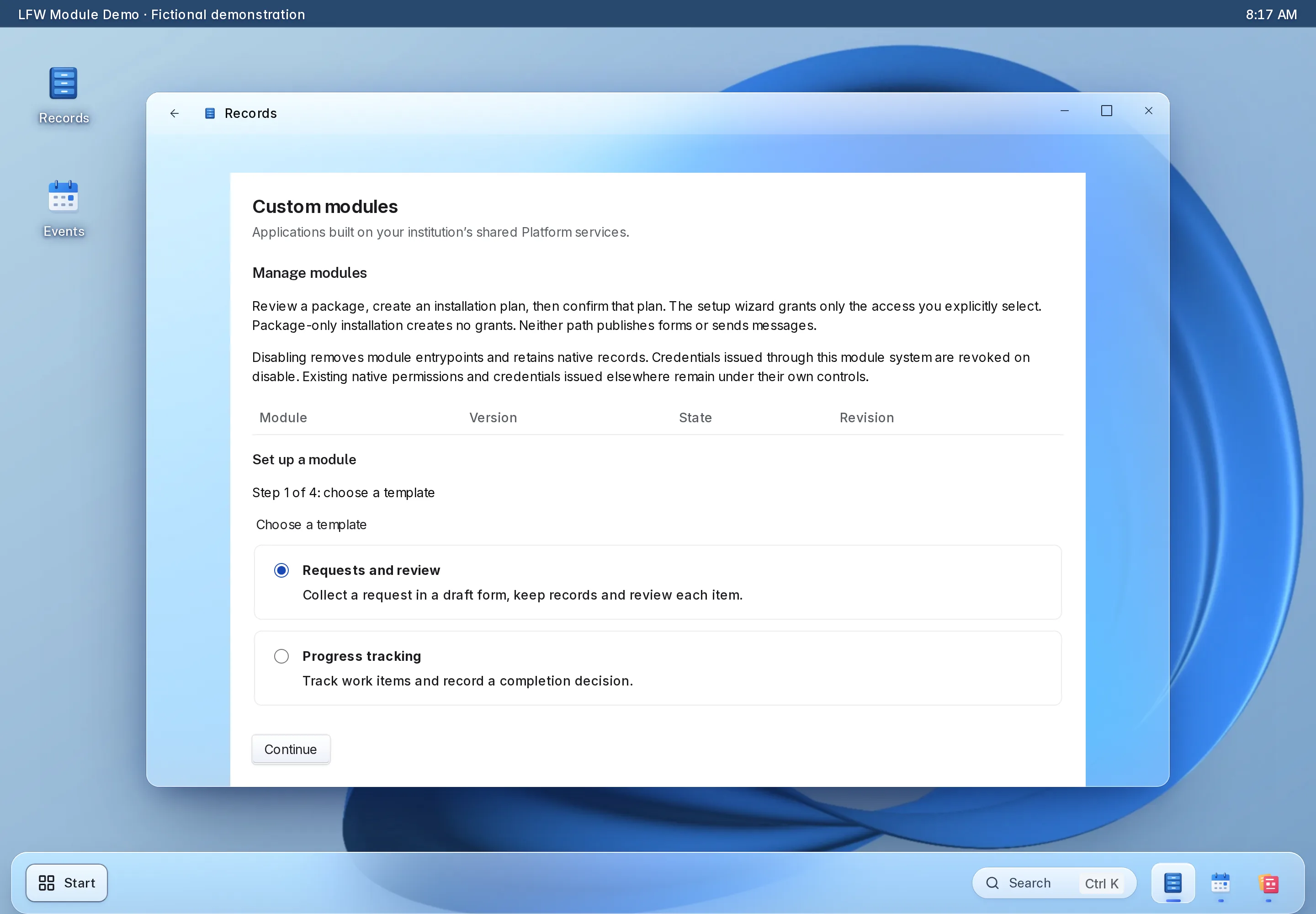

Enlarge to view the full screenshot.
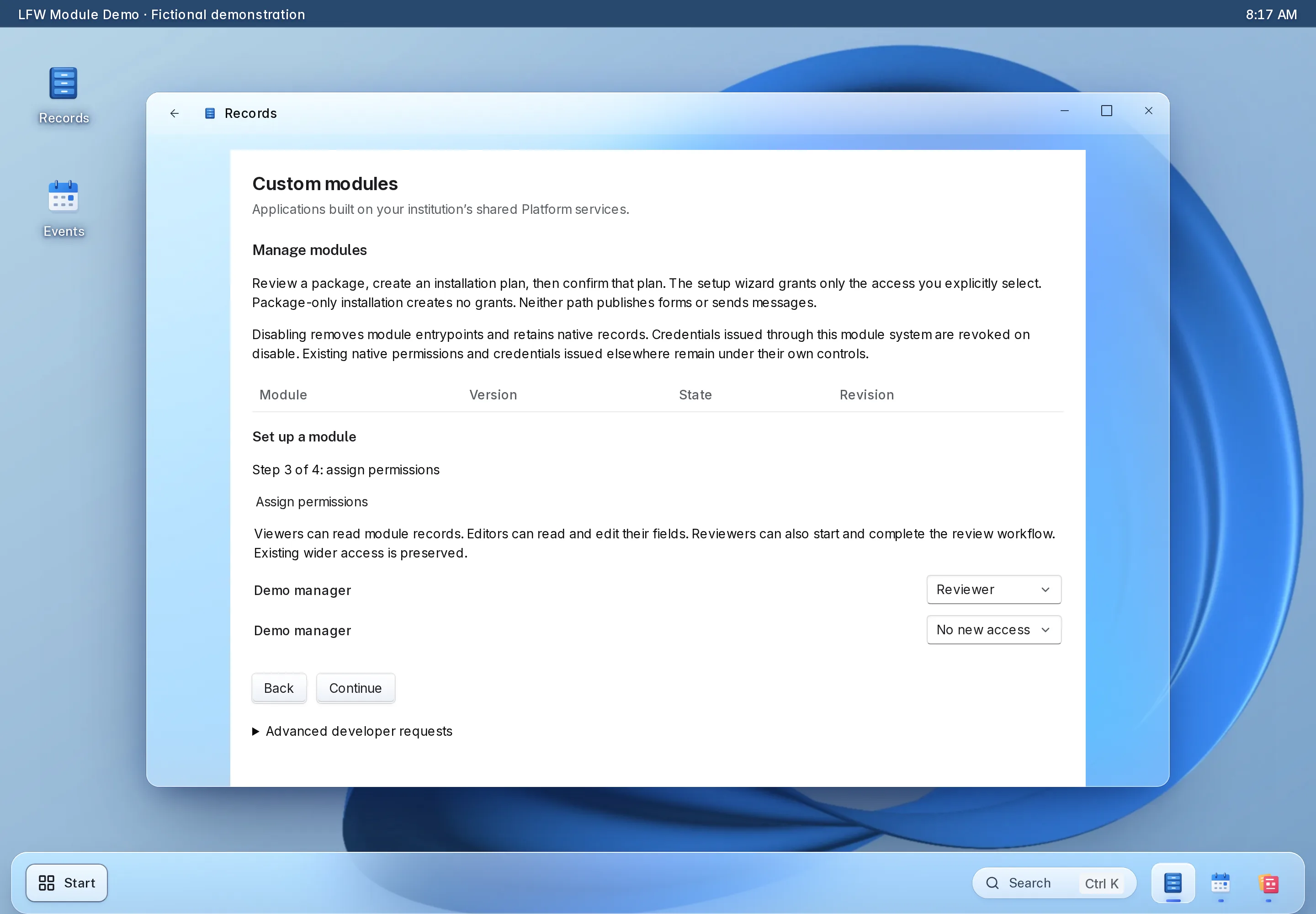

Enlarge to view the full screenshot.
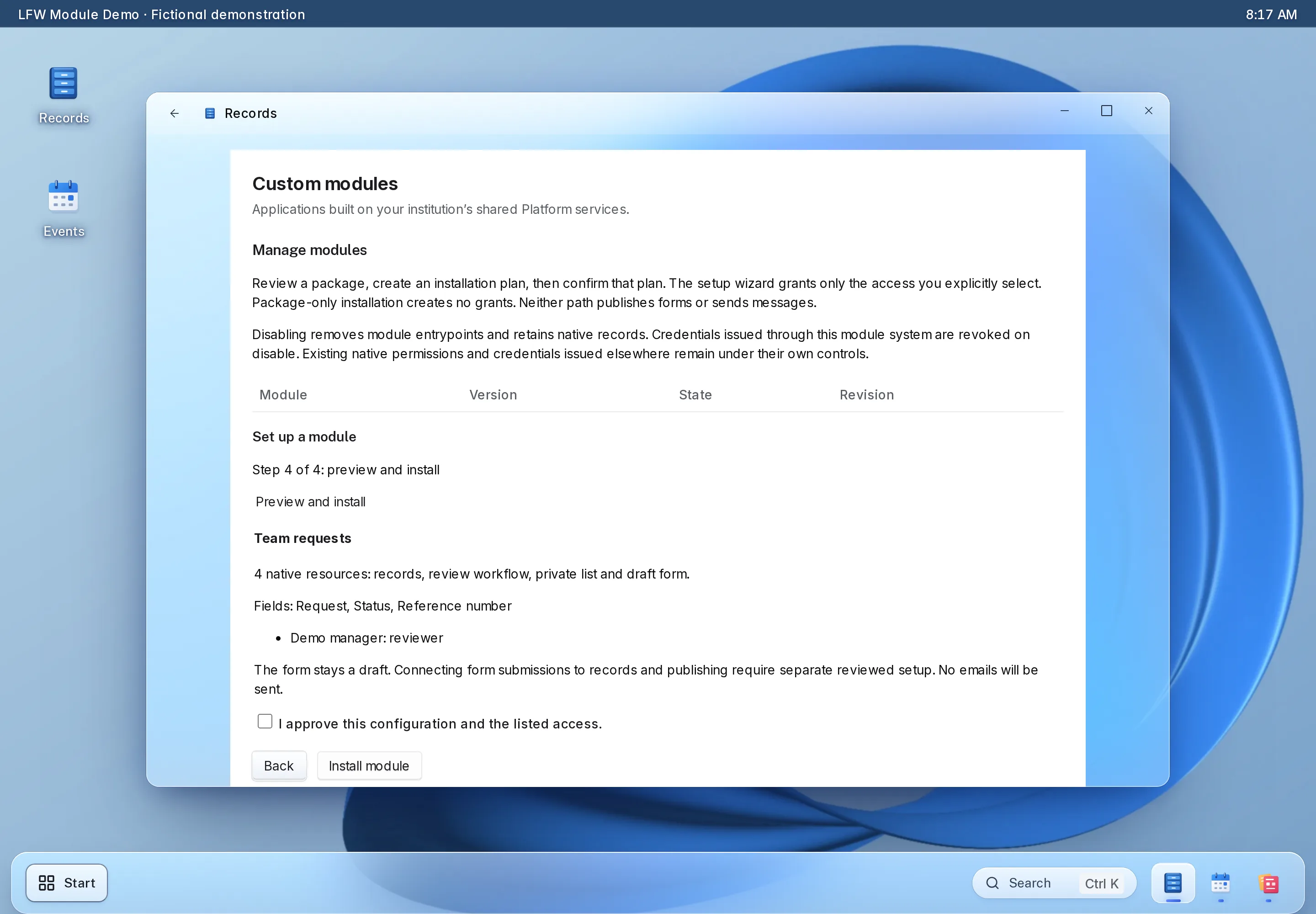

Enlarge to view the full screenshot.
Setting it up.
What you bring
Bring the process, fields, decisions, staff roles and examples of real outcomes. Identify external systems and any sensitive information before configuration.
What we configure and test
Start with the owner’s setup wizard for a supported template. For a commissioned module, LFW agrees the scope, builds on the same native primitives, tests permissions and upgrades, and hands over the reviewed package and operating instructions.
Available capabilities.
- Guided template setup and explicit named-staff permissions
- Native record types, workflows, private views and draft forms
- Reviewed packages, plans, installation receipts and version checks
- Dependency checks and disabling without deleting business records
Commissioned development.
- A new domain-specific process, screen or external adapter
- Complex rules beyond the supported templates
- Third-party-authored packages reviewed for the supported module contract
Limits and dependencies.
- The installer does not execute arbitrary uploaded code or install an unreviewed plugin from a public marketplace.
- A draft form is not automatically connected to record creation or published. Those actions need a separate review.
- Some schema upgrades are deliberately refused when existing workflows or views depend on them. Disabling does not revoke unrelated permissions or credentials issued elsewhere.
Agree the scope before you buy.
Send your process and requirements. We confirm the supported configuration, any development and the acceptance checks before work starts.