Software · Help desk
A support request with a person responsible.
Keep support requests, ownership, replies and resolution together, with separate staff and requester views.
For employee support, IT service desks and internal operations teams.
Available capabilities.
- Requester portal and staff ticket queue
- Replies, internal notes, tasks and time records
- Knowledge articles and incident notices
- Queue filters, service targets and reports
The complete workflow.
- 1
Ask for help
A signed-in requester chooses a request type and describes the issue in the employee portal. They can return to their own tickets and conversation without seeing the staff queue.
- 2
Triage and assign
Staff filter by stage, type, queue, category, technician and requester. The team sets priority and ownership, then uses response and resolution targets to decide what to do next.
- 3
Work the ticket
Reply to the requester, add a private staff note, create tasks and record time against the same ticket. Use a waiting stage when the next action belongs to someone else.
- 4
Resolve and learn
Record the resolution and close the ticket. Staff can maintain knowledge articles and incident notices, while reports show the team’s workload and service results.
See the screens
Fictional demonstration. The product interface shown is in English.
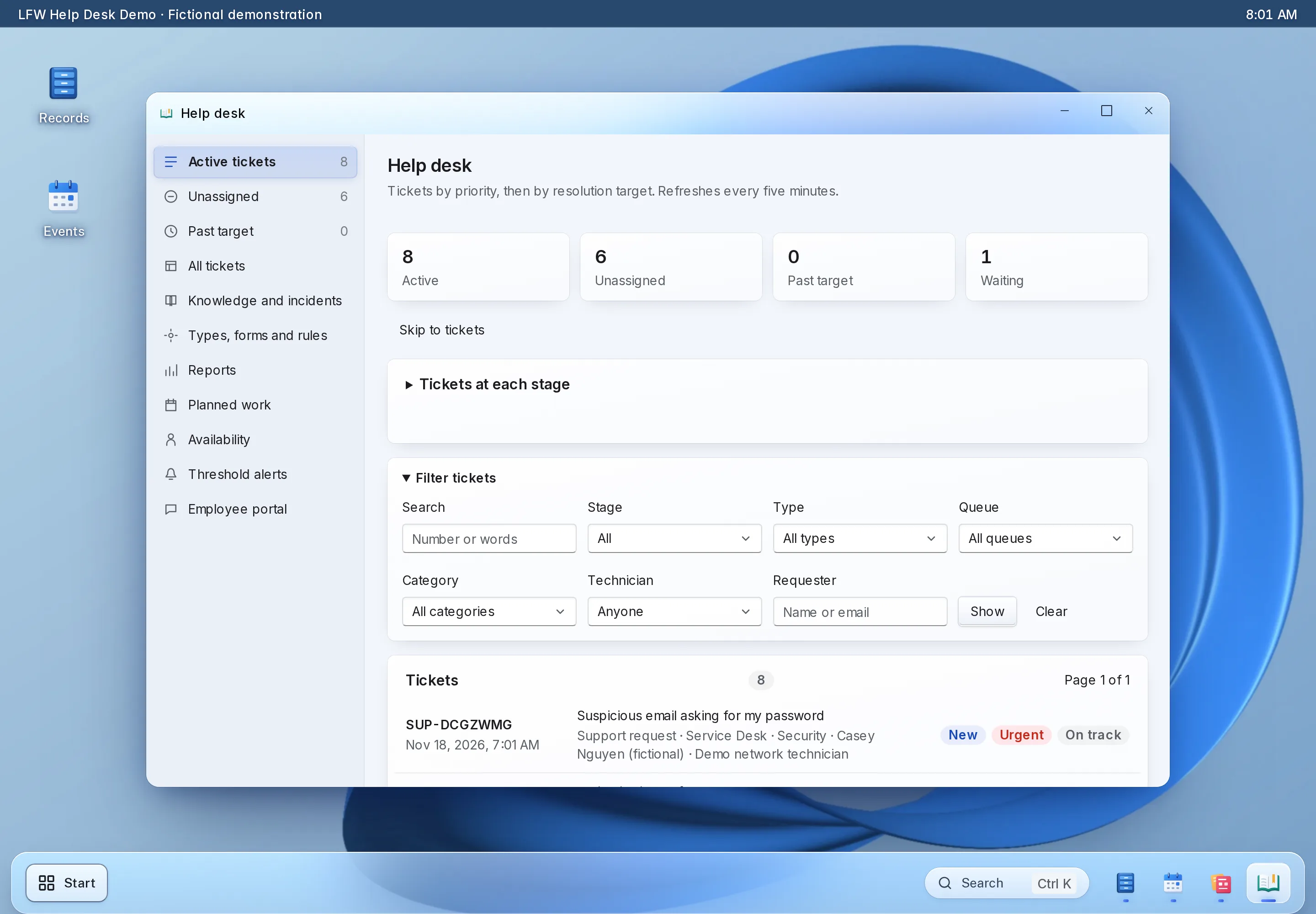

Enlarge to view the full screenshot.
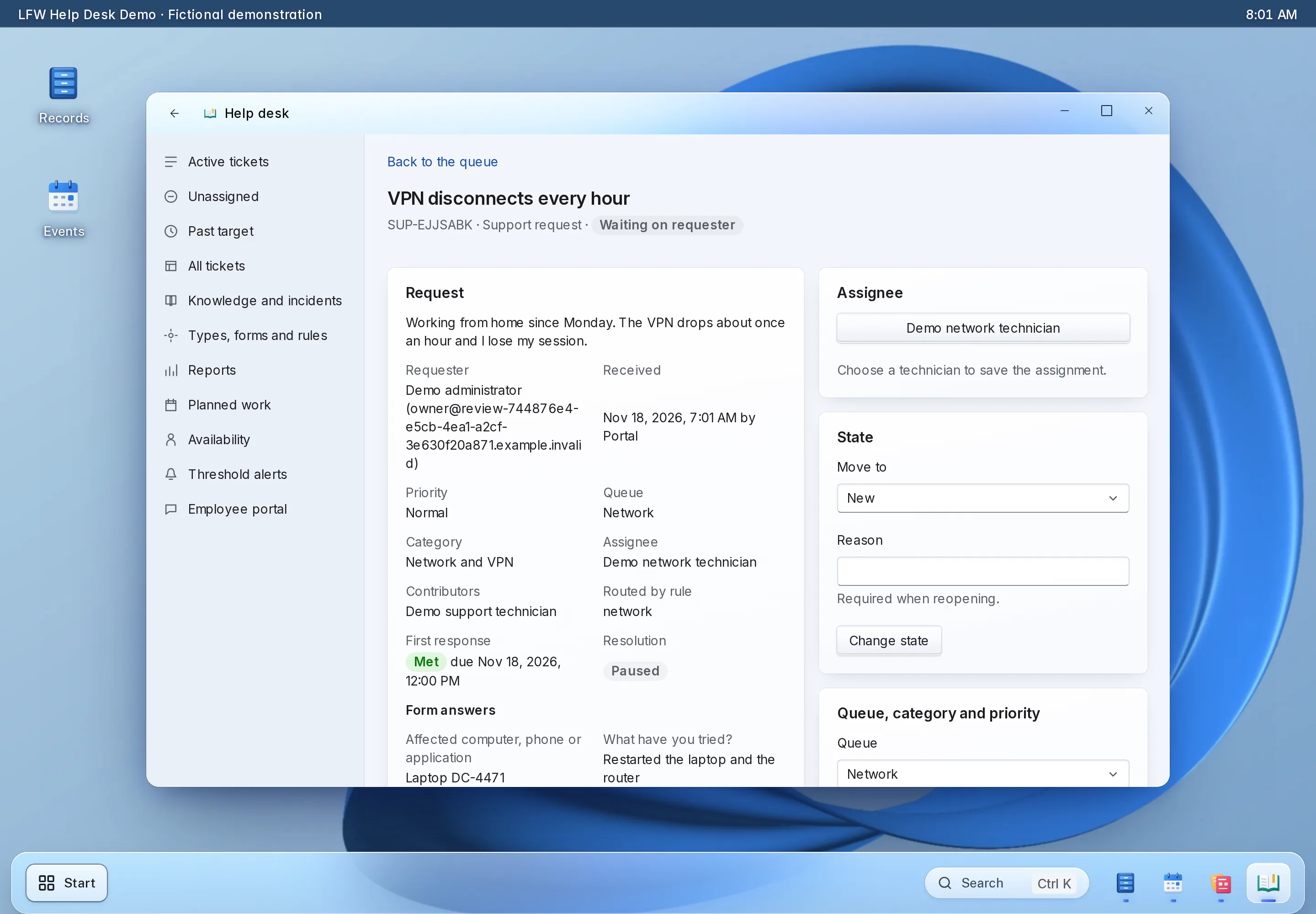

Enlarge to view the full screenshot.
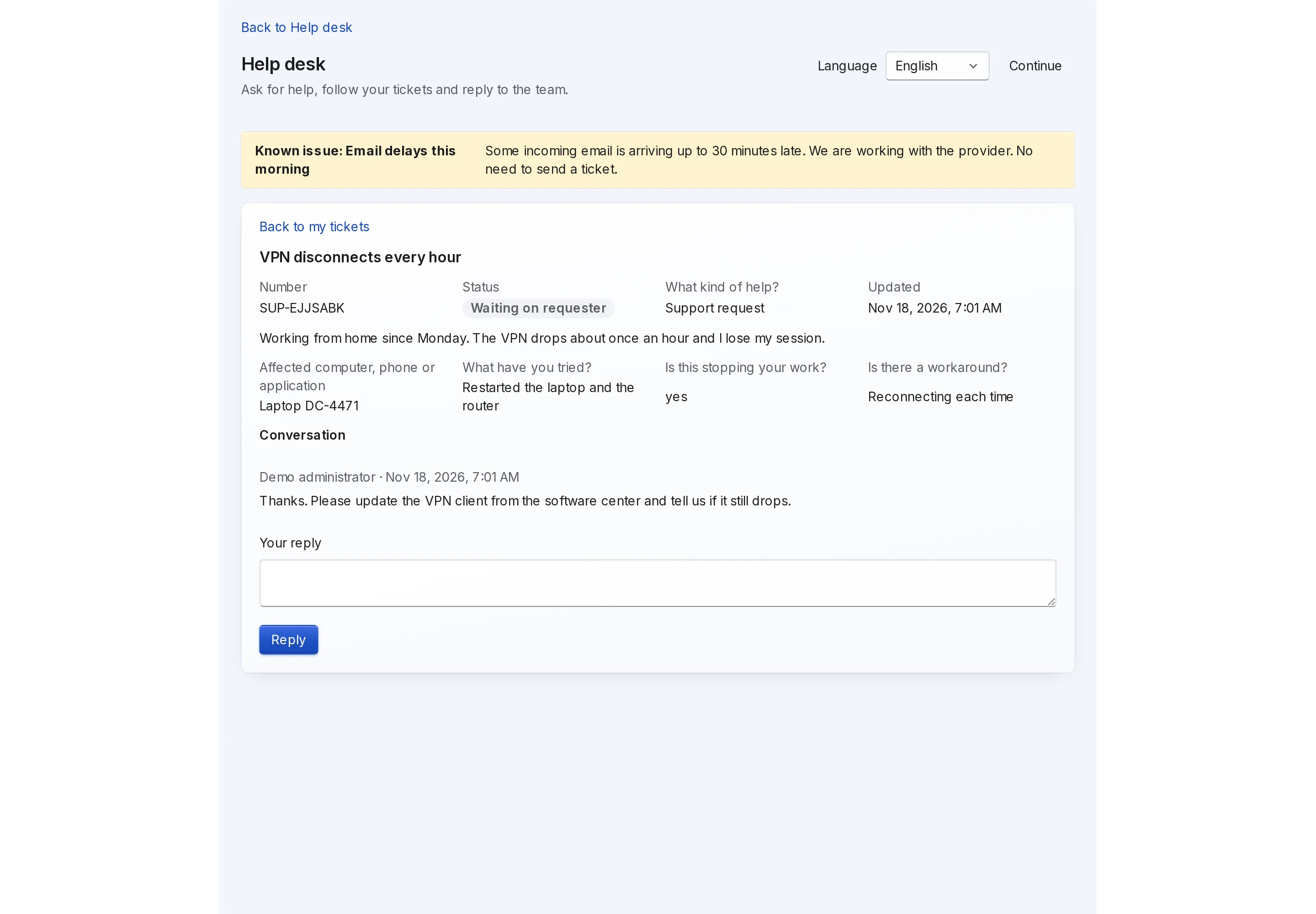

Enlarge to view the full screenshot.
Try a complete task.
Open a ticket as the requester. Switch to Staff, find the same ticket, reply and resolve it. Return to the requester view to see the result, then reset the sample.
Setting it up.
What you bring
Bring your ticket types, categories, queues, working hours, targets, support staff and sample issues. Agree which staff can manage requests and which information stays private.
What we configure and test
LFW configures the desk, named staff access and requester portal, then tests intake, assignment, a public reply, an internal note and resolution. Mailbox delivery is connected and tested separately.
Available capabilities.
- Requester portal and staff ticket queue
- Replies, internal notes, tasks and time records
- Knowledge articles and incident notices
- Queue filters, service targets and reports
Commissioned development.
- A mailbox or identity-provider connection for your environment
- Organization-specific request forms, routing and reports
- Migration from an existing ticket system
Limits and dependencies.
- The portal works without a connected mailbox. Live email ingestion and delivery require a configured, tested provider connection.
- An Outlook, Teams or directory integration is not enabled simply by installing the desk. Each connection has its own scope and credentials.
- The requester does not control the ticket’s staff assignment, queue, priority or resolution state. The demo sends no email.
Agree the scope before you buy.
Send your process and requirements. We confirm the supported configuration, any development and the acceptance checks before work starts.