Now onboarding institutions
The LFW Platform.
Hosted software for sign-ups, payments and applications, on the website you already have.
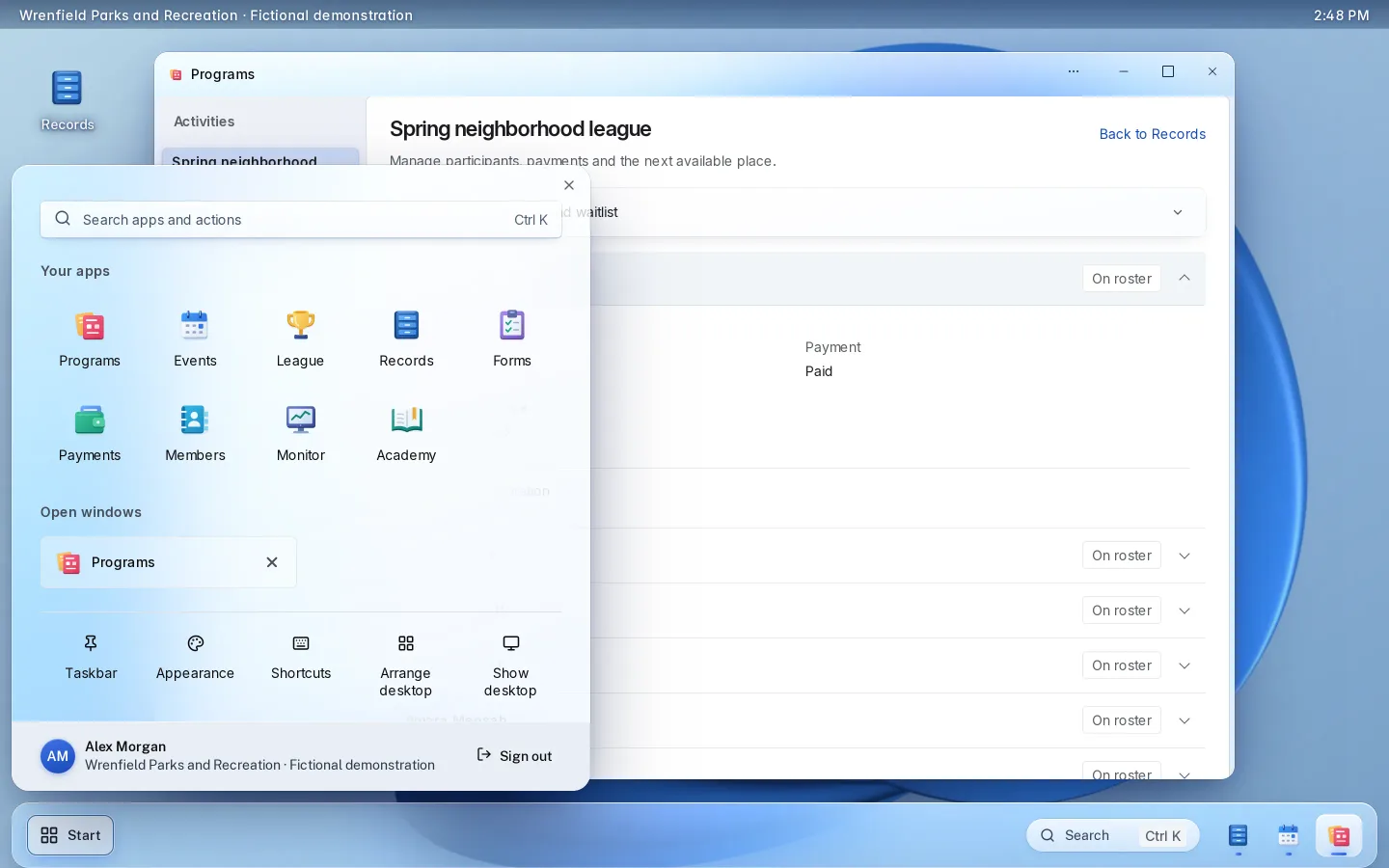
What it is.
The public signs up, pays and applies from your website, on any phone. Your staff work each request in one place, with the record, the payment and every decision together.
LFW hosts it and sets it up with you. Payments go to your institution’s own Stripe account.
One workflow, start to finish.
A summer camp at a parks department, with fictional data.
- 1 A family
Registers two children
From one household account, at the resident rate, with the camp’s waiver signed by typed name.
- 2 A family
Pays in three installments
By card, to the town’s own Stripe account. The place is held the moment they register, so the camp never oversells.
- 3 Staff
See the registration and the payment together
The roster shows each child, the fee charged and what has been paid.
- 4 Staff
Fill a freed place
When another family drops out, staff offer the place to the first family on the waitlist, who has a set time to accept.
What it looks like
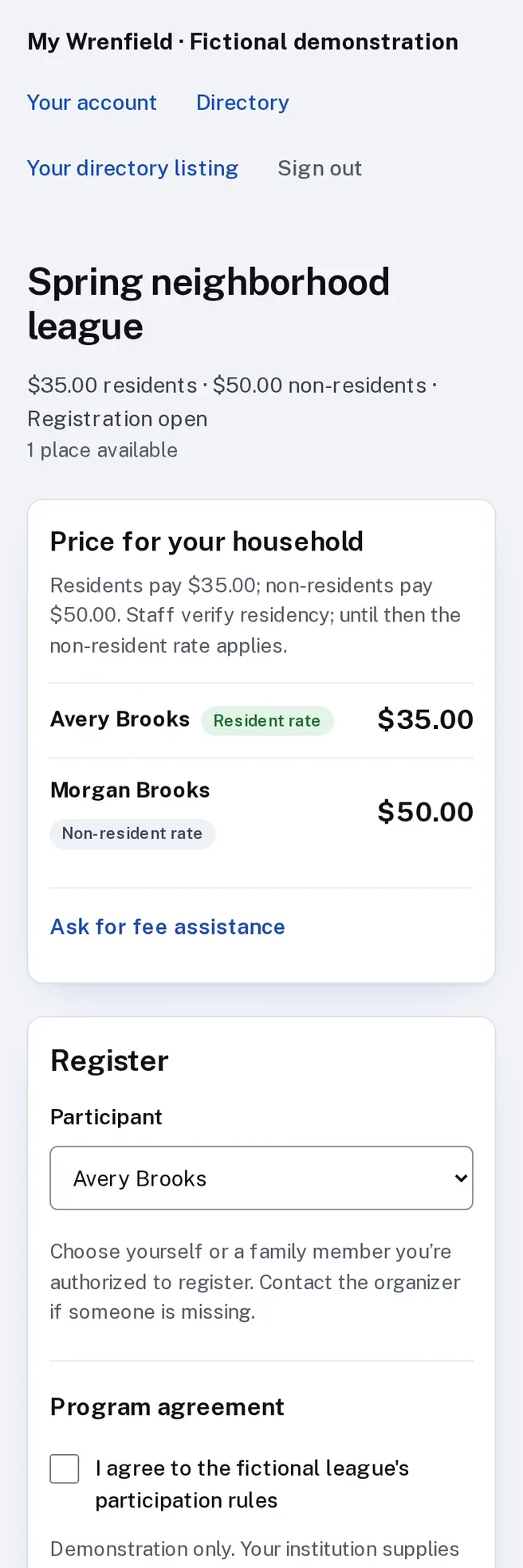
Enlarge to view the full screenshot.
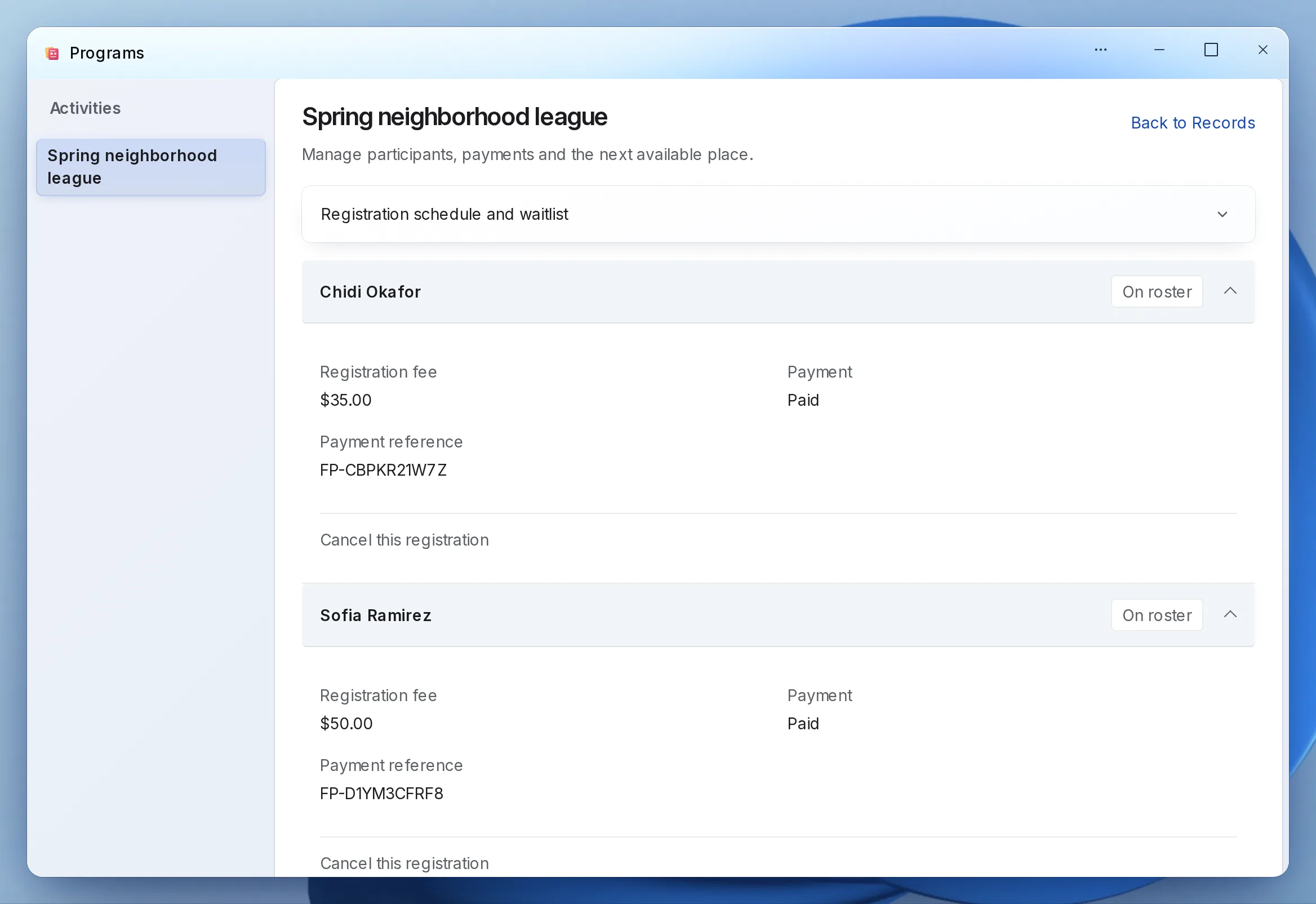
Enlarge to view the full screenshot.
What you can run on it.
Each workflow has its own page: how it works, what staff control, setup and limits.
-
Camps and classes
Sign-ups with resident rates, waitlists and payment plans.
- The public
- Register each child from one household account, at the resident or non-resident rate, in full or in installments.
- Staff
- See every registration with its payment, and offer a freed place to the next family on the waitlist.
-
Memberships and dues
Applications, households and the dues roll.
- The public
- Apply for membership and pay dues online.
- Staff
- Approve applications with a note, record checks and cash, and download the roll for the treasurer.
-
Youth sports leagues
Registration, schedules, scores, standings and officials.
- The public
- Register a player, then follow the schedule and standings on a public page.
- Staff
- Place players on teams, assign officials, close a field for rain and confirm scores.
-
Field and facility reservations
Fields, rooms and shelters on one calendar.
- The public
- Book a field, room or picnic shelter online, sign the rental agreement and pay.
- Staff
- Approve requests, refund cancellations and check people in at the front desk.
-
Events and tickets
Free RSVPs, paid tickets and check-in at the door.
- The public
- Register, or buy a ticket and show its QR code at the door.
- Staff
- Scan tickets with a phone camera and download the attendee list.
-
Applications and approvals
Applications with documents, routed to the right approver.
- The public
- Fill in the application and upload the documents you ask for.
- Staff
- Each application reaches the right approver, and every decision is recorded.
-
Permits and licenses
Permits from application to renewal.
- The public
- Apply and pay online, answer corrections and check the status with an access code.
- Staff
- Review by discipline, inspect on a phone checklist, decide on the record and issue the certificate.
-
Public records requests
Public records requests on your state’s clock.
- The public
- Request a record, then follow it through a private status link.
- Staff
- Work each request against your state’s deadline, with a full log.
-
Service requests
Reports worked to closure, by staff and contractors.
- The public
- Report a pothole or a broken streetlight.
- Staff
- Each request reaches the department that owns it, and contractors post completion photos.
What your staff see.
Real Platform screens with fictional demonstration data.
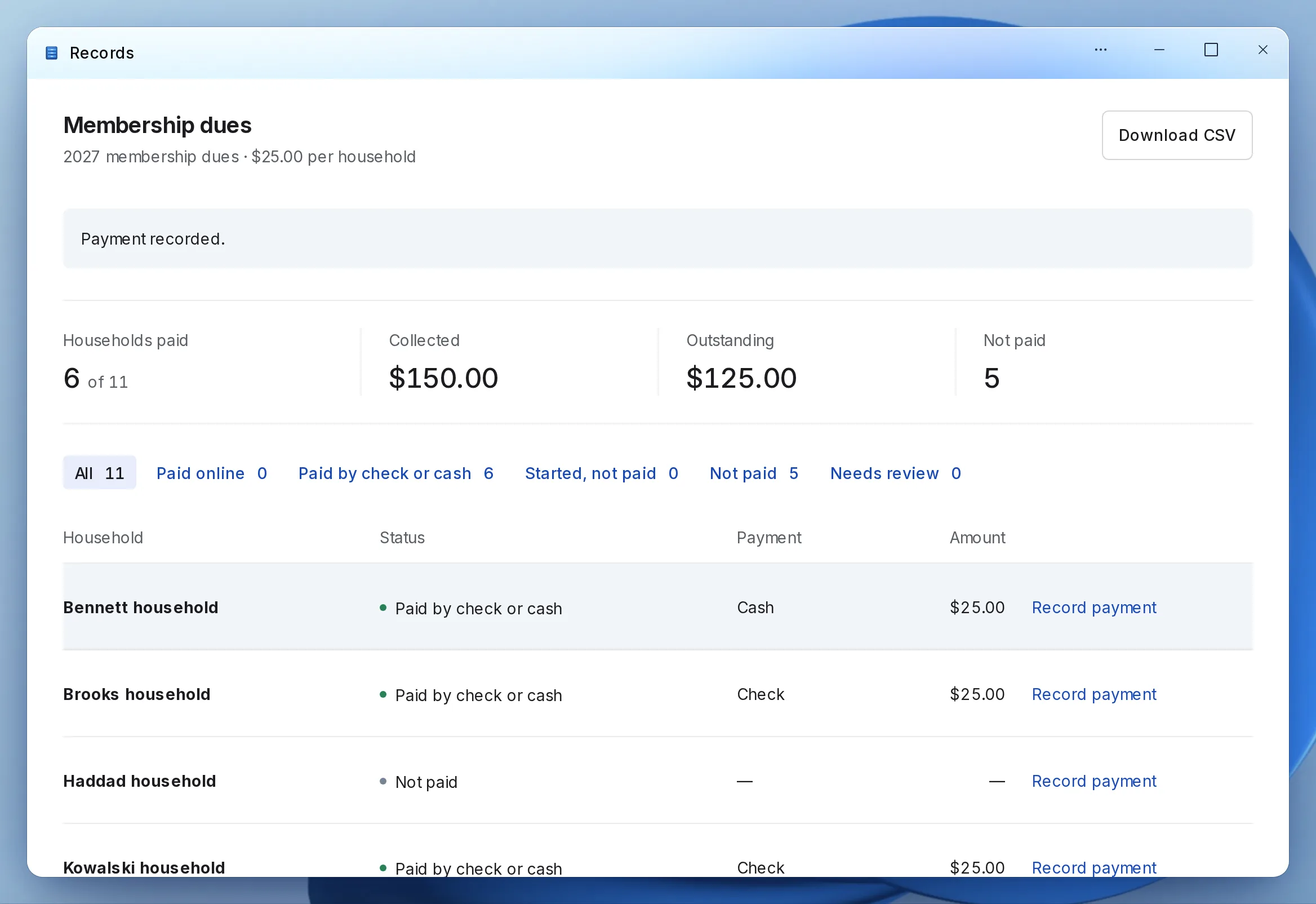
Enlarge to view the full screenshot.
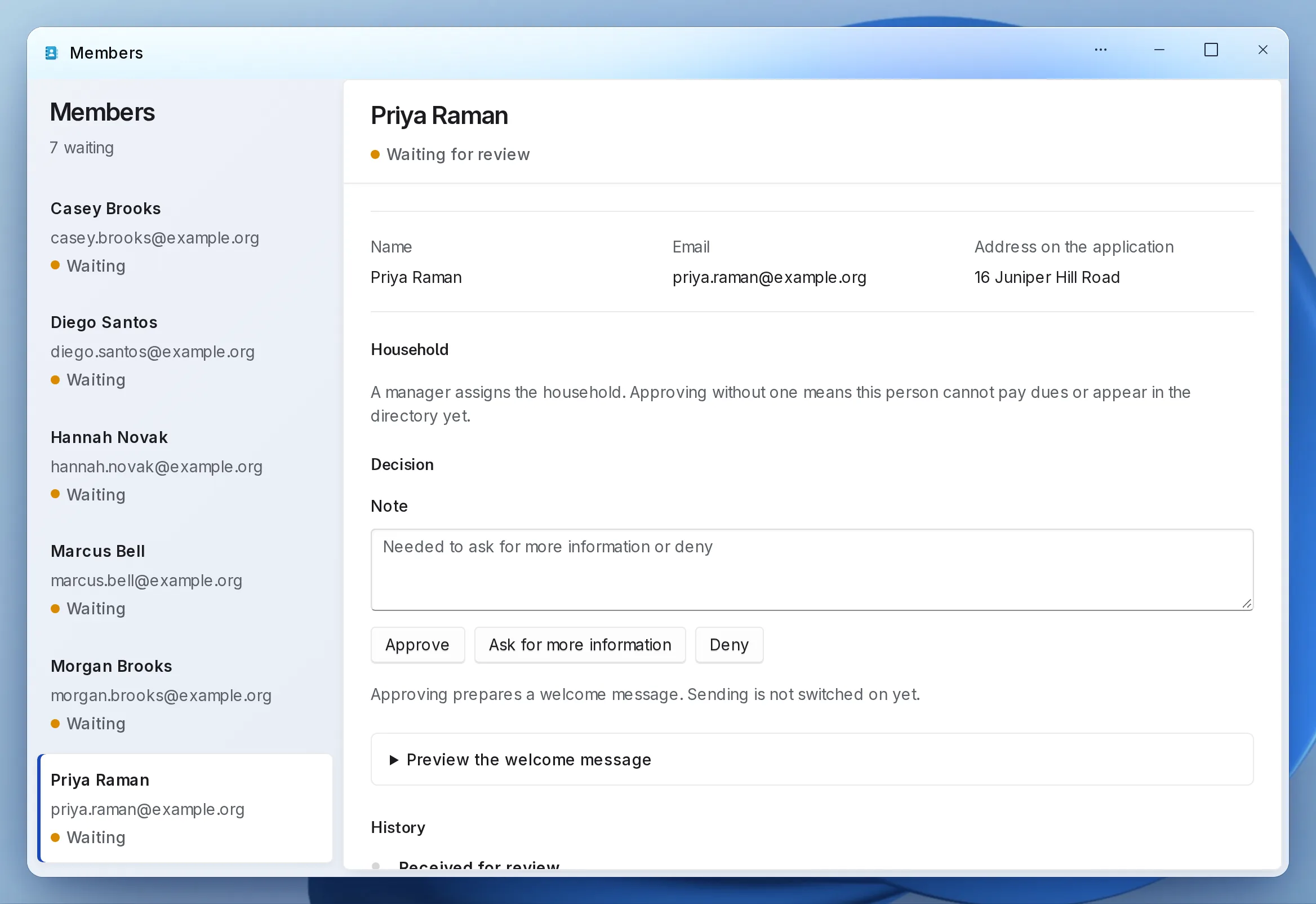
Enlarge to view the full screenshot.
Enlarge to view the full screenshot.
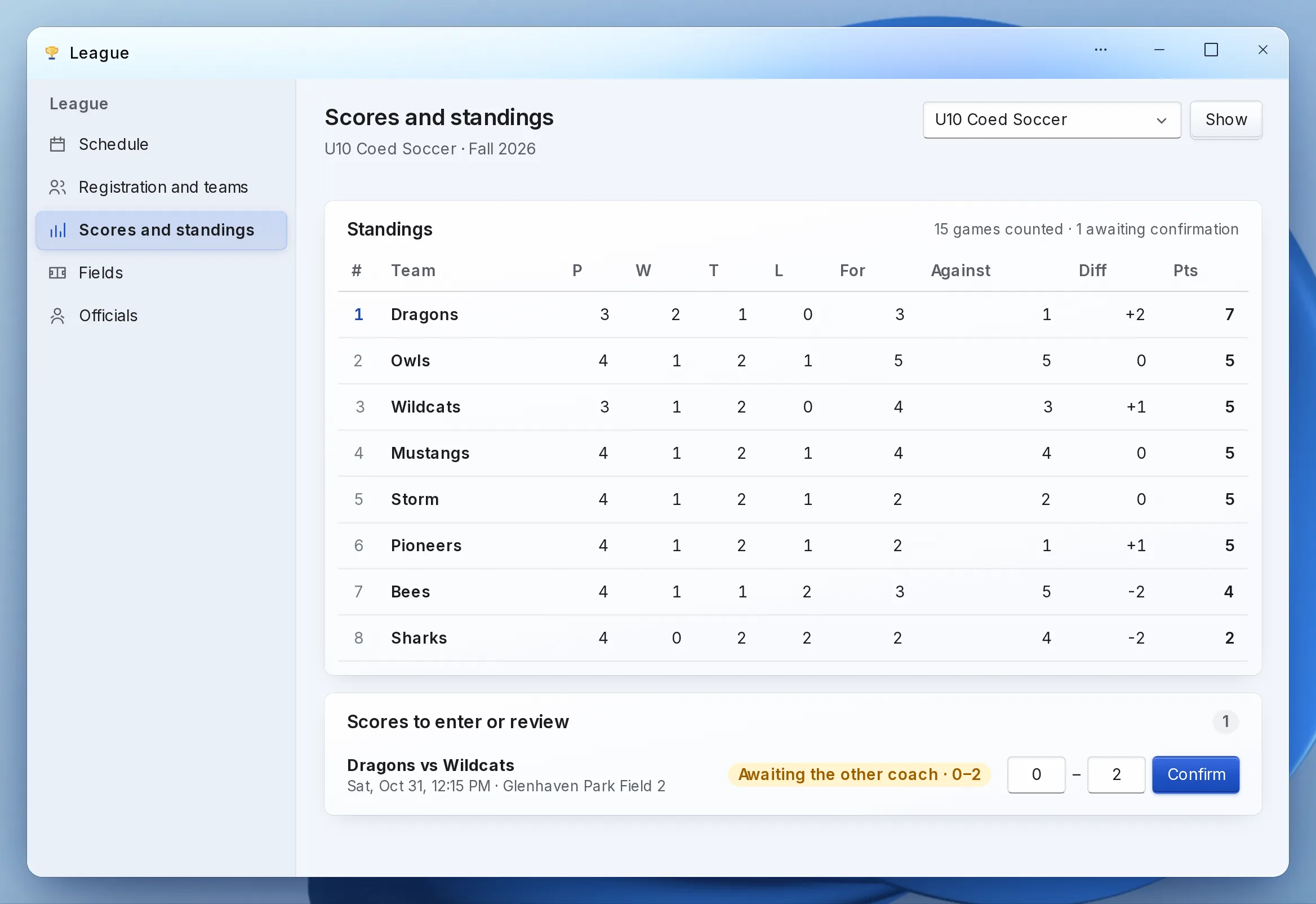
Enlarge to view the full screenshot.
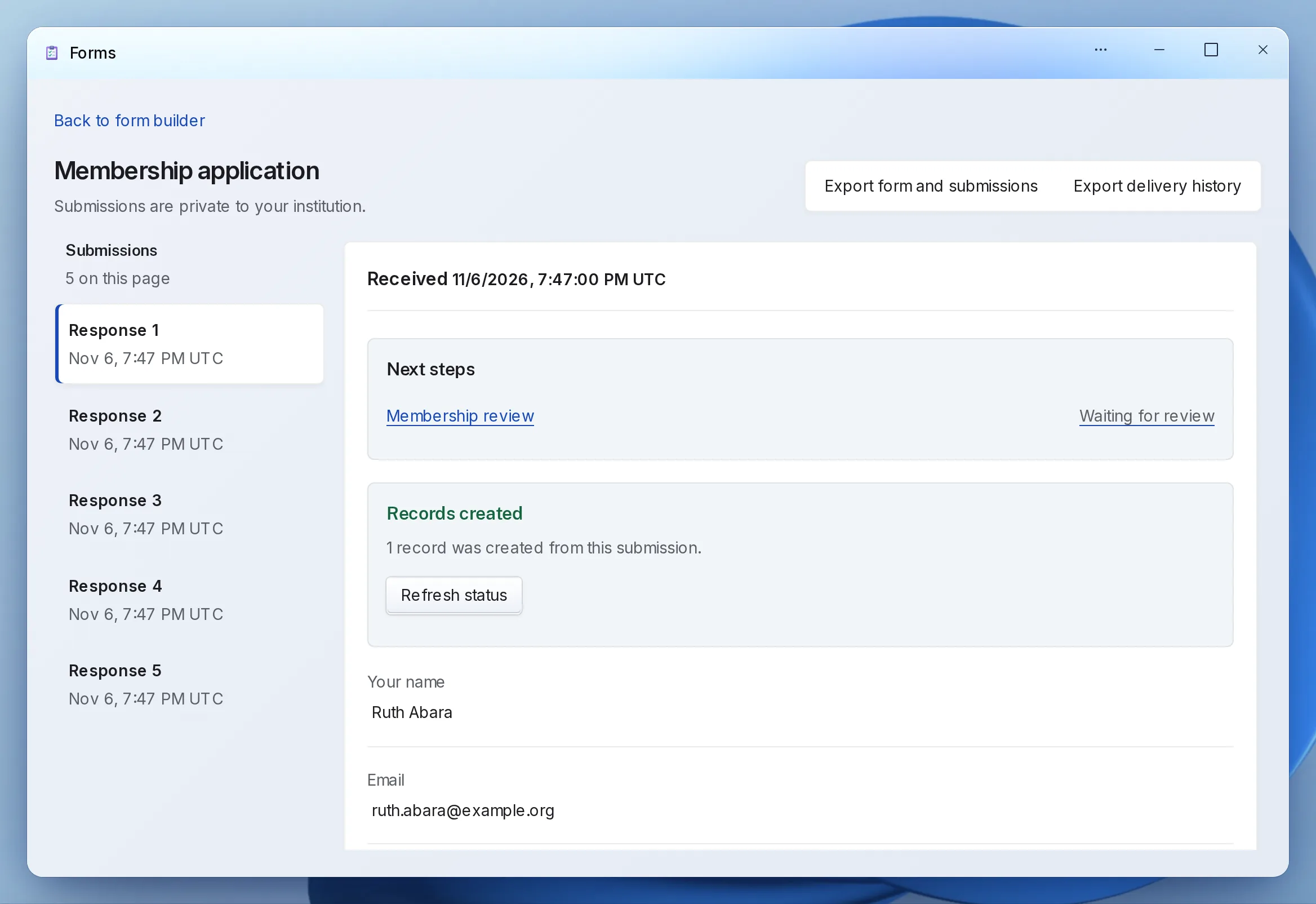
Enlarge to view the full screenshot.
How you start.
A written request is enough. A call is optional.
- Send a written requestChoose the workflow and tell us how you handle it today.
- Get the scope in writingWe reply within one business day, then send the scope, price and terms for whoever approves the purchase.
- Set it up togetherWe configure the workflow with your staff, import your records and connect your website.
- Try it firstYour staff test it with practice entries. It opens to the public when you say so.
Need something it doesn’t do yet?
Tell us how your staff handle it today. We’ll show you what the Platform supports and talk through any gaps.
Describe the workflowDepartment suites.
Apps for one kind of department, moving onto the same sign-in, records and payments.
- Recreation Programs, facilities, leagues and events.
- Clerk Records requests, agendas and accessible documents.
- Public works Service requests and contractor work orders.
- Procurement Bid Board, for solicitations and sealed bids.
- Public health Referrals, and newborn screening with the lab.
- Emergency management Incidents, from first report to close.
Start with one workflow.
Send a written setup request. A demonstration is there if you want one.