LFW Platform · Permits and licenses
Permits from application to renewal.
Residents apply and pay online. Reviewers, inspectors and the decider each sign their step.
Used by City, town and county permit offices, clerks, public health departments and fire districts.
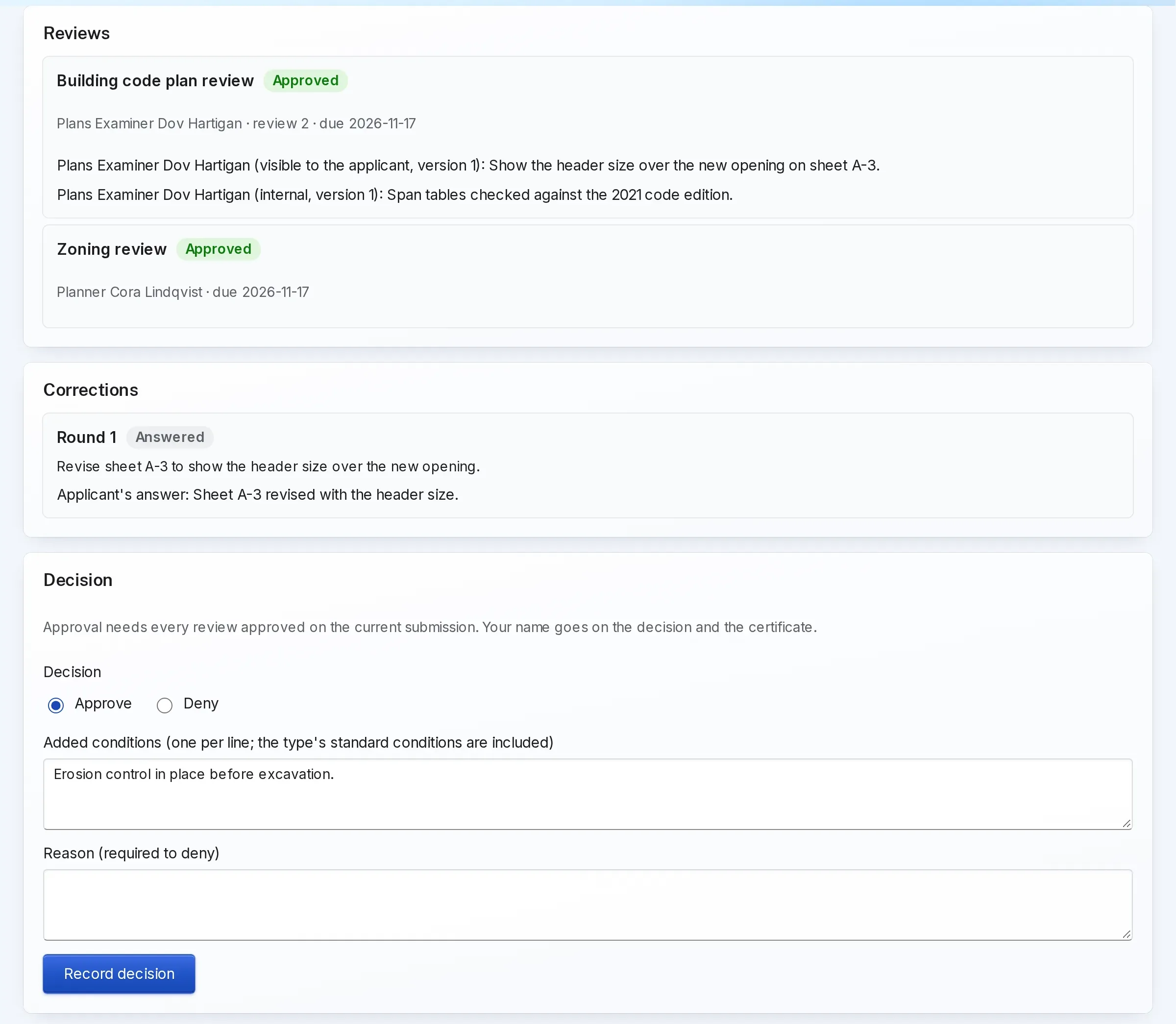
How it works.
Intake first, then everything after it.
- 1 Residents or your counter
Apply
Residents apply online, from the permit page or a form on your website, with the type’s questions and documents, or a clerk enters the application at the counter. Fees are calculated from the type: flat, by quantity or by project value.
Intake starts complete, without a paper form to retype.
- 2 Your reviewers
Review and ask for corrections
Each discipline reviews and comments on the exact document version. Corrections go to the applicant, who uploads new versions and resubmits; only the affected reviews reopen.
- 3 Your decider
Decide, on the record
A named decider approves with conditions or denies with a reason. Every step is a signed event with who, when and why.
- 4 Applicants and your cashier
Pay or waive the fees
Applicants pay online to your institution’s own Stripe account, or at the counter, in full or in part, and can pay what is left online. Staff can adjust a fee at any time with a reason, which the applicant sees; a refund is paid out by a second staff member.
- 5 Your inspectors
Inspect
Inspectors work a checklist on a phone: pass, fail or re-inspect. A building permit goes final when every inspection has passed.
- 6 Your clerk
Issue, renew and verify
The permit is issued with its number, term, conditions and a certificate PDF. Renewals, amendments and transfers are applications of their own, and anyone can check a number’s status and expiry.
Neighbors and contractors check a permit without calling.
What it looks like

Enlarge to view the full screenshot.
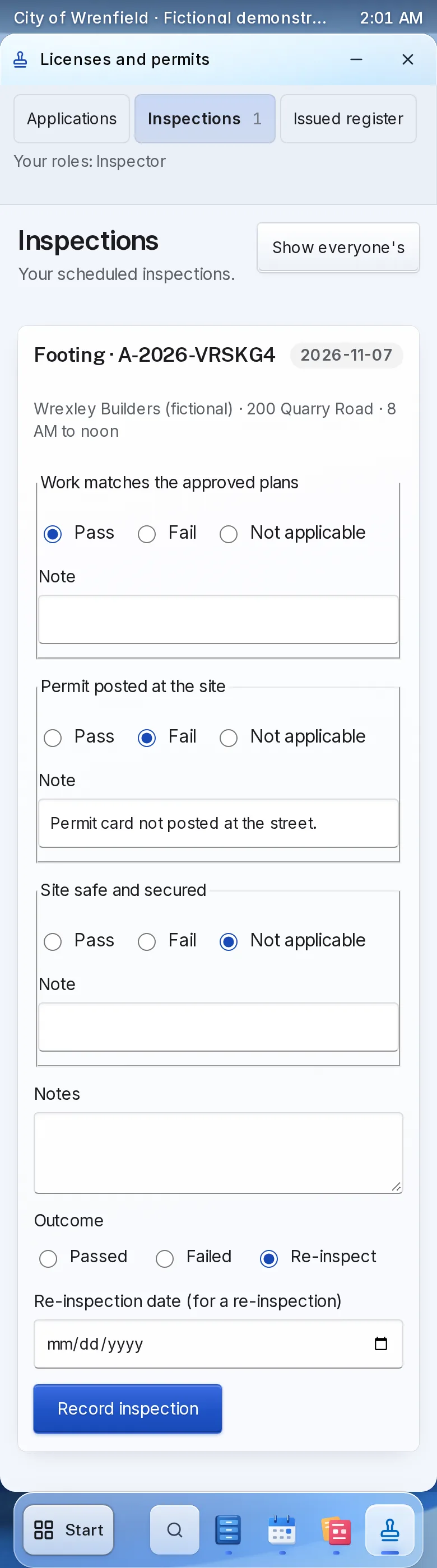
Enlarge to view the full screenshot.
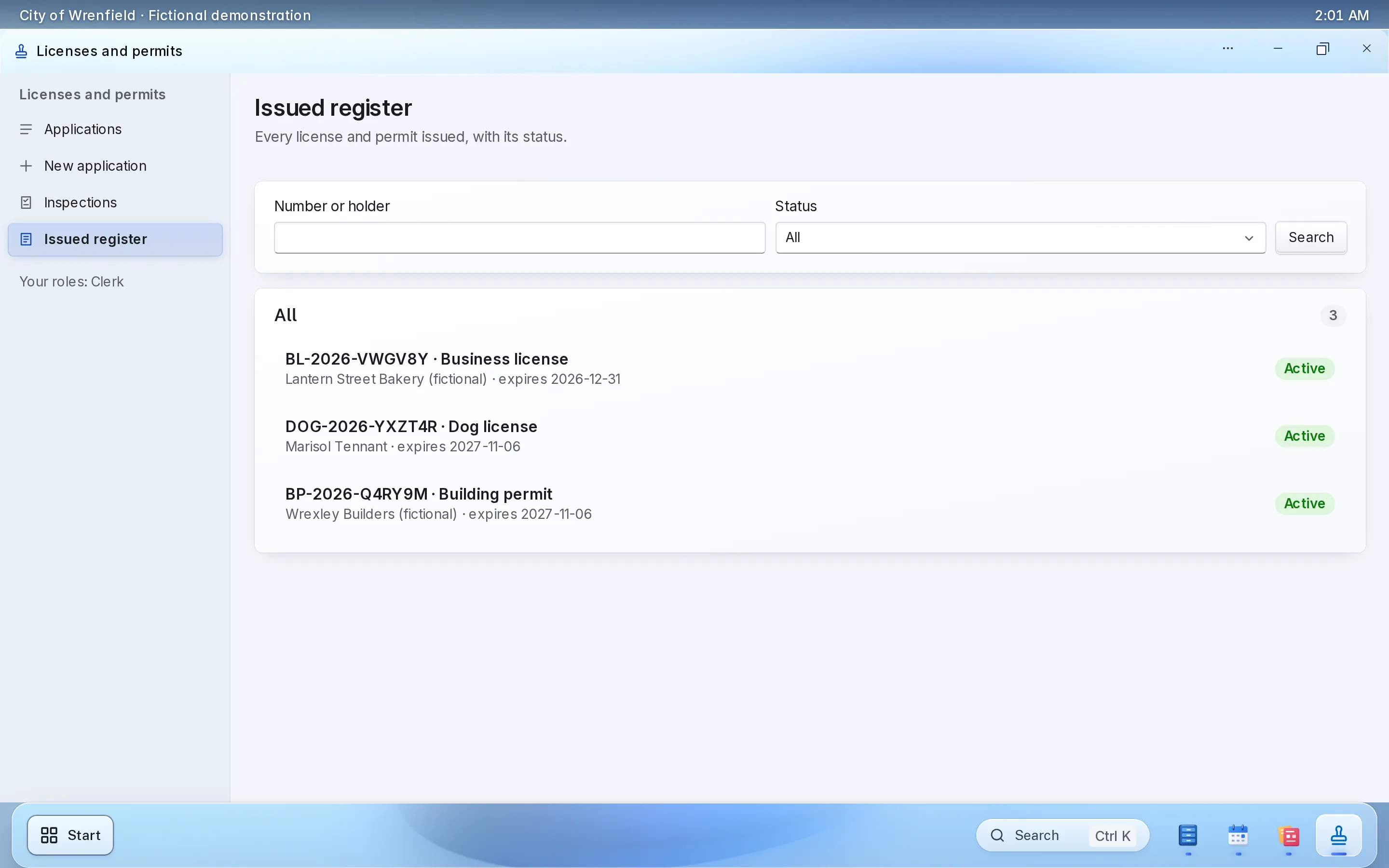
Enlarge to view the full screenshot.
What your staff control.
Your rules, set once per permit type.
-
Types without code
A guided editor for each type’s questions, documents, fees, reviews, inspections, term and renewal. Open applications keep the version they started on.
-
Separation of duties
Nobody reviews, inspects or decides their own application, and a decider can be kept apart from the reviewers.
-
Issuance rules
A permit issues only when its fees are paid or waived and every required inspection has passed.
-
Public verification
A number shows its type, status and expiry; nothing about the holder.
Setting it up.
Start with the permits you issue most.
What you bring
- Your permit types and their application questions
- Your fee schedule
- Who reviews, inspects and decides each type
- Your current permit holders, if you want them moved over
- A Stripe account in your institution’s name, for online payment
What we do
- Set up your workspace and your first permit types with you; your administrator adds more in the type editor
- Give clerks, reviewers, inspectors and deciders their roles
- Link the application page from your website
- Walk a test application through every step with your staff
What it doesn’t do yet.
- No parcel lookup from your GIS, contractor licensing board links or code enforcement.
- Applicant emails for corrections, decisions, certificates, fee changes and renewals go out once LFW turns on sending for your institution. Until then, applicants follow along with their number and access code.
If you need one of these, say so in your setup request. We’ll tell you what the Platform supports and discuss the gap.
Questions.
Can residents check where their permit stands?
Yes. With their application number and access code they see the status, any corrections asked for, the fees and the decision, and download the certificate.
Can we take applications at the counter?
Yes. A clerk enters them, and they follow the same review, inspection and issuance steps.
Does it handle inspections?
Yes. Inspectors work a checklist on a phone, and a failed inspection schedules the re-inspection.
Does it replace our building department’s system?
It covers application, review, inspections and issuance. It does not do GIS parcel lookup, contractor board checks or code enforcement.
Where does the money go?
Into your institution’s own Stripe account, in your name. Stripe’s own processing fees apply.
Do we have to replace our website?
No. The public uses it from the website you have, through a link to a hosted page or an embed. WordPress and Drupal sites can also install a connector.
Who sets it up?
LFW sets up your workspace and configures the workflow with your staff. Staff build their own forms and import existing records from a spreadsheet.
How do we get a price?
Send a written setup request or ask for a written quote. We reply within one business day. A call is optional.
Planning it first? Read the guide to permit applications
Start with the permit you issue most.
Send a written setup request. A demonstration is there if you want one.
Need a quote for purchasing? Request a written quote.