LFW Platform · Memberships and dues
Membership applications and dues, in one roll.
Members apply and pay online. Staff record checks and cash, and the treasurer sees who still owes.
Used by Civic and community associations, museums, public media, regional bodies and recreation centers.
How it works.
From an application to a paid-up roll.
- 1 Applicants
Apply online
A resident fills in your membership application and can add documents while it is pending.
No emailed PDFs to chase.
- 2 Your staff
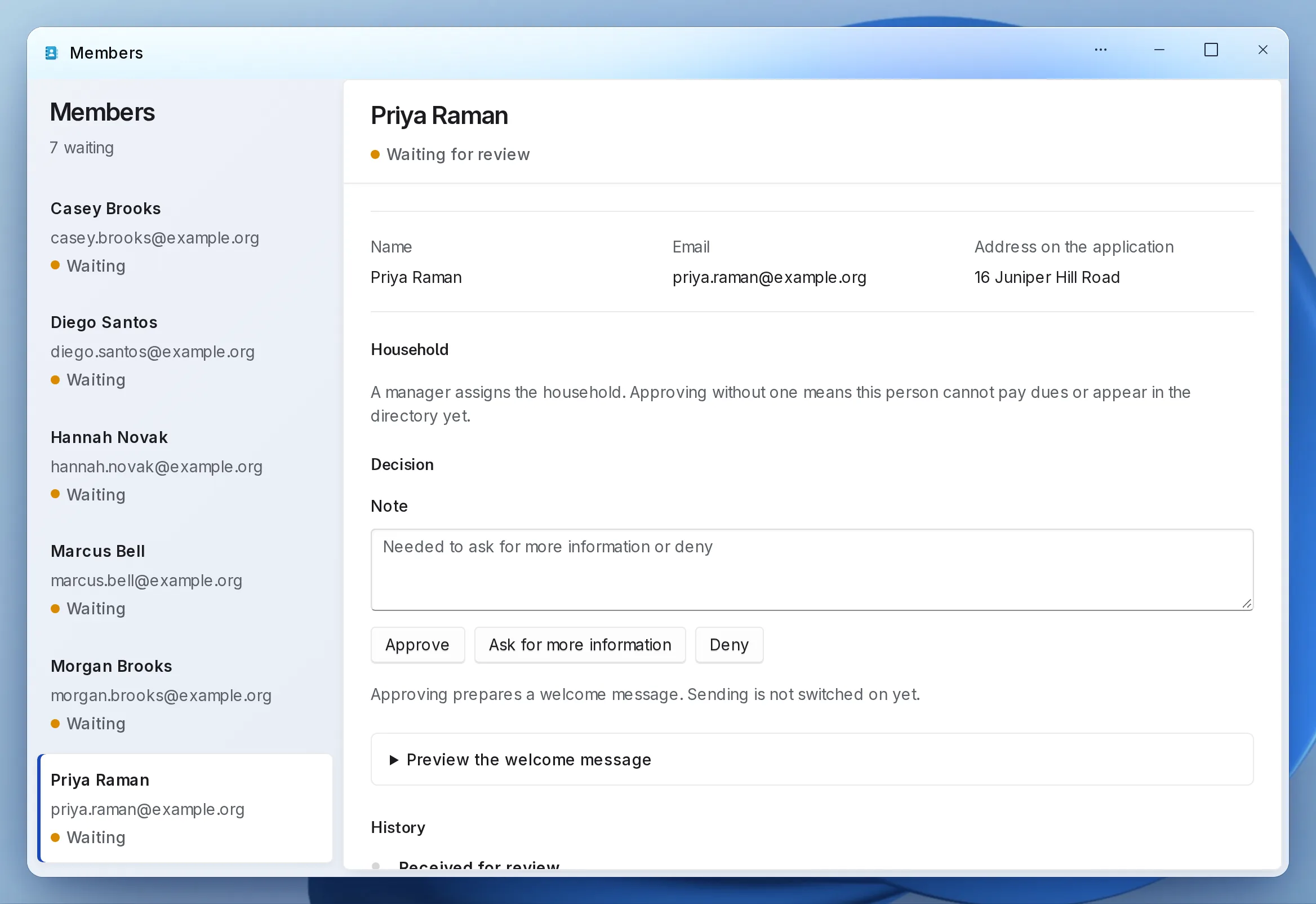
Approve or deny with a note
Each application waits in one review list, with a duplicate check. Every decision keeps its note.
- 3 Members
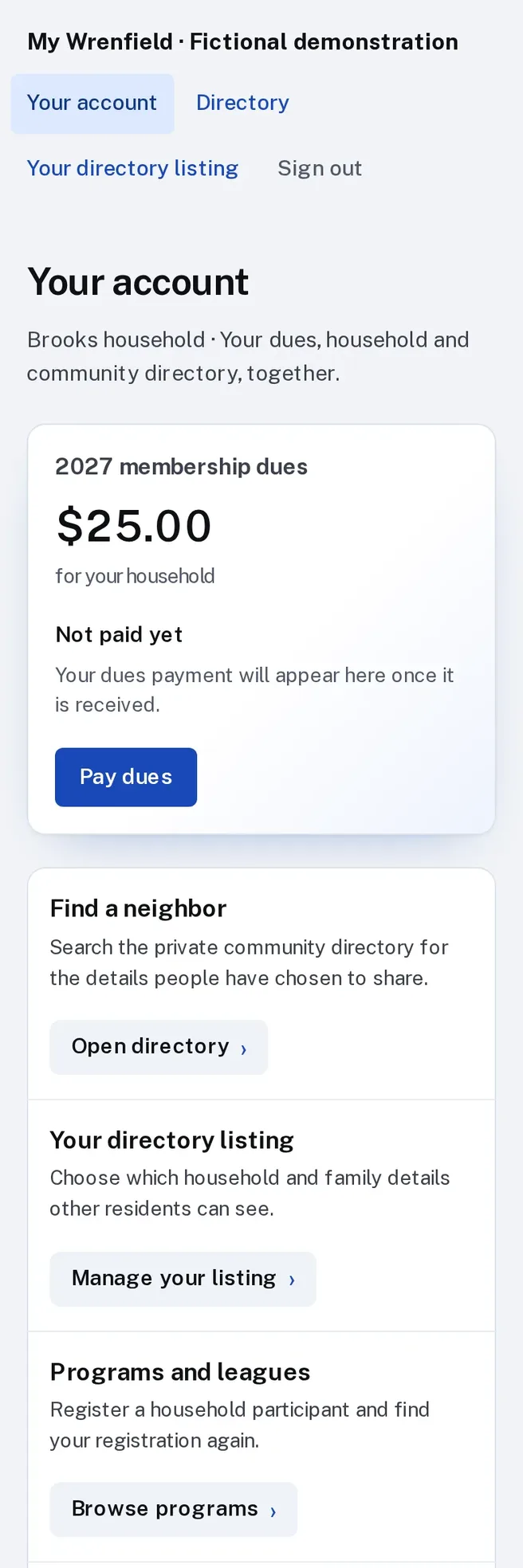
Pay dues online
Dues per person or per household, paid by card, or by bank payment where your Stripe account offers it.
- 4 Your treasurer
Record checks and cash
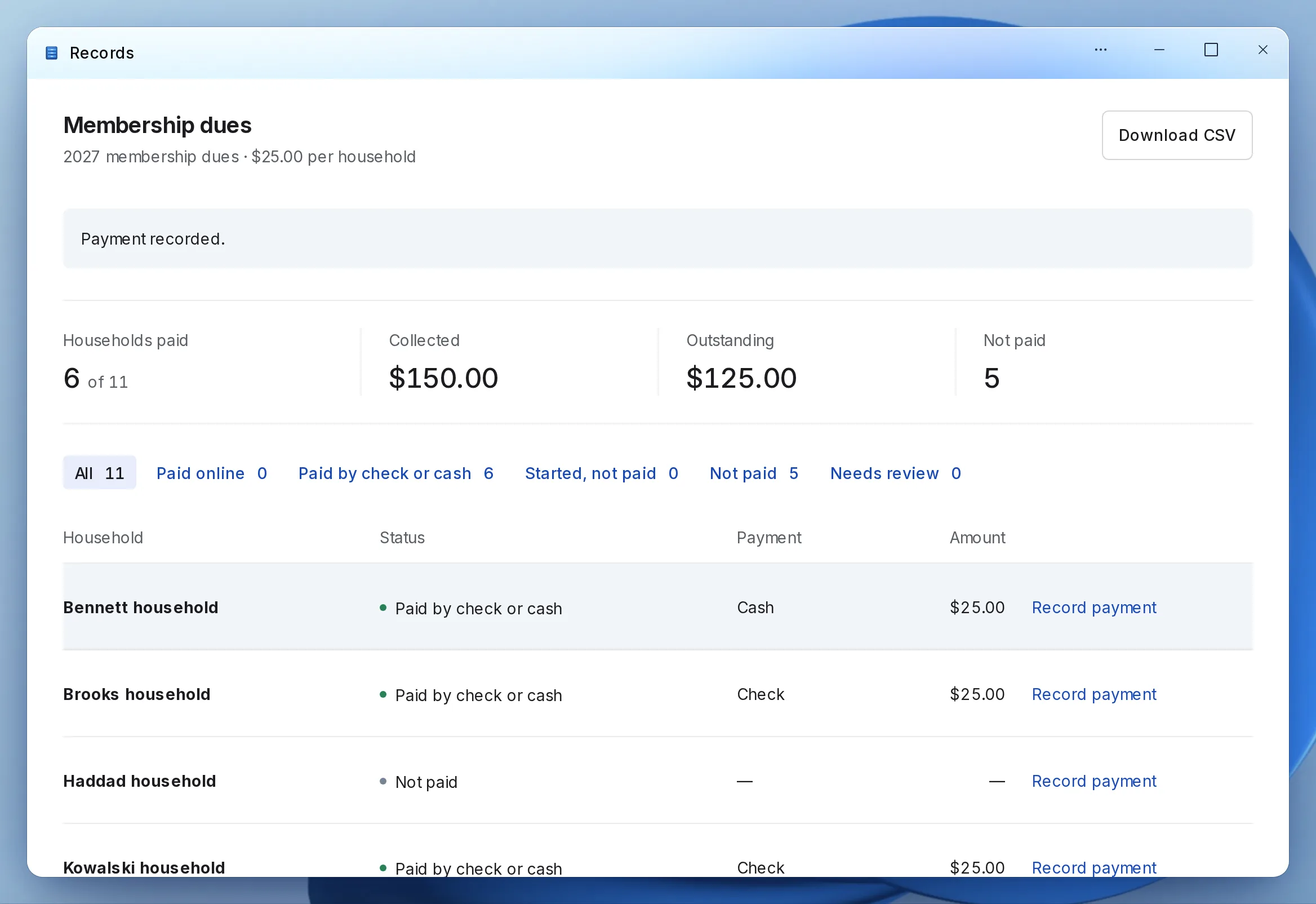
Checks, cash and bank transfers go in next to the online payments, and the dues roll shows who has not paid.
One list of who owes, without a second spreadsheet.
What it looks like
Enlarge to view the full screenshot.
Enlarge to view the full screenshot.
Enlarge to view the full screenshot.
What your staff control.
Who sees what, and what the treasurer gets.
-
Households
Dues per person or per household, with each household’s history kept.
-
Treasurer’s roll
Paid and unpaid, online and check totals, downloadable as a spreadsheet.
-
Private directory
A members-only directory where each household chooses what to share.
-
Dues button
Add a Pay dues button to the website you already have.
Setting it up.
Setup is mostly your application form and your list.
What you bring
- Your application questions
- Your dues amount and whether it is per person or per household
- Your current member list, as a spreadsheet
- A Stripe account in your institution’s name
What we do
- Set up your workspace and the dues year
- Import your members and households
- Build the application form with you
- Add the dues button to your website
- Walk your treasurer through the roll
What it doesn’t do yet.
- No automatic card charging each dues period.
If you need one of these, say so in your setup request. We’ll tell you what the Platform supports and discuss the gap.
Questions.
Can we keep taking checks?
Yes. Staff record checks, cash and bank transfers next to online payments.
Can members see each other?
Only in the private directory, and each household chooses what it shares.
How do renewals work?
Each new dues year opens on its own, with every member’s payment history kept. A member who has not paid moves from current to grace to lapsed, and renewal reminders go out once LFW turns on sending for your institution.
Where does the money go?
Into your institution’s own Stripe account, in your name. Stripe’s own processing fees apply.
Do we have to replace our website?
No. The public uses it from the website you have, through a link to a hosted page or an embed. WordPress and Drupal sites can also install a connector.
Who sets it up?
LFW sets up your workspace and configures the workflow with your staff. Staff build their own forms and import existing records from a spreadsheet.
How do we get a price?
Send a written setup request or ask for a written quote. We reply within one business day. A call is optional.
Start with this year’s dues.
Send a written setup request. A demonstration is there if you want one.
Need a quote for purchasing? Request a written quote.