LFW Platform · Public records requests
Public records requests without a spreadsheet.
Every request in one queue, with its deadline counted under your state’s law.
Used by City and county clerks, school districts, transit agencies, housing authorities, utilities and courts.
How it works.
From the request to the close.
- 1 Requesters
Make the request
Online through a request form you link from your website, or by email, phone, mail or in person; staff enter those into the same queue.
- 2 Requesters
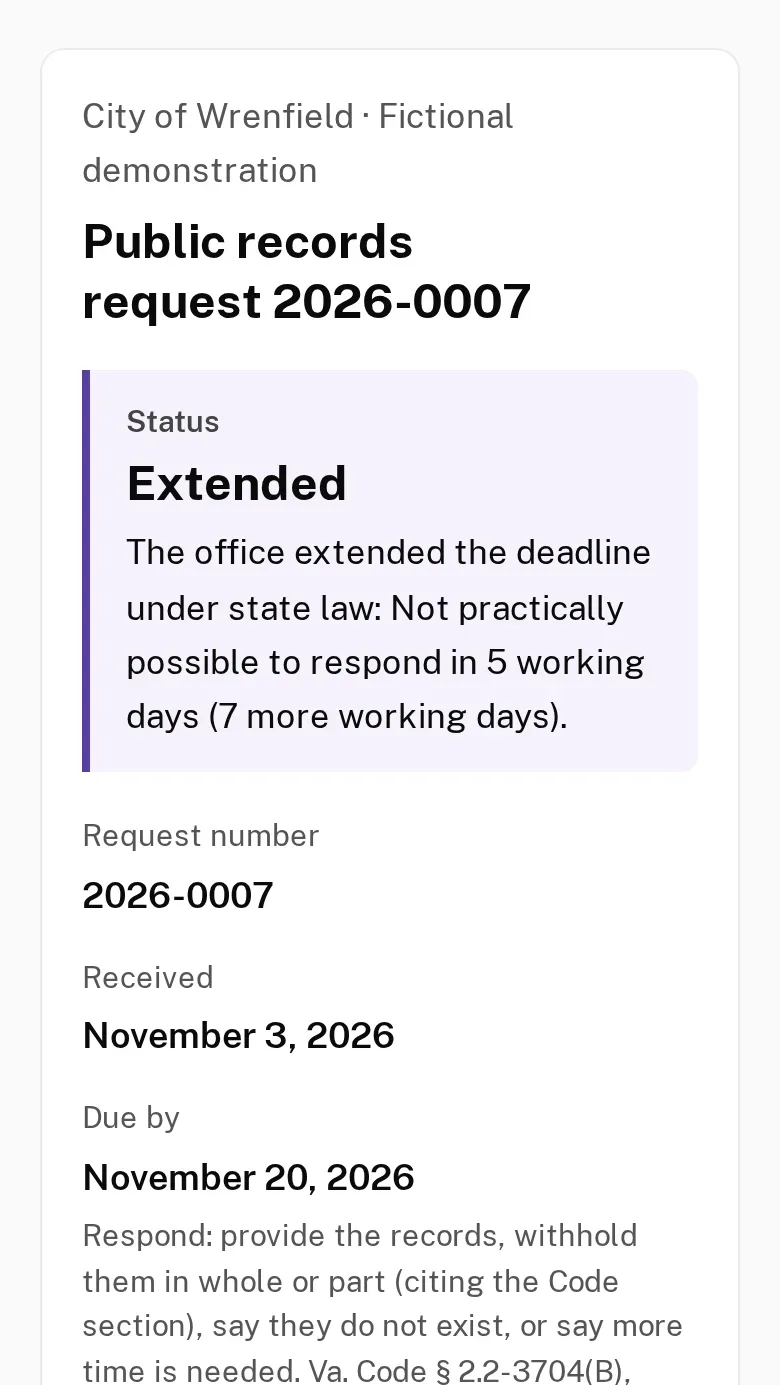
Get a private status link
Each requester gets a private link showing where the request stands, the due date under your state’s law and what is needed from them. Staff read it out for phone and walk-in requests.
Fewer calls asking where a request stands.
- 3 The Platform
Start the clock
The due date is counted under your state’s law, in business or calendar days, and skips your closures.
No deadline lives only in someone’s memory.
- 4 Your staff
Assign and work it
Assign the request, log each action and pause or extend the clock with the reason your law allows. The requester’s page shows the extension and its reason.
- 5 Your staff
Record what was released, then close
Redact by search term or whole page on screen, then record for each document whether it was released, released with redactions or withheld, and the exemption cited. Close the request with its outcome; reports show how long each took.
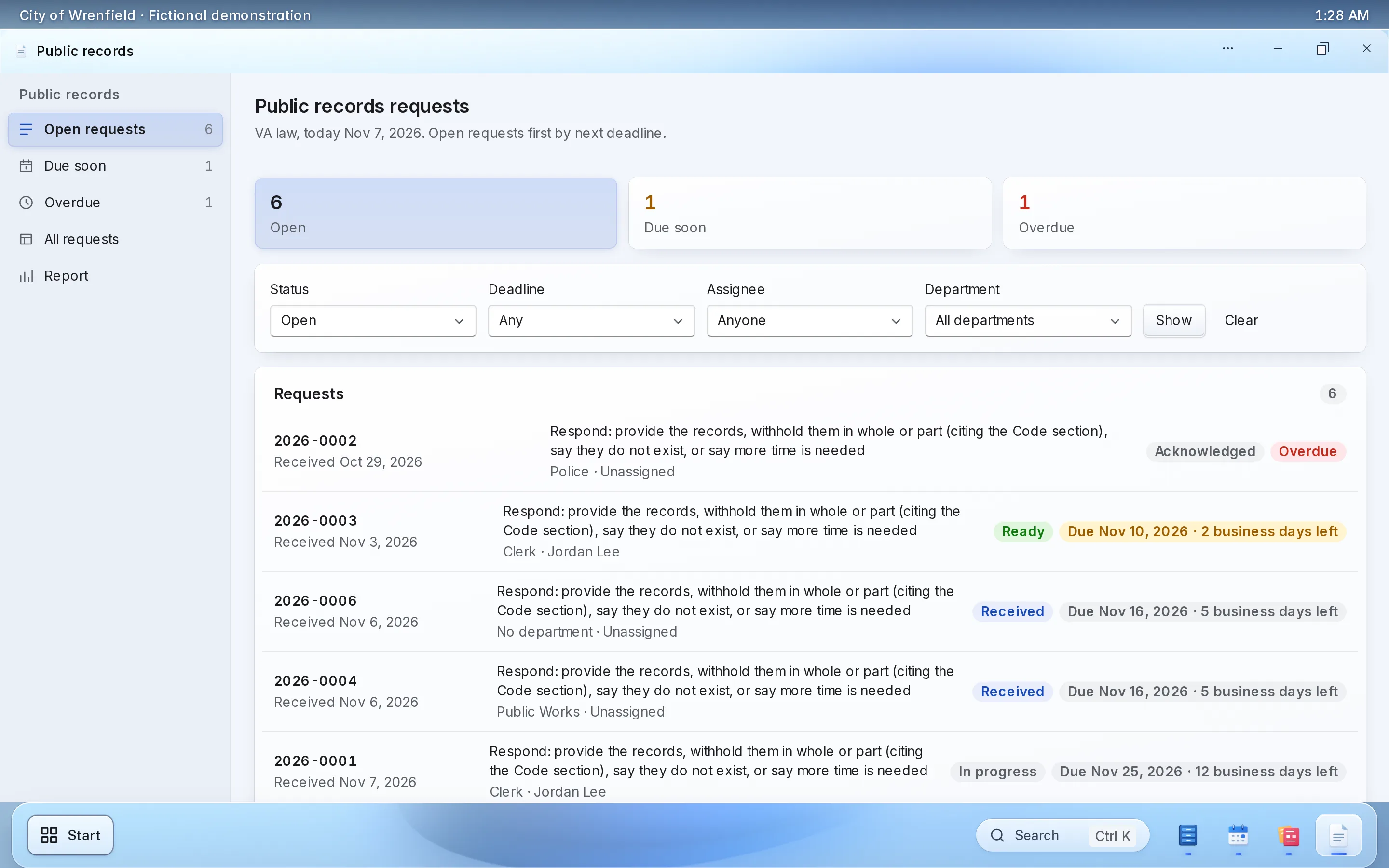
What it looks like
Enlarge to view the full screenshot.
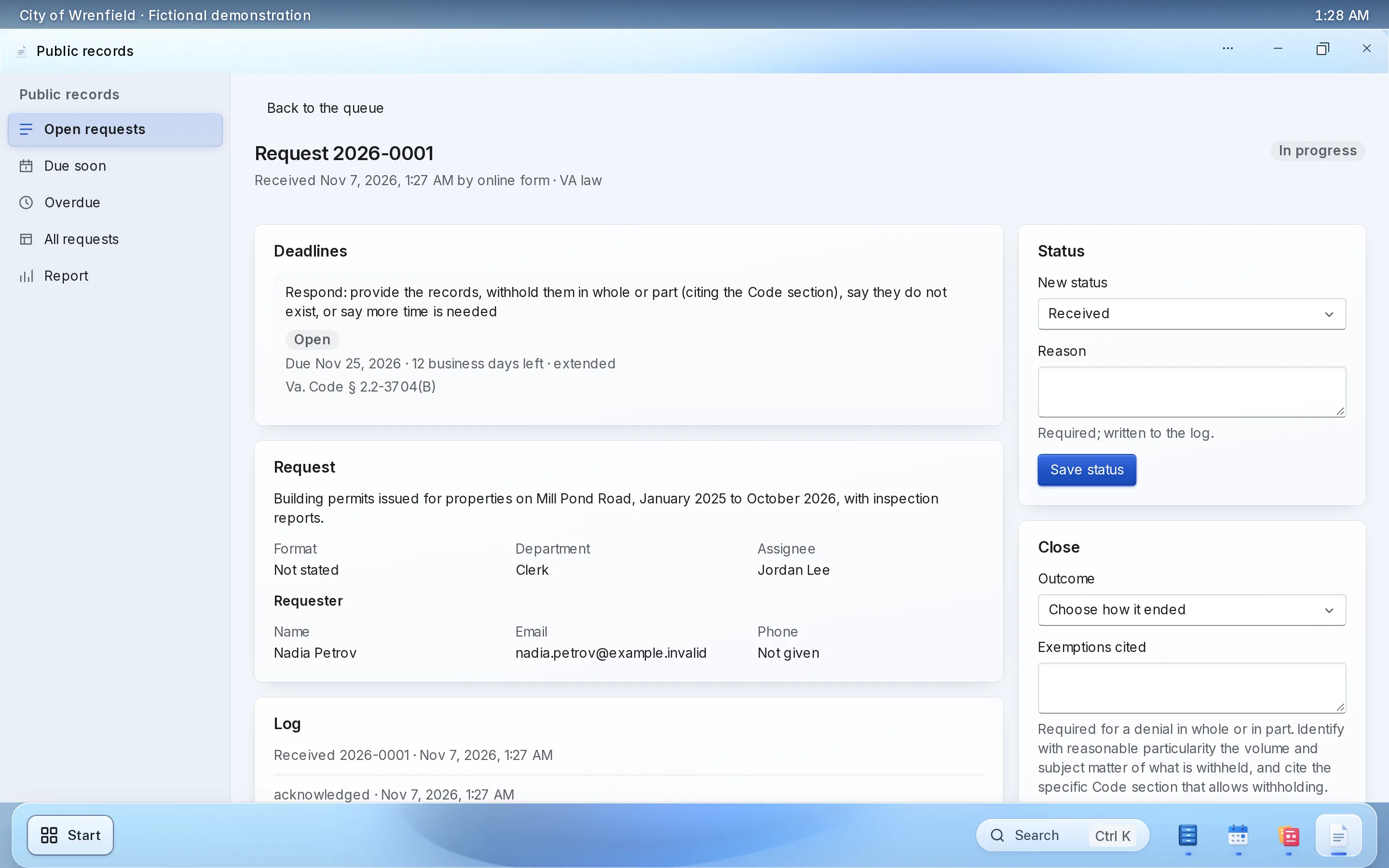
Enlarge to view the full screenshot.
What your staff control.
The decisions stay with your clerk.
-
Your state’s clock
Rules for 10 states and DC, each cited to its statute, with extensions.
-
Assignment
Each request has an owner, and the log shows every hand-off.
-
What the requester sees
The status page shows the status, the due date and the public summary you write; never staff notes or exemptions.
-
Retention
Requests link to your retention schedules and legal holds.
Setting it up.
Pick your state and your categories.
What you bring
- Your state and your office’s closures
- Who handles which requests
- Your current open requests, if you want them moved over
What we do
- Set up your workspace and the request settings
- Link the request form from your website
- Train your clerks on the queue
What it doesn’t do yet.
- Deadlines are built in for 10 states and DC. Other states are not built in yet.
If you need one of these, say so in your setup request. We’ll tell you what the Platform supports and discuss the gap.
Questions.
Does it know our state’s deadline?
Yes, with pauses and extensions, for Virginia, Maryland, DC, Delaware, West Virginia, Pennsylvania, New Jersey, New York, Massachusetts, Texas and California.
How do requesters get the records?
They download the released copies from their private status link. Each file is scanned for viruses, and every download is logged.
Can requesters check the status themselves?
Yes. Each requester gets a private link showing the status, the due date and anything needed from them.
Can we enter phone and walk-in requests?
Yes. Staff enter them into the same queue, and can read out the status link.
Does it redact documents?
Yes. Staff redact by search term or whole page. Each redacted page is flattened to an image, so nothing survives under the box.
Do we have to replace our website?
No. The public uses it from the website you have, through a link to a hosted page or an embed. WordPress and Drupal sites can also install a connector.
Who sets it up?
LFW sets up your workspace and configures the workflow with your staff. Staff build their own forms and import existing records from a spreadsheet.
How do we get a price?
Send a written setup request or ask for a written quote. We reply within one business day. A call is optional.
Planning it first? Read the guide to tracking records requests
Start with this month’s requests.
Send a written setup request. A demonstration is there if you want one.
Need a quote for purchasing? Request a written quote.