LFW Platform · Service requests
Service requests, from the report to the fix.
Each request reaches the department that owns it, and nothing sits unanswered past its deadline.
Used by Public works departments, utilities, housing authorities and transit agencies.
How it works.
From a pothole report to a closed request.
- 1 Residents
Report it
A resident reports the problem on a form you link from your website, with an optional photo and a pin on the map. Photos are stripped of location data and scanned before staff open them.
- 2 Your staff
Receive the request
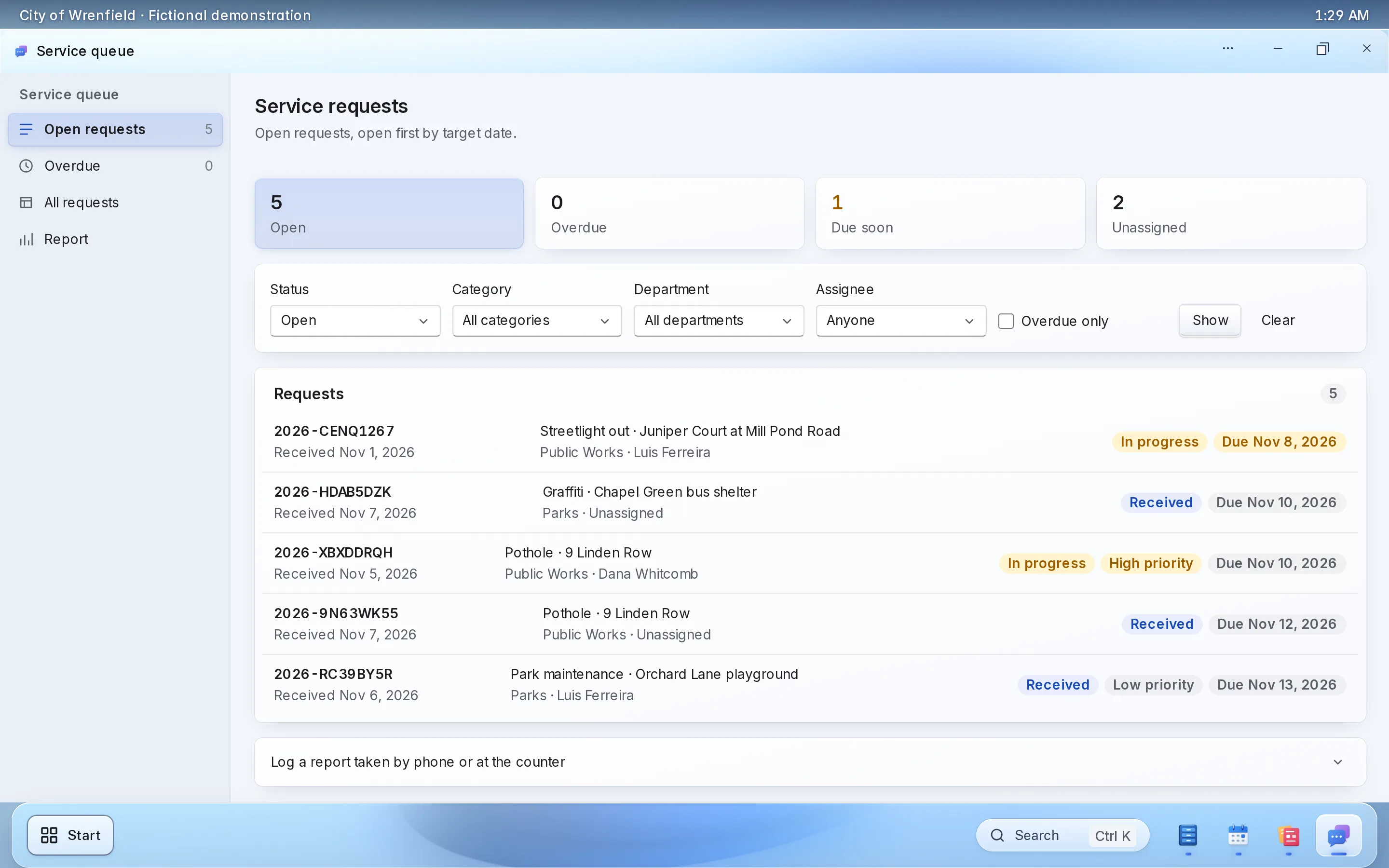
Requests arrive in one queue by category, and repeats of the same problem nearby are flagged as likely duplicates.
- 3 The Platform
Assign it
Each category goes to its department, with reminders before a request runs past its service level.
Old requests surface before a resident calls back.
- 4 Your staff and contractors
Do the work
For the categories you choose, an assigned request becomes a work order for that category’s contractor. Contractors accept, schedule and post completion photos, and staff approval resolves the request.
- 5 Your staff
Close it
Requests move from received to in progress, resolved and closed, with a reason to reopen. Each requester follows along on a private status page.
Fewer calls asking whether anyone saw the report.
What your staff control.
What your departments control.
-
Categories
Each category routes to the department that owns it.
-
Service levels
Reminders before and after each deadline.
-
Duplicates
Merge and unmerge repeats of the same problem.
-
Contractors
Work orders with evidence, approved by your staff.
Setting it up.
Categories and departments are most of it.
What you bring
- Your request categories
- Which department owns each one
- Your service levels
- Contractors you send work to
What we do
- Set up your workspace, categories and service levels
- Connect request intake to your website
- Give contractors their access
What it doesn’t do yet.
- The email with the requester’s status link goes out once LFW turns on sending for your institution.
If you need one of these, say so in your setup request. We’ll tell you what the Platform supports and discuss the gap.
Questions.
Can contractors use it?
Yes. Contractors accept, schedule and complete work orders, and post photos for your approval.
What about duplicate reports?
Repeats of the same problem within 50 meters, or at the same address within 14 days, are flagged, and staff merge them.
Do we have to replace our website?
No. The public uses it from the website you have, through a link to a hosted page or an embed. WordPress and Drupal sites can also install a connector.
Who sets it up?
LFW sets up your workspace and configures the workflow with your staff. Staff build their own forms and import existing records from a spreadsheet.
How do we get a price?
Send a written setup request or ask for a written quote. We reply within one business day. A call is optional.
Start with one department’s requests.
Send a written setup request. A demonstration is there if you want one.
Need a quote for purchasing? Request a written quote.