LFW Platform · Camps and classes
Camp registration without the opening‑day scramble.
Families register each child from one account. Places never oversell, and the waitlist stays in order.
Used by Parks and recreation departments, recreation districts, libraries, school districts and museums.
How it works.
From the family’s first click to a full roster.
- 1 Your staff
Set up the program
Sessions, capacity, ages, the resident and non-resident fees, the waiver and the dates registration opens and closes.
Registration opens on time without anyone at a keyboard.
- 2 Families
Register from one account
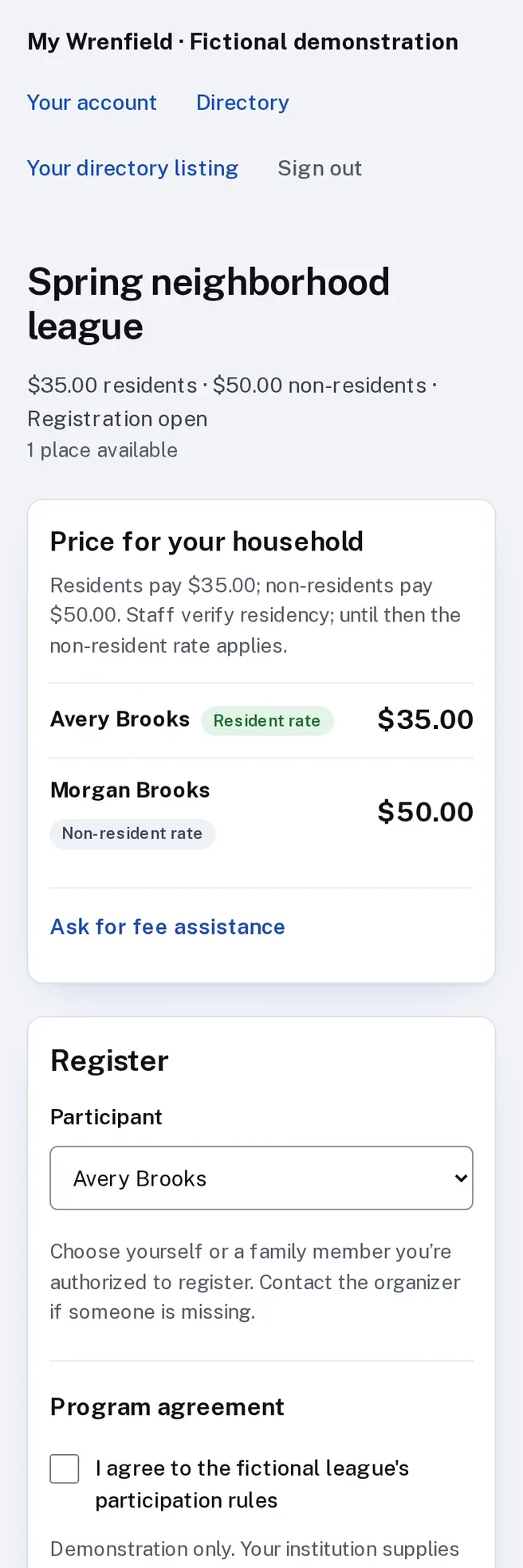
A parent signs in once and registers each child, sees the price for each and signs the program’s waiver with a typed name.
No paper forms to collect, scan or retype.
- 3 Families
Pay in full or in installments
Pay by card at registration, or in two to six payments if you offer a plan. A family can ask for fee assistance, and staff set the reduced amount.
Fee help is handled privately, on the same account.
- 4 The Platform
Hold every place fairly
When many families register at once, places never oversell. A full program keeps a waitlist in the order people joined.
- 5 Your staff
Fill freed places and run the roster
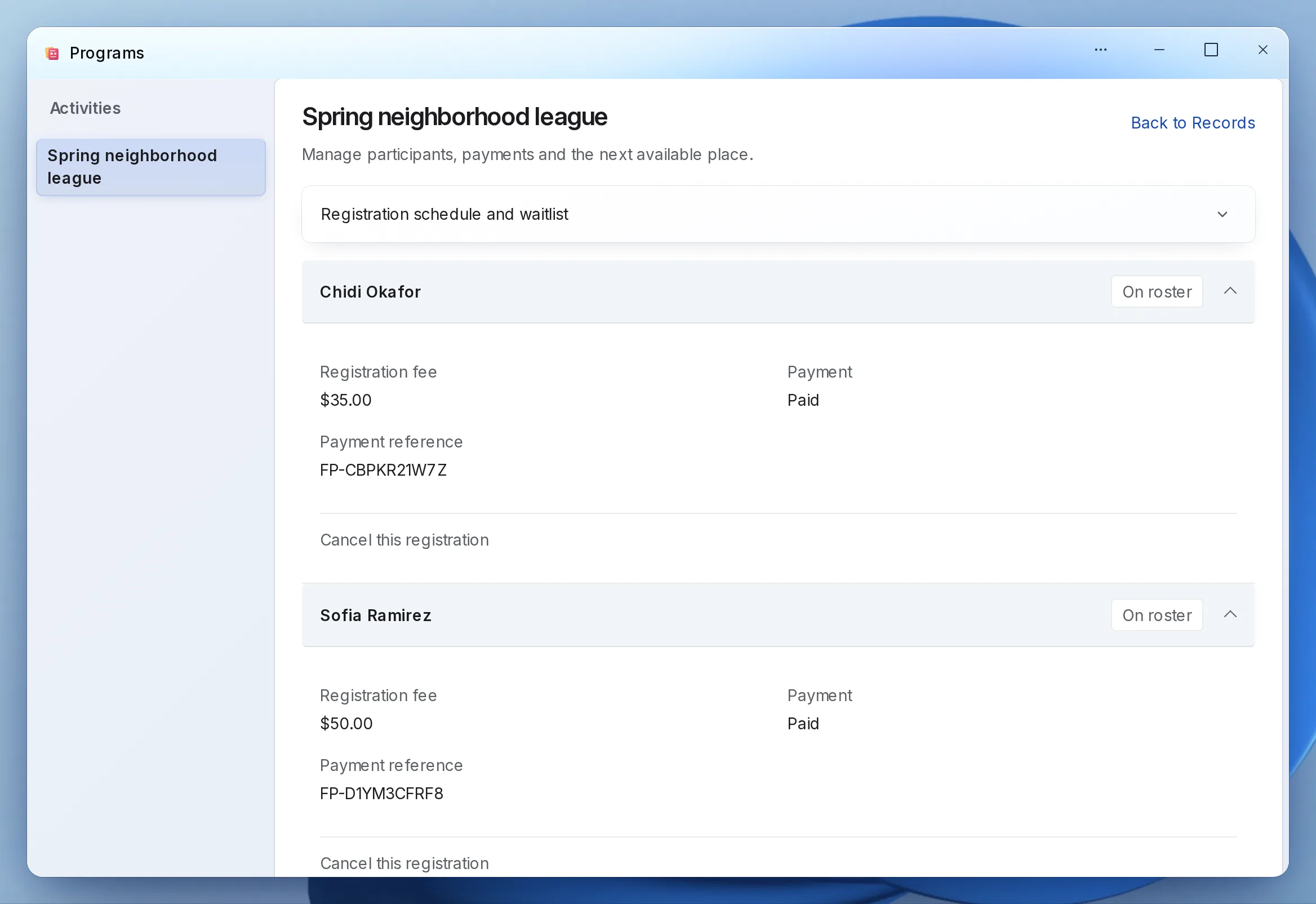
When someone drops, the place is offered to the next family on its own, or by staff with one click, and the family has a set time to accept. Each program’s roster and payments are on one screen and download as a spreadsheet.
What it looks like
Enlarge to view the full screenshot.
Enlarge to view the full screenshot.
What your staff control.
Rules your staff set, and decisions they keep.
-
Capacity and ages
Set places and age limits for each session.
-
Residency
Charge residents and non-residents different fees. A household’s address, checked against your boundary or address list, sets the resident rate, and staff can always decide.
-
Documents
Ask for proof of residency or other documents, and approve them or ask for another copy.
-
Waivers
Each family signs the exact waiver text; staff can open the signed copy as a PDF.
Setting it up.
What you bring, and what LFW does.
What you bring
- Your program list: sessions, dates, ages and capacity
- Your fees, resident rules and any payment plan
- Your town boundary or resident address list, if you want addresses checked
- Your waiver text
- Last season’s families, as a spreadsheet, if you want them imported
- A Stripe account in your institution’s name
What we do
- Set up your workspace and the program settings
- Import your households from the spreadsheet
- Connect registration to your website
- Give each staff member the access they need
- Test a full registration with your staff before it opens
Questions.
Can several children register in one checkout?
Yes. A parent registers each child from the same household account.
Can we charge non-residents more?
Yes. Set a resident fee and a non-resident fee. A household whose address falls inside your boundary or on your address list gets the resident rate. Any other address goes to staff, who decide.
What happens when a program fills?
New families join a waitlist in order. When a place opens, it is offered to the next family in their account, and they have a set time to accept.
Can we give sibling discounts or promo codes?
Yes. Set a percentage off for the second child and each one after, and issue promo codes for a percentage or an amount off, with a limit on uses.
Where does the money go?
Into your institution’s own Stripe account, in your name. Stripe’s own processing fees apply.
Do we have to replace our website?
No. The public uses it from the website you have, through a link to a hosted page or an embed. WordPress and Drupal sites can also install a connector.
Who sets it up?
LFW sets up your workspace and configures the workflow with your staff. Staff build their own forms and import existing records from a spreadsheet.
How do we get a price?
Send a written setup request or ask for a written quote. We reply within one business day. A call is optional.
Planning it first? Read the guide to camp registration and waitlists
Start with this season’s camps.
Send a written setup request. A demonstration is there if you want one.
Need a quote for purchasing? Request a written quote.